Odoo Inventory

Know What You Have. Know Where It Is. Know What Moves Next.

Inventory becomes harder to control as products move across warehouses, storage locations, incoming shipments, internal transfers, and customer orders. Odoo Inventory brings these activities together in one connected system, helping your teams see what is available, what is committed, where products are located, and what needs to move next.

OdooBots implements Odoo Inventory around the way your business actually operates. We configure warehouses, locations, routes, replenishment, product tracking, barcode operations, and reporting around how your teams receive, store, move, and deliver products.

Odoo-Inventory

What Can Odoo Inventory Manage?

Odoo Inventory goes beyond tracking stock quantities. It helps teams manage the movement of products throughout the inventory lifecycle from receiving and storage to internal transfers, picking, delivery, replenishment, and inventory adjustments.

These processes can be connected through warehouses, storage locations, routes, replenishment rules, product tracking, and inventory operations, giving teams a more structured way to manage how products move through the business.

The goal is not simply to enable every inventory feature. The implementation should connect these capabilities around the way your products are stored, moved, replenished, and delivered.

Know What Is Available and Where It Is

Inventory-Dashboard

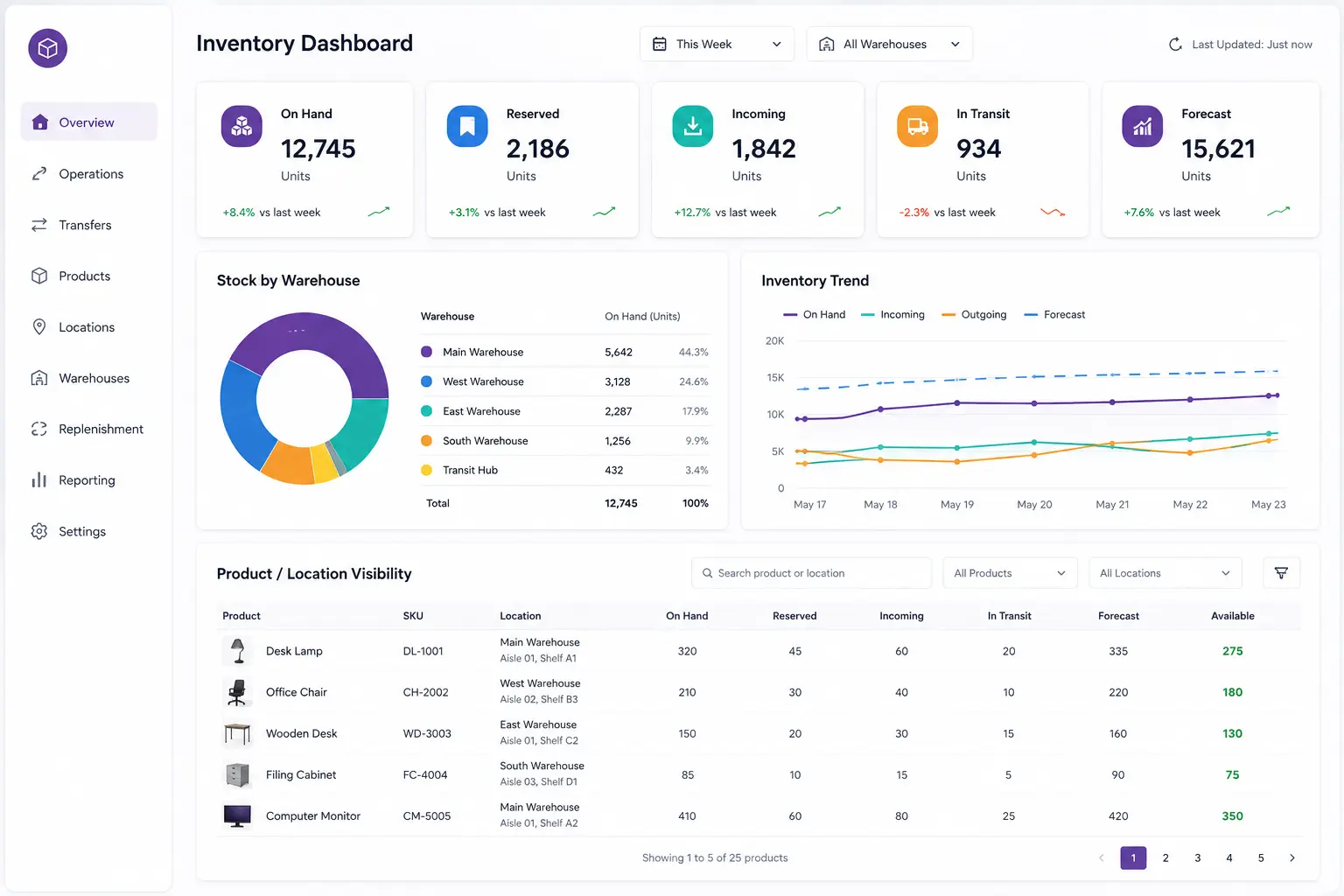
Inventory decisions become difficult when teams cannot quickly determine what stock is available, what is reserved, or where products are currently stored.

Odoo provides inventory and forecast information across products, warehouses, and locations, helping teams review on-hand stock, reserved quantities, incoming products, products in transit, and expected availability.

This gives operations teams a clearer basis for questions such as:

  • What stock is currently available?
  • How much is already reserved?
  • Where is a particular product located?
  • What quantities are incoming or in transit?
  • What stock is expected to be available?
  • Which products may require replenishment?

For businesses operating across multiple warehouses, this visibility becomes particularly important because inventory decisions may need to be made at both the overall business level and individual warehouse level.

Manage Warehouses and Storage Locations

Inventory becomes easier to control when physical storage areas are represented accurately in the ERP.

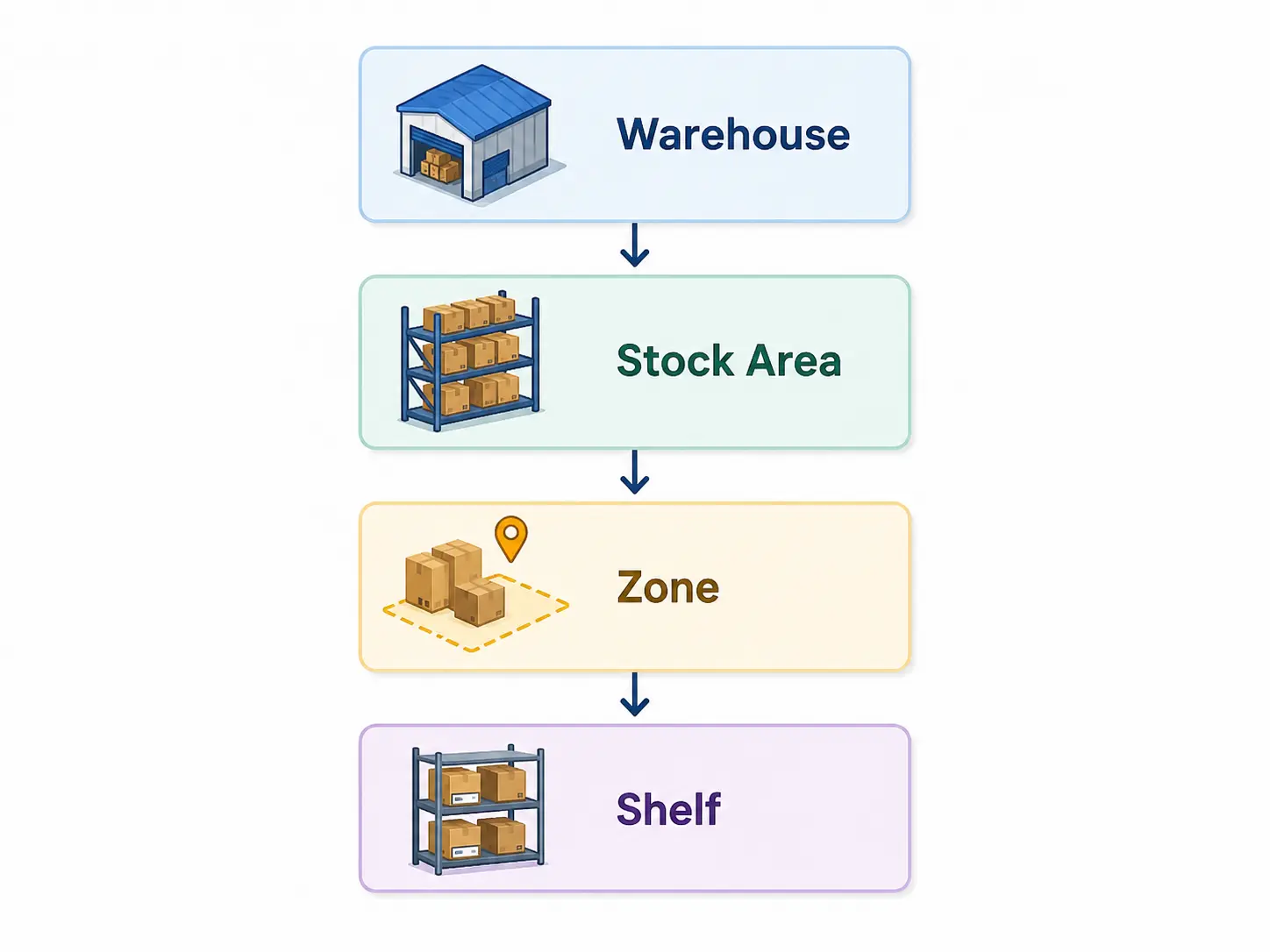
Odoo allows businesses to configure warehouses and detailed storage locations. A location can represent a shelf, room, aisle, receiving area, or another defined storage point, with locations organized into a hierarchy within the warehouse.

This allows the inventory structure to reflect the way products are actually stored.

The appropriate structure depends on how much location-level control the operation requires. A business with simple storage may need fewer levels, while a high-volume operation may benefit from more detailed locations.

Manage-Warehouses

Control Product Movement

Products often move through several stages before reaching the customer or another internal destination.

Odoo routes use push and pull rules to control product movement between locations. Routes can support multi-stage warehouse operations, manufacturing supply, quality-control movements, supplier returns, and other operational processes.

This allows inventory movements to follow defined business rules rather than relying entirely on manual decisions.

Warehouse
Stock Area
Zone
Shelf

Replenishment When Stock Needs to Be Restored

Stock-Needs

Maintaining inventory availability requires more than monitoring current stock.

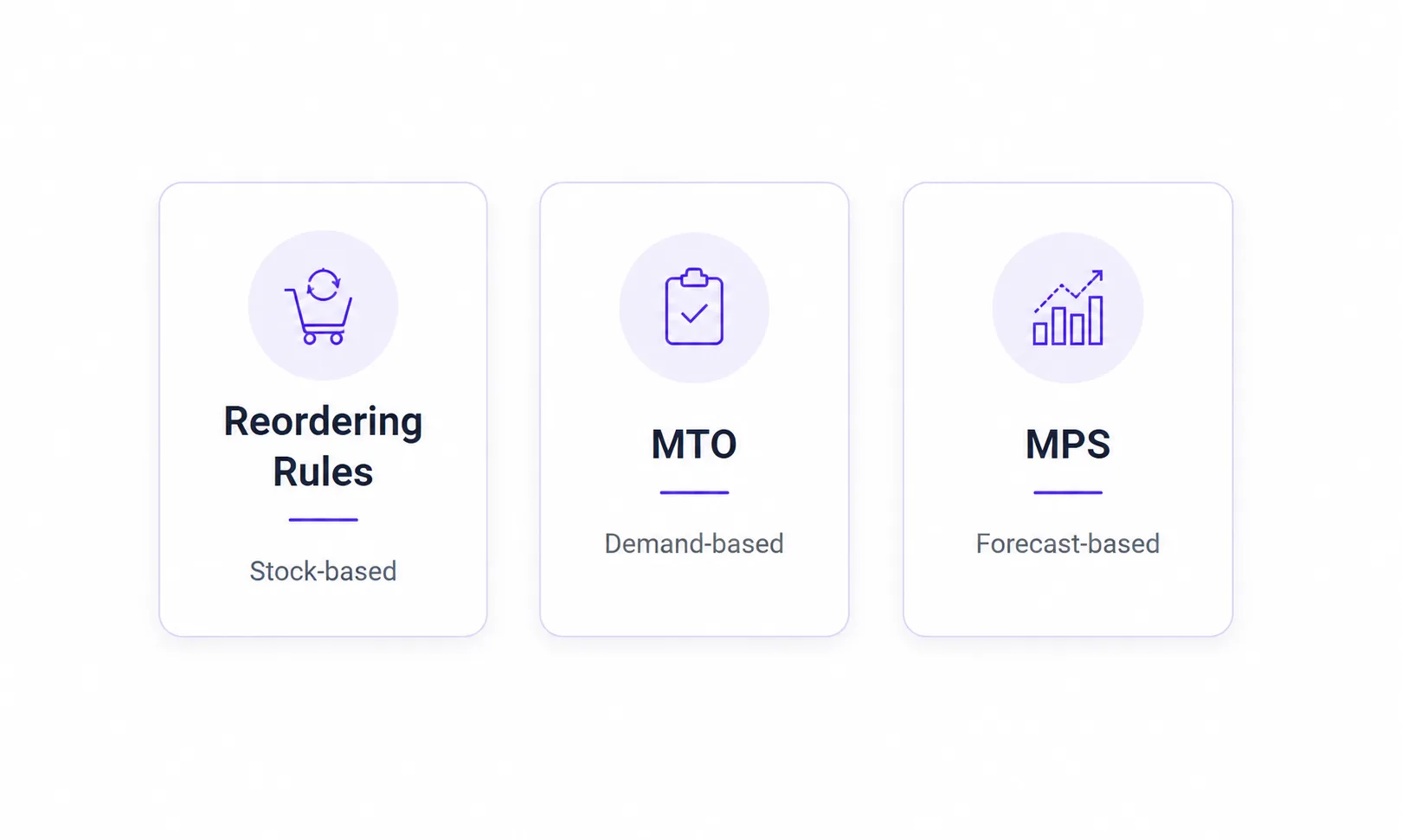
Odoo supports replenishment approaches such as Reordering Rules, Make to Order (MTO), and Master Production Schedule (MPS). The appropriate method can depend on product demand, stock policies, lead times, and whether products are purchased or manufactured.

Odoo’s replenishment tools can help teams identify future requirements and determine when additional inventory may be needed.

Manage Inventory Across Multiple Warehouses

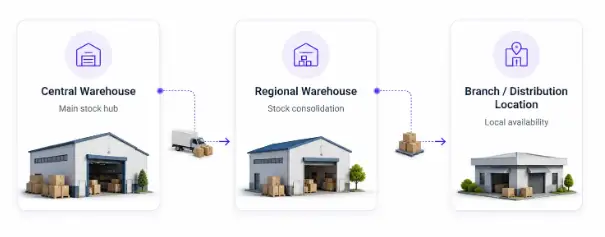
As a business grows, inventory may be spread across multiple warehouses, branches, or distribution locations, making it harder to know where stock should come from when another location needs it.

Odoo can connect these locations through inter-warehouse replenishment, allowing one warehouse to supply another using configured MTO or reordering rules.

The implementation defines which locations can supply each other and how stock should be replenished

Multiple-Warehouses

Track Products Through Lots, Serial Numbers, and Expiry Dates

Some products require more detailed tracking than a simple quantity.

Odoo Inventory supports tracking through lot numbers, serial numbers, and expiration dates, helping businesses identify specific batches, individual products, and products with defined expiry information.

The appropriate tracking structure depends on the product and its traceability requirements. It should be configured where detailed tracking is genuinely needed rather than applied unnecessarily across every product.

Use Barcode Operations for Faster Inventory Handling

Manual inventory transactions can become difficult when warehouse teams process large numbers of products and movements.

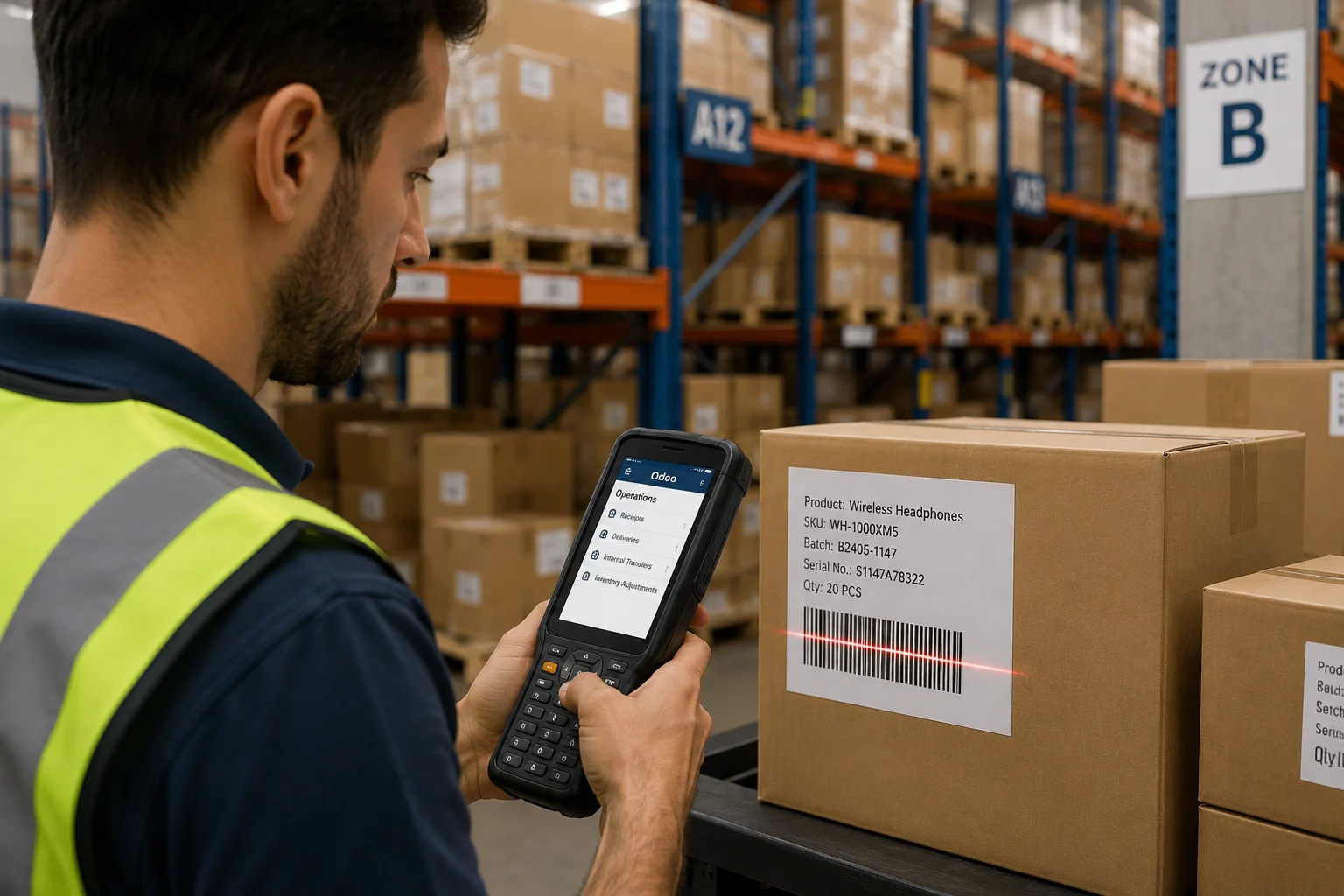
Odoo Barcode supports barcode-based inventory operations for activities such as receipts, deliveries, transfers, and inventory adjustments, helping connect physical warehouse activity with the corresponding ERP transactions.

The important part is configuring barcode operations around the existing warehouse process, from receiving and storage to picking, movement, and shipping.

Barcode-Operations

Inventory Valuation and Stock Value

Inventory is also a financial asset, so inventory management needs to connect appropriately with accounting requirements.

Odoo supports inventory valuation methods including Standard Price, First In First Out (FIFO), and Average Cost (AVCO). Depending on the configuration, businesses can use periodic or perpetual inventory valuation approaches.

The appropriate valuation method depends on the organization’s accounting requirements, inventory model, and applicable accounting practices.

Why Choose OdooBots for Odoo Inventory?

Business-First Configuration

We start with how your inventory operation works rather than simply enabling available features.

Standard Odoo Where It Fits

We evaluate standard functionality and configuration before considering customization.

Inventory Process Understanding

We consider how products, locations, warehouses, replenishment, routes, purchasing, manufacturing, and fulfillment work together.

Practical Warehouse Configuration

We create inventory processes that users can understand, operate, and maintain.

Integration Capability

Where inventory depends on external systems, we can incorporate the required integration strategy.

End-to-End Implementation Support

From discovery and design through configuration, migration, testing, training, and go-live, OdooBots can support the implementation lifecycle.

Frequently Asked Questions

What is Odoo Inventory?

Odoo Inventory is an inventory and warehouse management application that helps businesses manage stock, warehouses, locations, product movements, replenishment, routes, and related inventory operations.

Can Odoo manage multiple warehouses?

Yes. Odoo supports multiple warehouses and can be configured for internal transfers and inter-warehouse replenishment when one location needs to be supplied by another.

Can Odoo track products by location?

Yes. Odoo can organize inventory through warehouses and detailed storage locations, allowing users to manage stock at specific locations.

Can Odoo automate inventory replenishment?

Yes. Odoo supports reordering rules, Make to Order, and Master Production Schedule approaches, depending on the business process.

Can Odoo use barcodes for inventory?

Yes. Odoo Barcode supports barcode-based inventory operations, including product identification and inventory movements.

Can Odoo support lot and serial number tracking?

Yes. Odoo supports product tracking using lot numbers and serial numbers, along with expiration-date functionality for applicable products.

Can Odoo Inventory be customized?

Yes. Standard Odoo functionality and configuration should be evaluated first. Where a genuine business requirement cannot reasonably be addressed through configuration, integration or customization can be considered.

Build an Inventory System Around the Way You Operate

Your inventory system should reflect how products are received, stored, moved, replenished, tracked, and delivered.

OdooBots helps businesses implement Odoo Inventory around their actual operational requirements—from warehouse and location structures to replenishment, routes, barcode operations, reporting, integrations, and inventory workflows.

Online Enquiry