
Customer & Vehicle
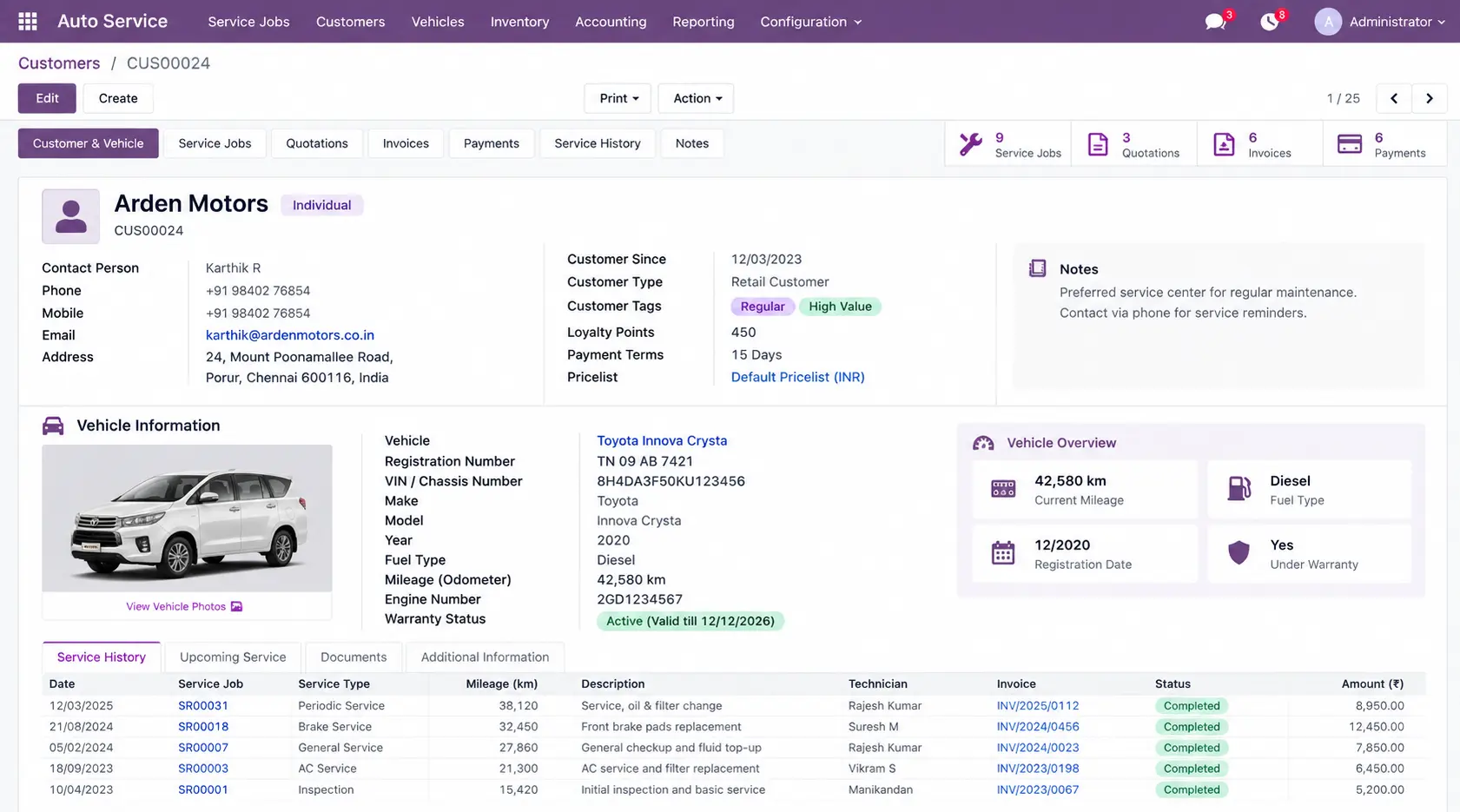
Keep the customer's details with the vehicle information needed for service, including identifiers, mileage, service details, and related records.
From Vehicle Check-In to Final Delivery, Know What Happens Next
A service job moves through inspection, diagnosis, technician work, spare parts, labour, billing, payment, and delivery. When those details are scattered, teams spend time chasing updates instead of moving the job forward.
Odoo connects customer, vehicle, job, technician, parts, billing, and payment information so your team can see where the service job stands, what work is required, what parts are being used, and what remains to be completed.
Keep every service job visible from the first inspection to the final invoice and vehicle handover.

An auto service job rarely stays within one record. The same vehicle can involve customer details, inspection findings, technician work, spare parts, labour charges, approvals, payments, and previous service history. When these details are separated, teams have to check multiple records before they know what needs to happen next.
An auto service management system can organize these details around the vehicle and its service job, giving the team a clearer operational picture throughout the repair.
Keep the customer's details with the vehicle information needed for service, including identifiers, mileage, service details, and related records.
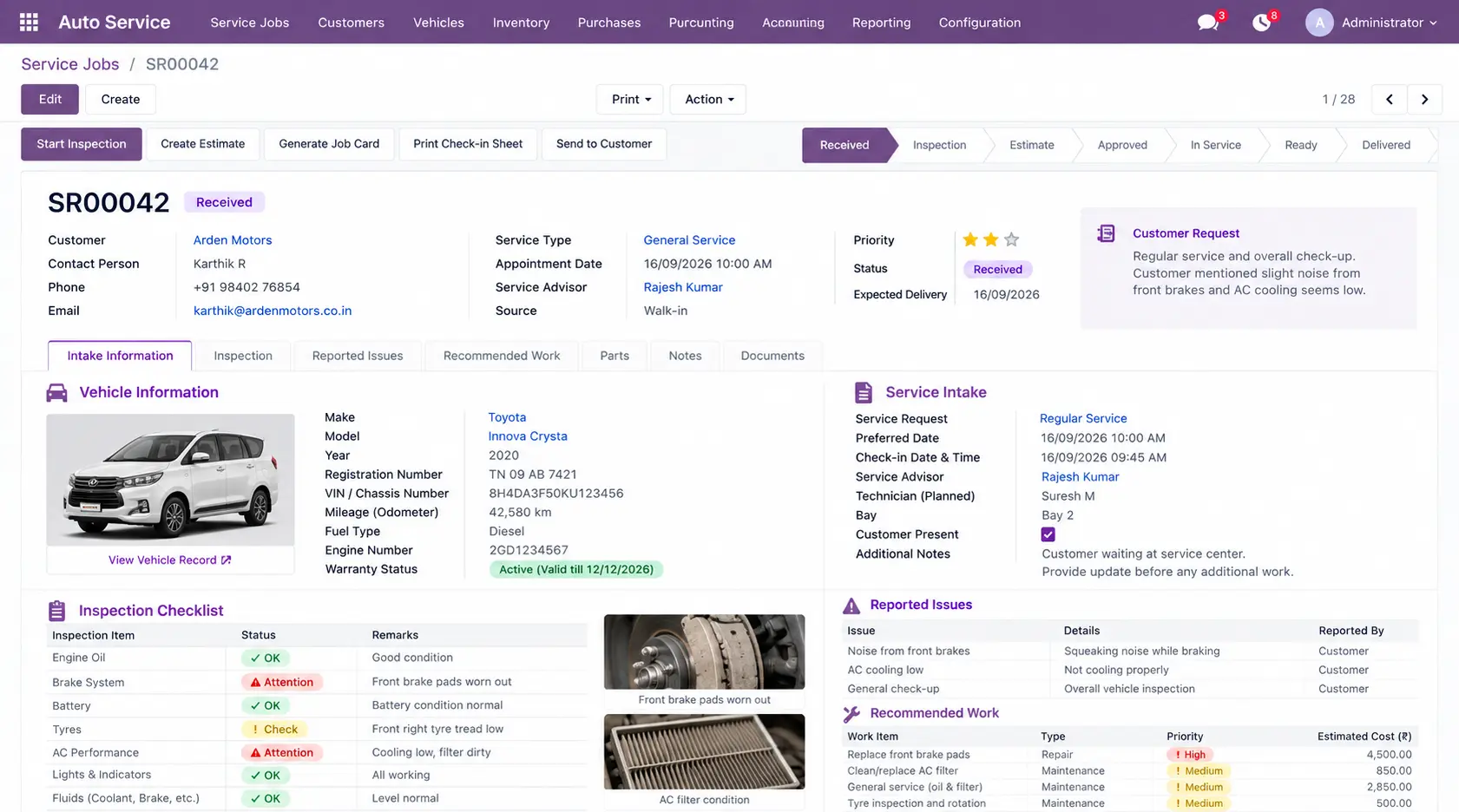
Record the service request, scheduled visit, vehicle check-in, and customer-reported requirements before work begins.
Document inspection findings, identified issues, diagnosis, and recommended repairs before the service job moves forward.
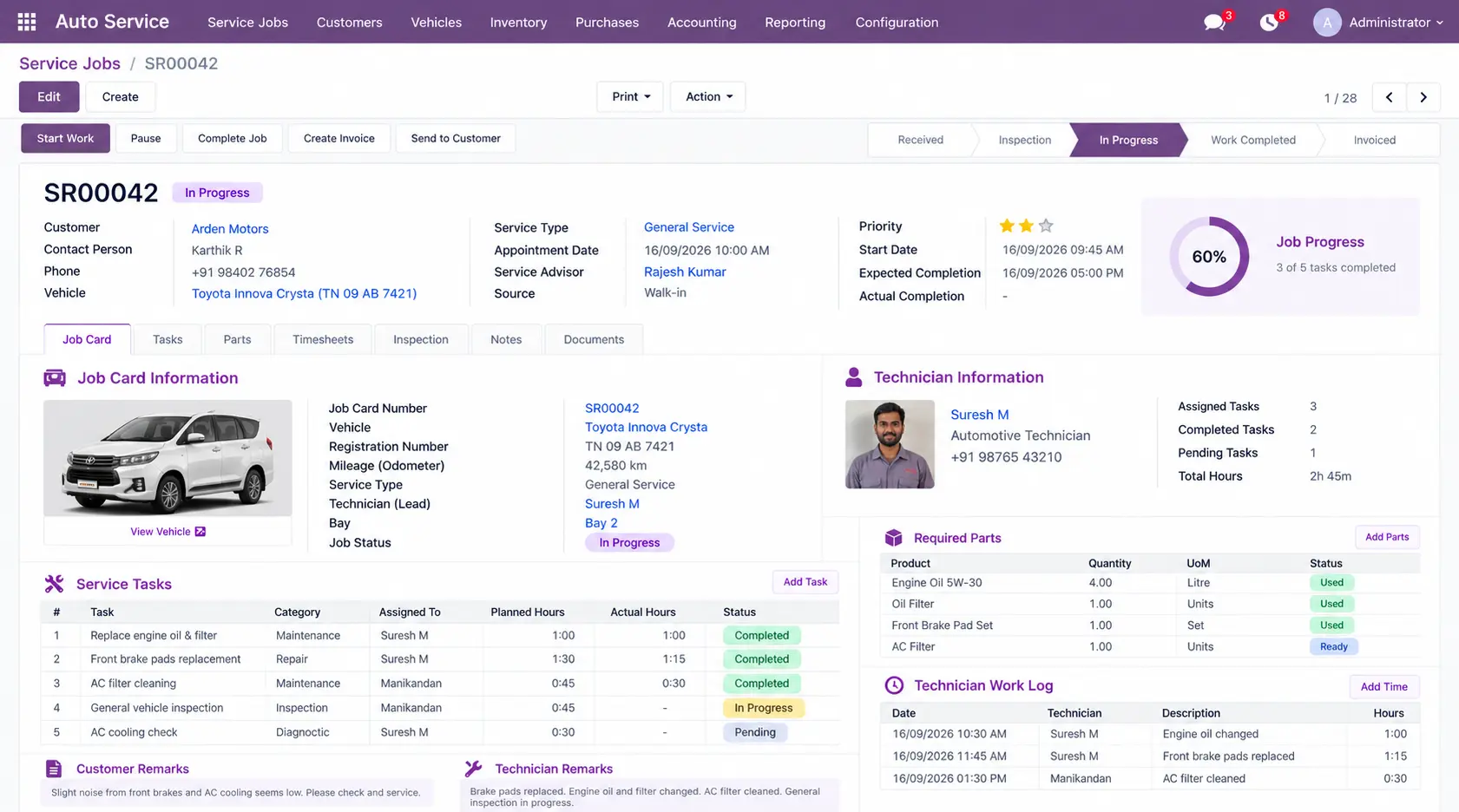
Track service tasks, assigned technicians, job status, and completed or pending work within the same service record.
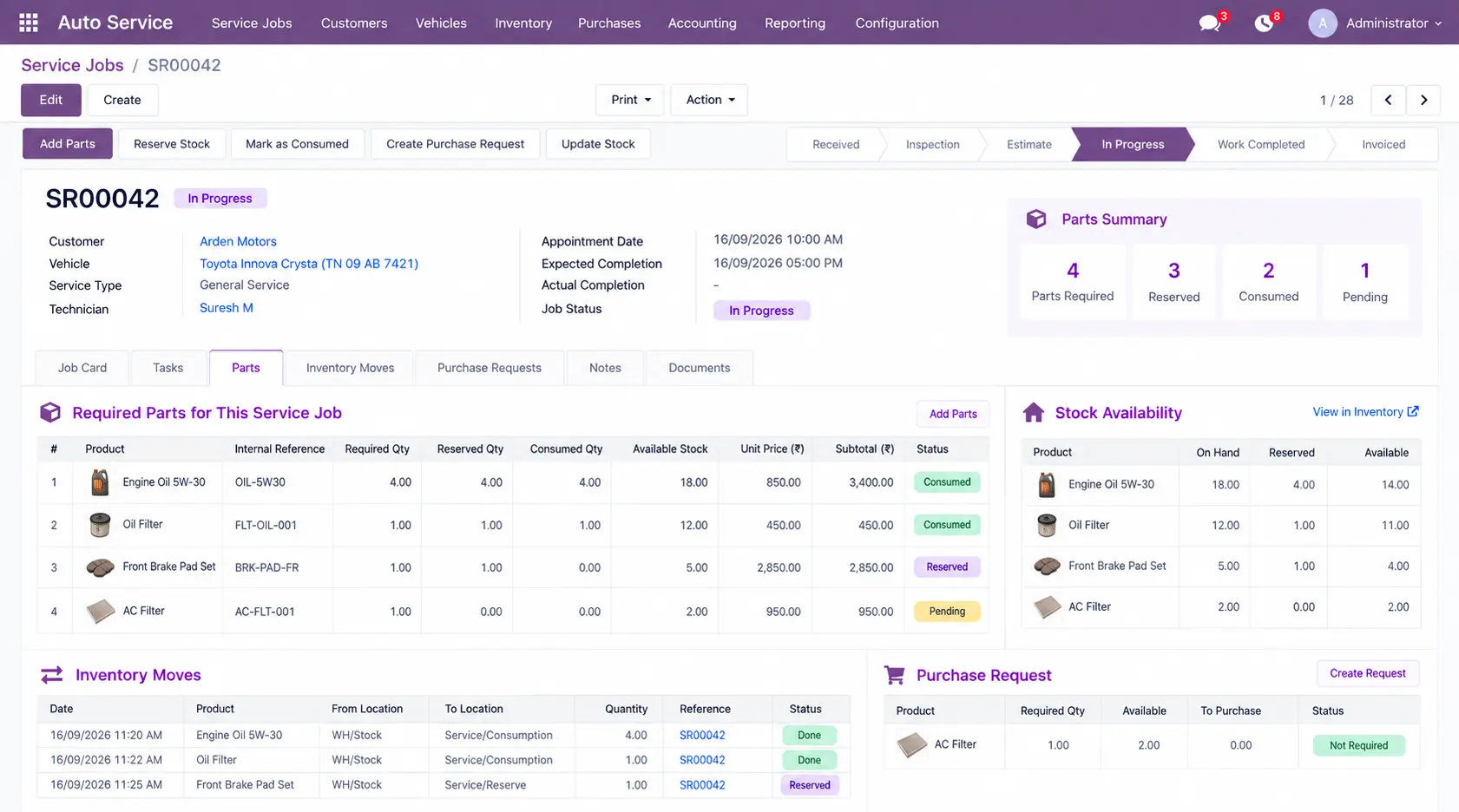
Check required spare parts, availability, reservations, and consumption alongside the service job instead of managing parts separately.
Bring labour, parts, service charges, quotations, invoices, and payment status into the financial side of the same job.
Review previous repairs, parts used, service dates, and related billing information when the vehicle returns for its next service.
See What Your Team Tracks for Every Service Job
Each screen below shows the information your team can work with at a specific stage of vehicle service.
See the customer, vehicle details, identifiers, mileage, and related service information before a job begins.
Record the service request, vehicle check-in, inspection findings, reported issues, and recommended work.
Track the service job, assigned technician, required tasks, job status, and work completed or still pending.
View required parts, stock availability, reservations, and quantities consumed during the service job.
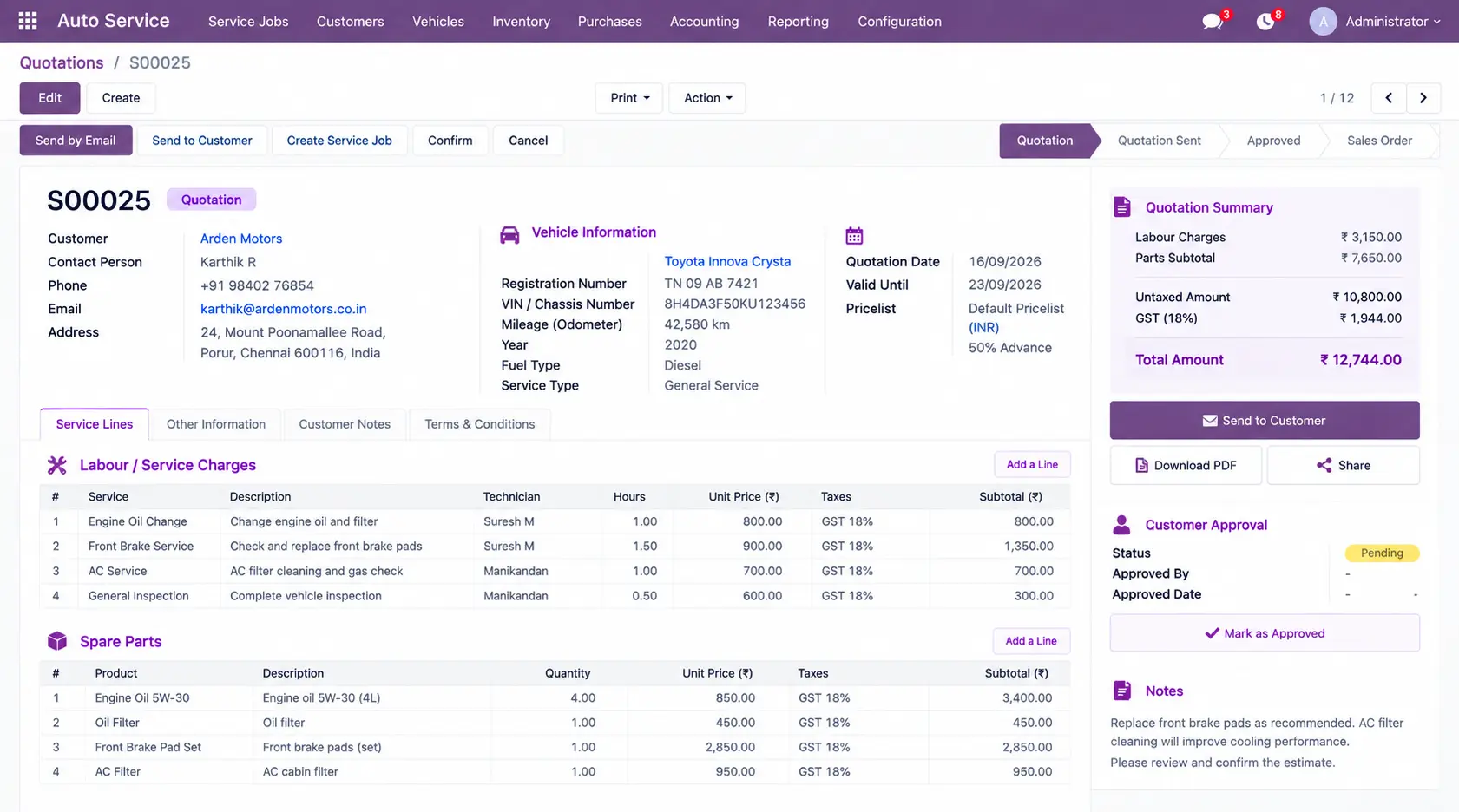
Prepare the estimate from labour, parts, and service charges before the customer approves the work.
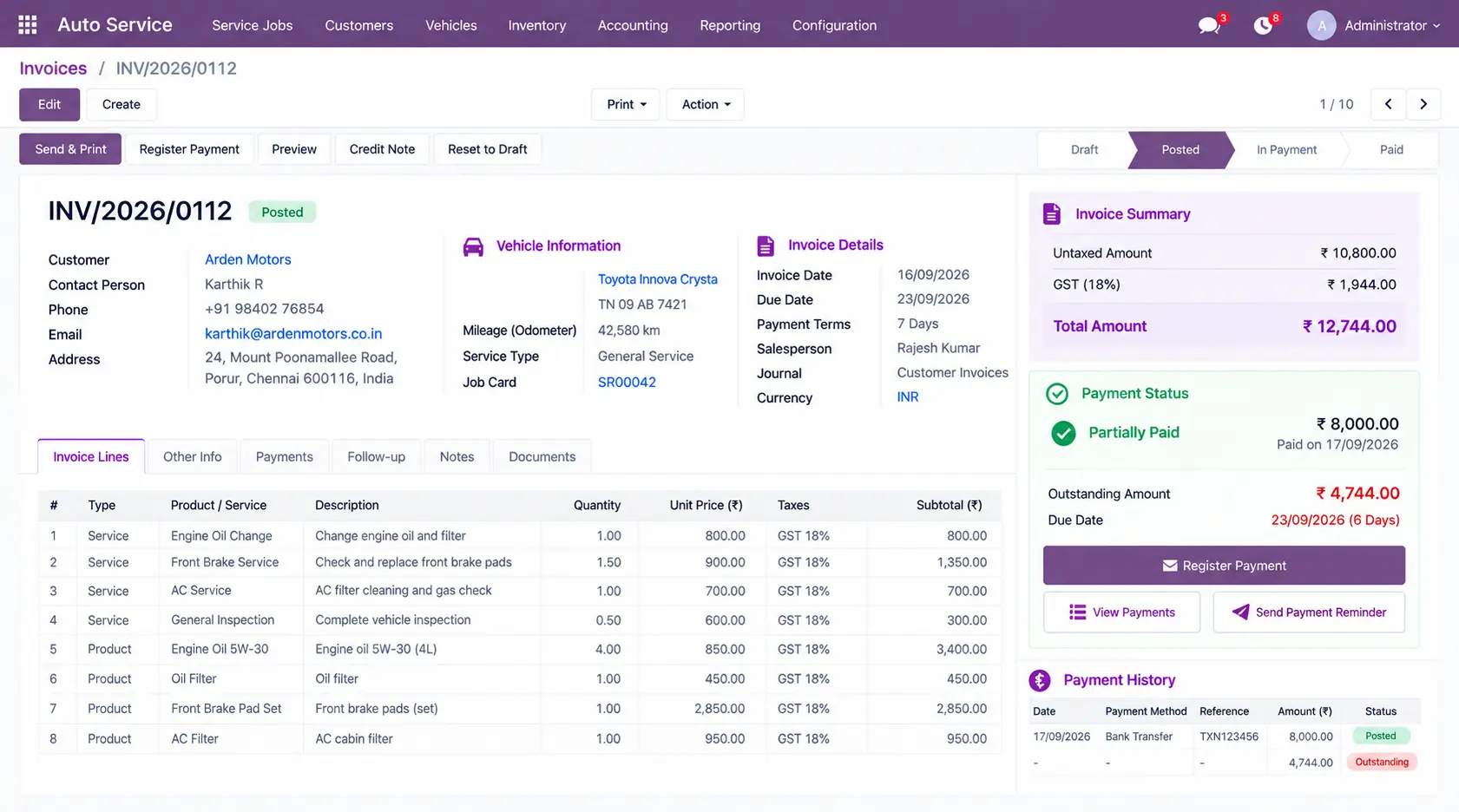
Follow the charges raised for completed service work, invoice status, payment received, and outstanding amounts.
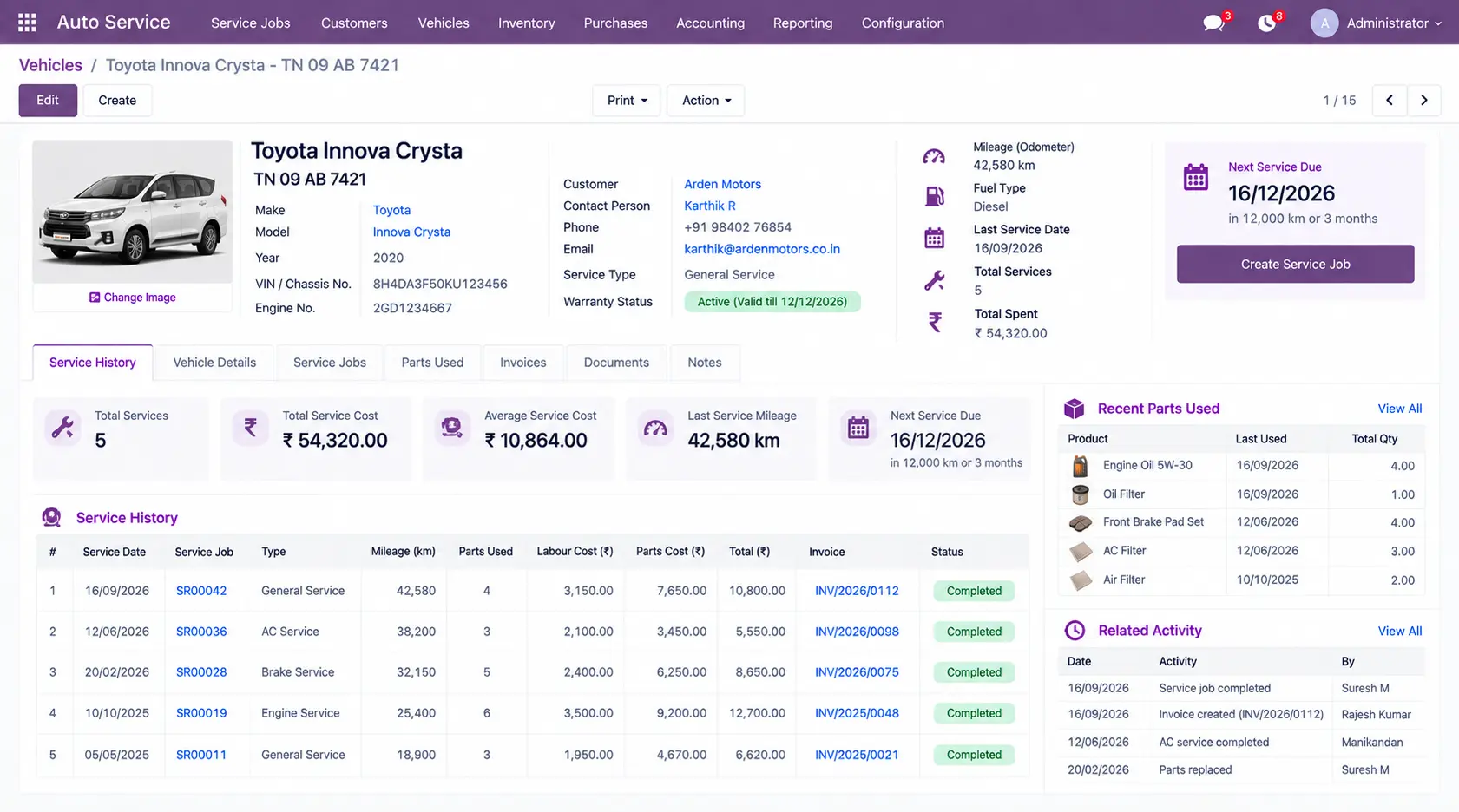
Review previous repairs, service dates, parts used, invoices, and related activity when the vehicle returns.
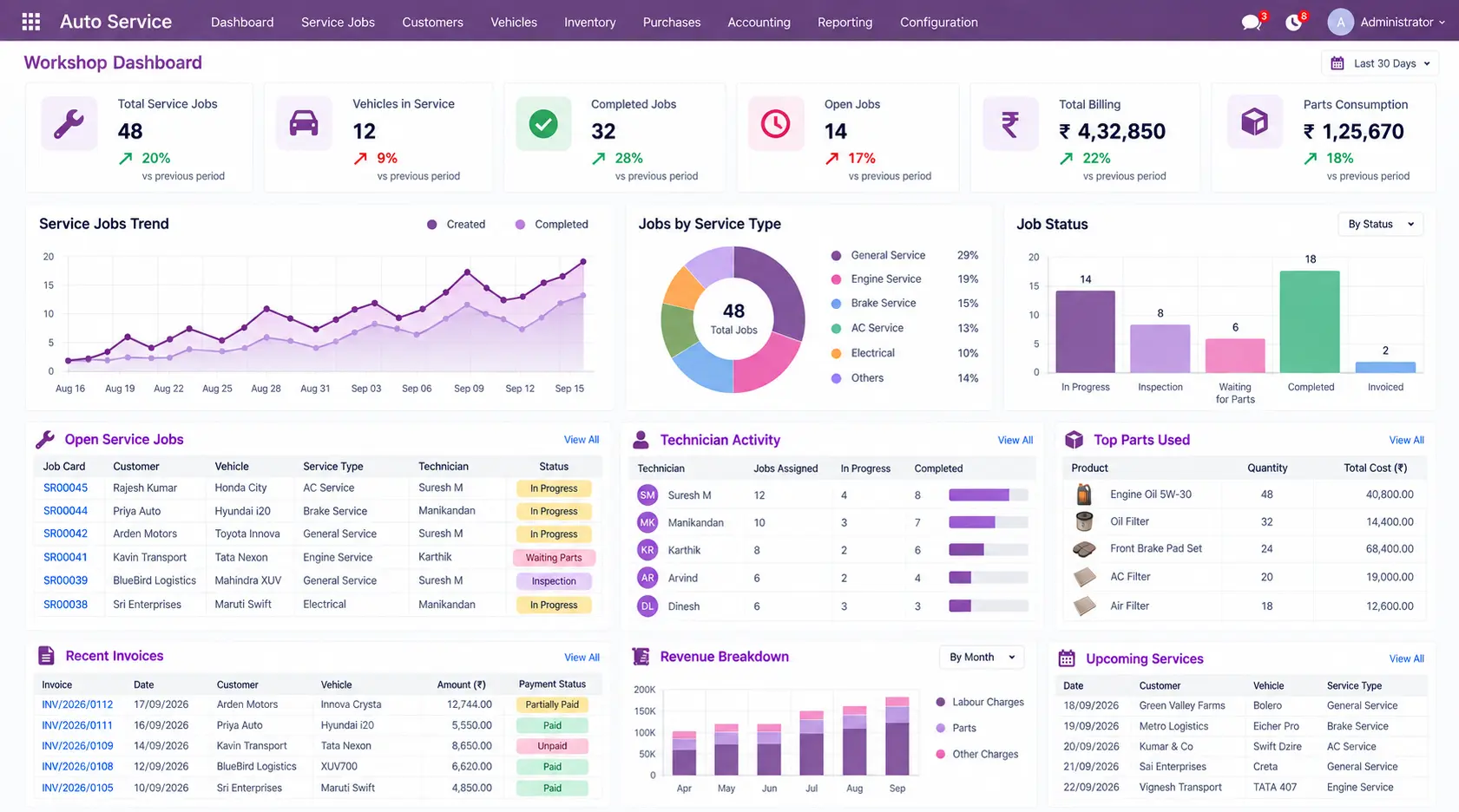
Monitor vehicles in service, open and completed jobs, technician activity, parts usage, billing, and other workshop information.
Customize the Parts of Your Workshop Workflow That Need More
Start with standard Odoo configuration. Where your workshop has a specific process that needs additional functionality, targeted customization or integration can extend that part of the workflow.
Extend the requirement that needs additional functionality while keeping the overall Odoo environment practical and maintainable.
An auto service management system organizes customer, vehicle, service, inspection, repair, technician, spare-parts, billing, payment, and service-history information around each service job.
Yes. Odoo can be configured for customer and vehicle records, service requests, repair jobs, inventory, quotations, invoicing, payments, and workshop reporting.
Yes. Odoo can organize customer records, vehicle details, mileage, service information, and related service activity within the required workflow.
Yes. Service activity can be linked to the vehicle so teams can review previous repairs, service dates, parts used, invoices, and related records when the vehicle returns.
Yes. Odoo can support service jobs with tasks, technician assignments, required parts, job status, and repair progress.
Yes. Service jobs can be connected with inventory operations to manage required parts, stock availability, reservations, and quantities consumed during repairs.
Yes. Labour, spare parts, and service charges can be used in quotations and invoices, with payment information tracked against the resulting service transaction.
Yes. After evaluating standard configuration, specific requirements can be addressed through targeted customization or integrations with payment systems, suppliers, CRM, accounting, notifications, or other business applications.
Manage customers, vehicles, inspections, job cards, technicians, spare parts, service estimates, billing, payments, and service history around the way your workshop operates.

Copy right © 2023 Odoobots. All Rights Reserved.