Odoo Clinic Management System

Bring Patient Care and Clinic Operations Into One Connected Workflow

Patient information, doctor availability, appointments, consultations, prescriptions, and billing often move through different stages of a clinic’s daily operation. Without a connected workflow, staff may need to switch between records, schedules, and billing activities to complete a single patient visit.

Odoo Clinic Management System brings these operational activities into a configurable ERP workflow, allowing clinics to manage patients, doctors, appointments, consultations, prescriptions, and billing within a structured system.

Odoo-Clinic-Management

Odoo Clinic ERP for Connected Clinical Operations

👤

Patient Management

Maintain patient profiles, medical information, appointments, and consultation history.

🩺

Doctor Management

Manage doctor profiles, specializations, schedules, and consultation-related information.

📅

Appointment Management

Schedule patient appointments based on doctors, dates, and available time slots.

🎫

Queue Management

Organize patient flow through appointment, check-in, queue, and token workflows.

📝

Consultation Management

Record consultation details, clinical notes, diagnoses, and treatment information.

💊

Prescription Management

Create prescriptions with medicines, dosage instructions, and related patient information.

💳

Billing & Invoicing

Connect consultations and clinic services with Odoo Sales and Invoicing workflows.

Odoo Clinic Management Features

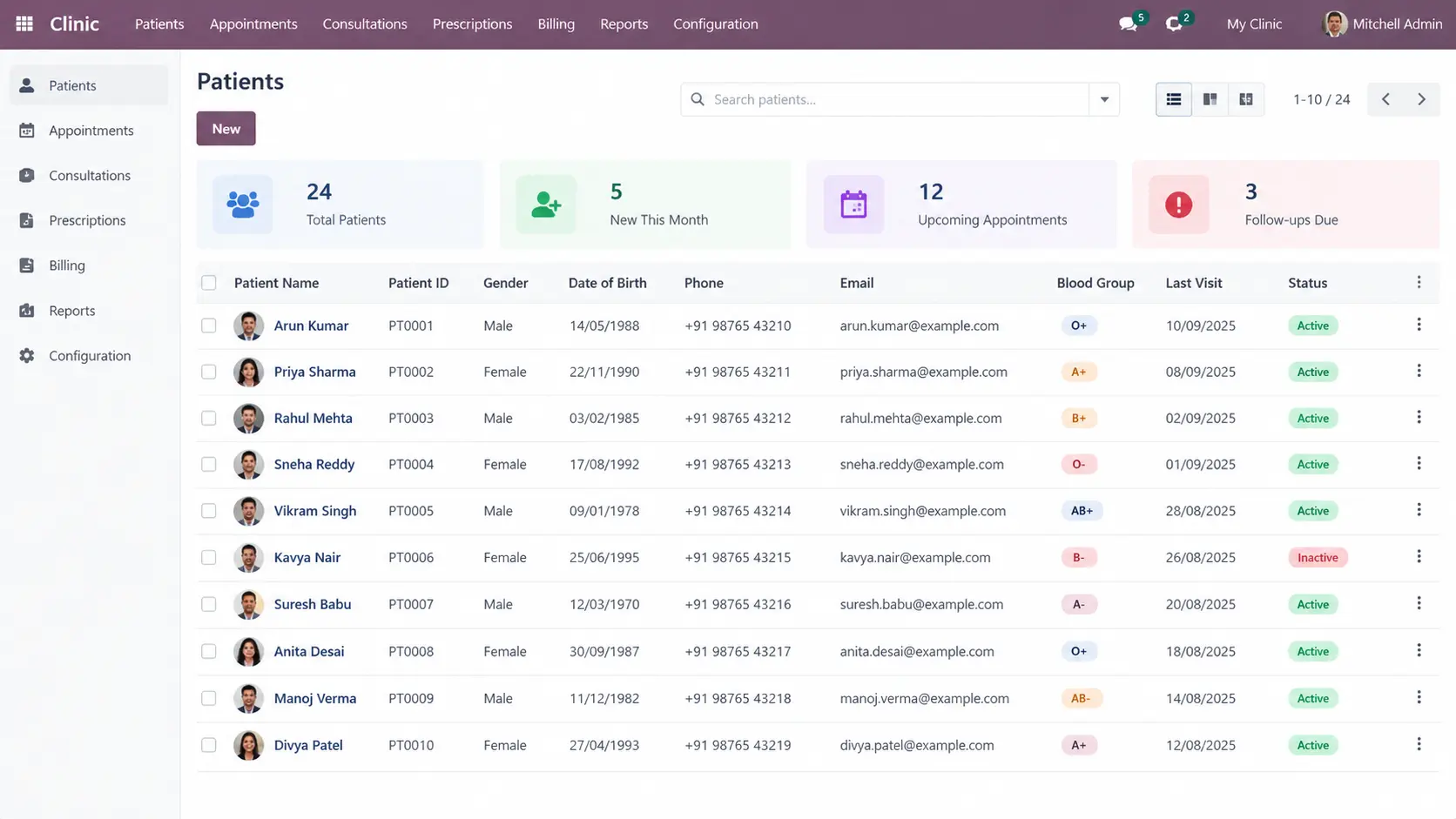
Patients

Maintain centralized patient records and access related appointments, consultations, prescriptions, and other clinic information.

odoo-Patients

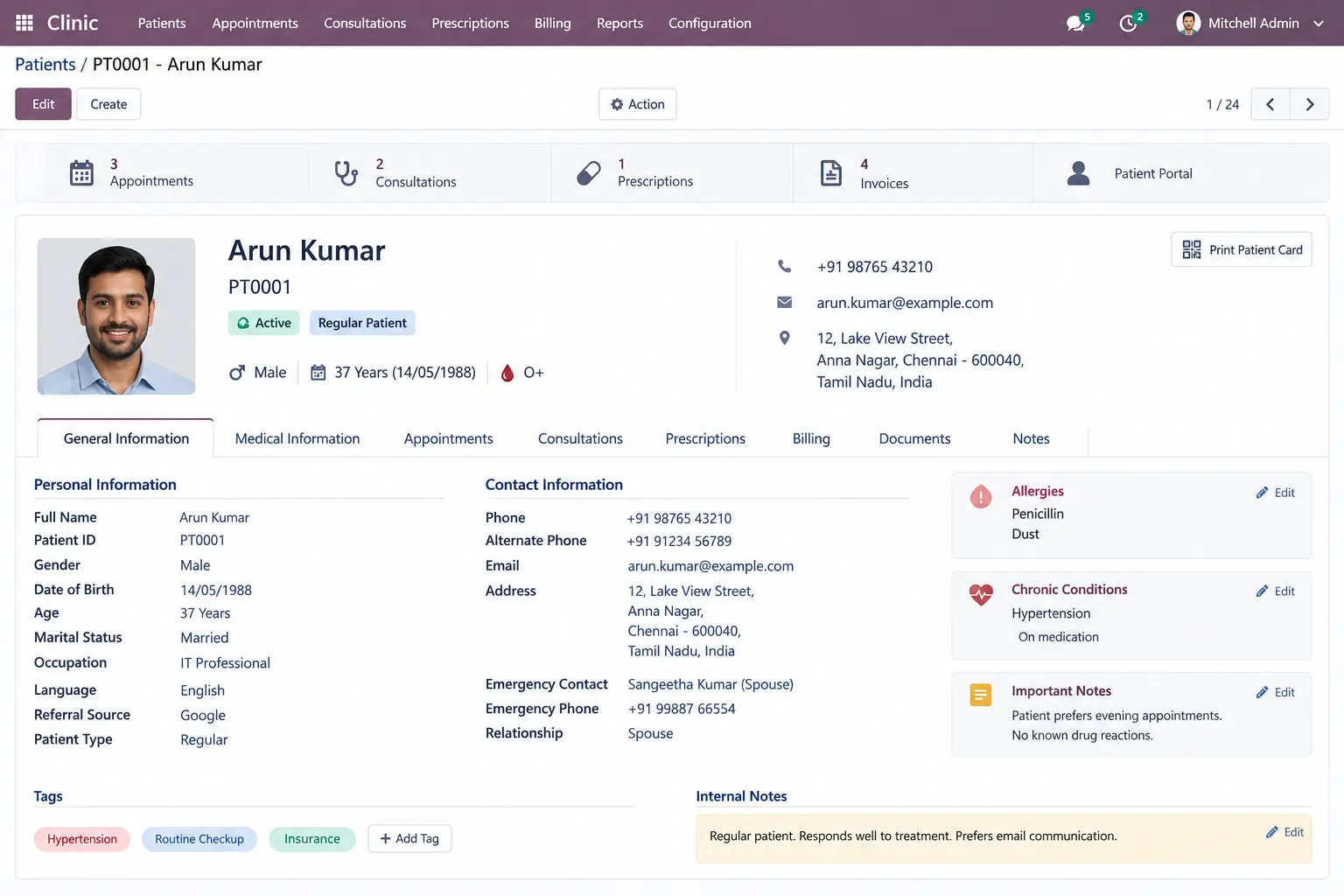
Patient Details

View patient-specific personal, clinical, appointment, and treatment information from a centralized record.

Patient-Details

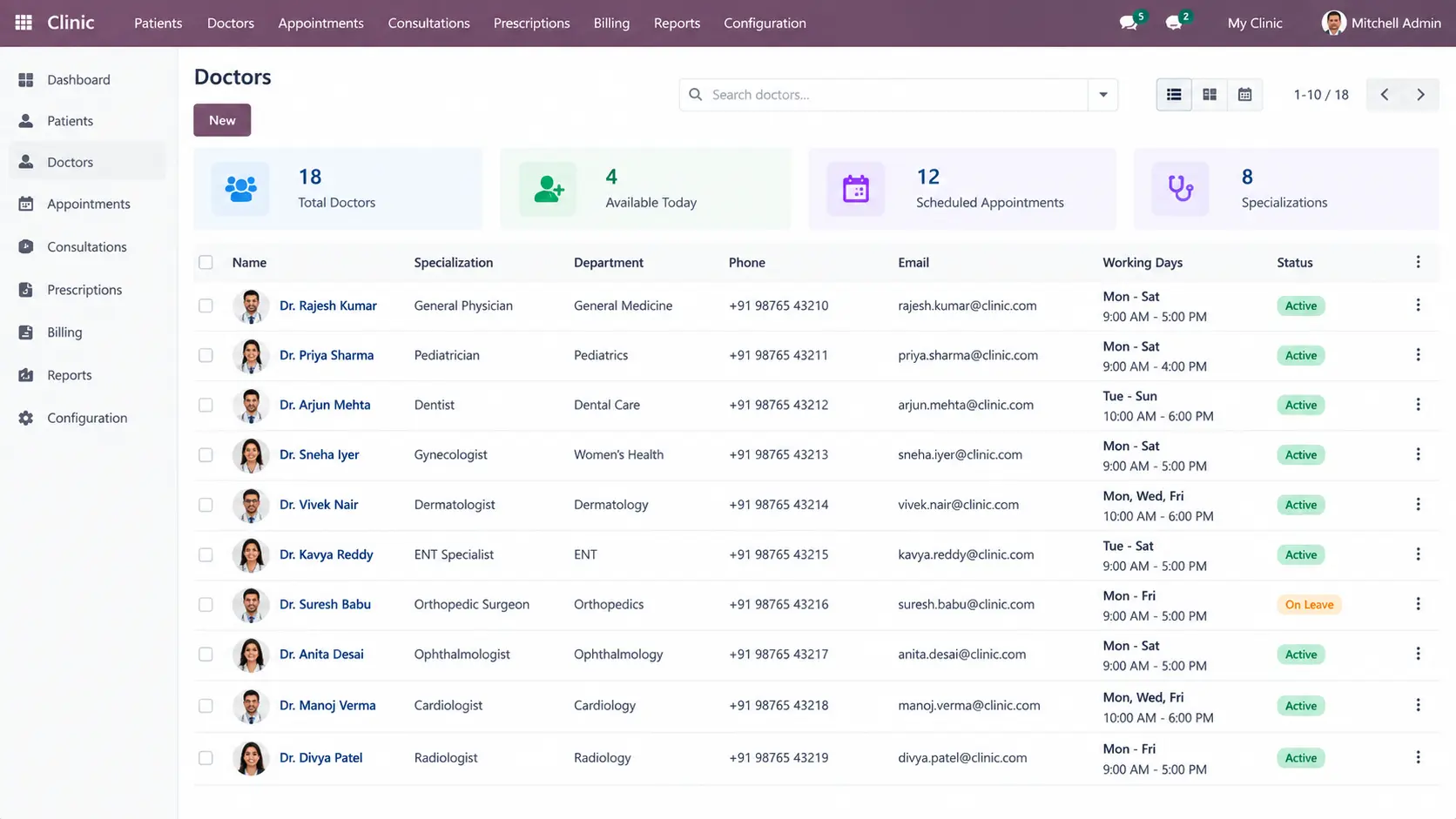
Doctors

Create doctor profiles with professional information, specialization, availability, and related clinic activities.

Doctors

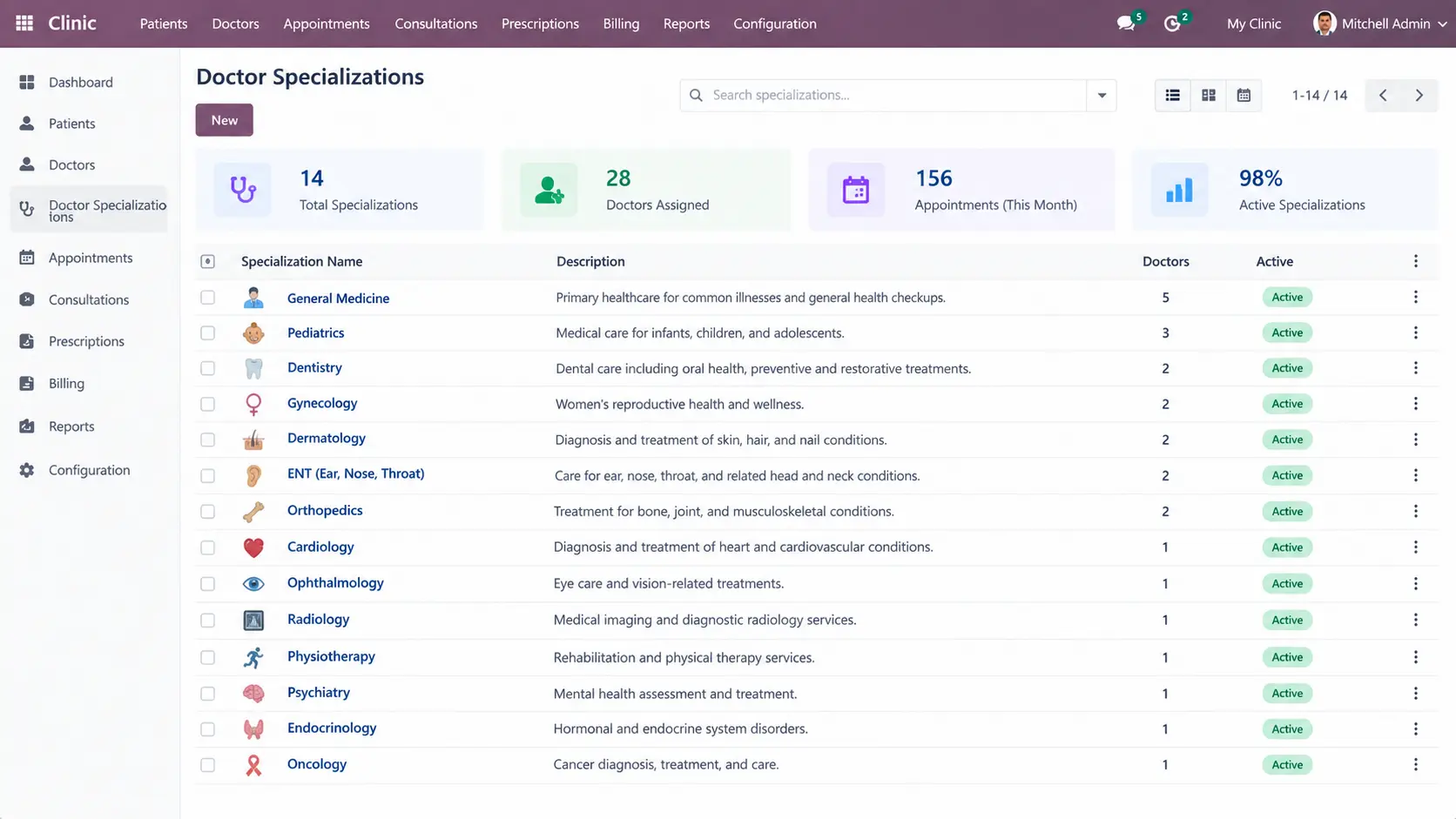
Doctor Specializations

Organize doctors according to their medical specializations to support appointment and consultation workflows.

Doctor-Specializations

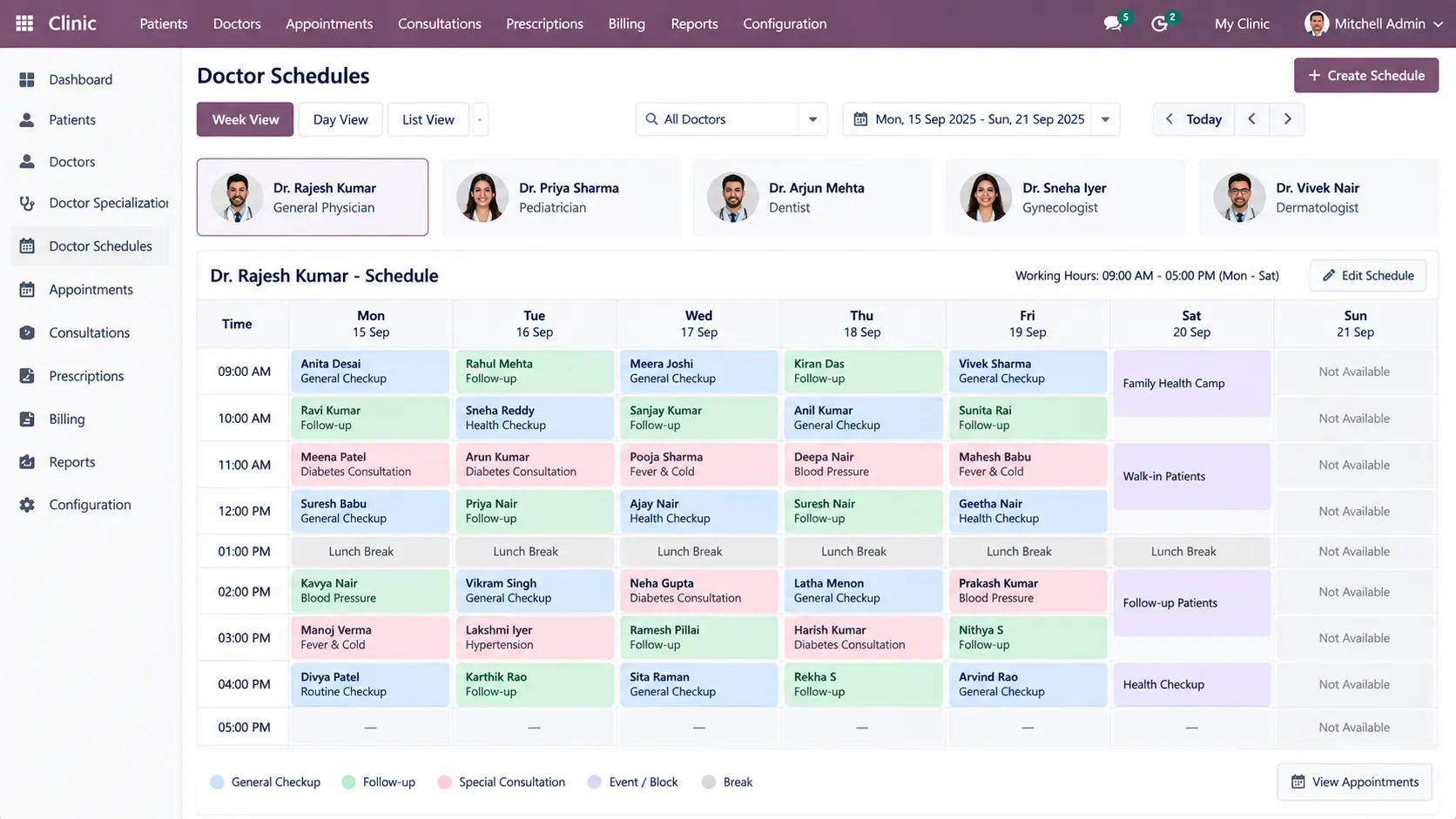
Doctor Schedules

Manage doctor availability, working hours, and appointment schedules according to clinic requirements.

Doctor-Schedules

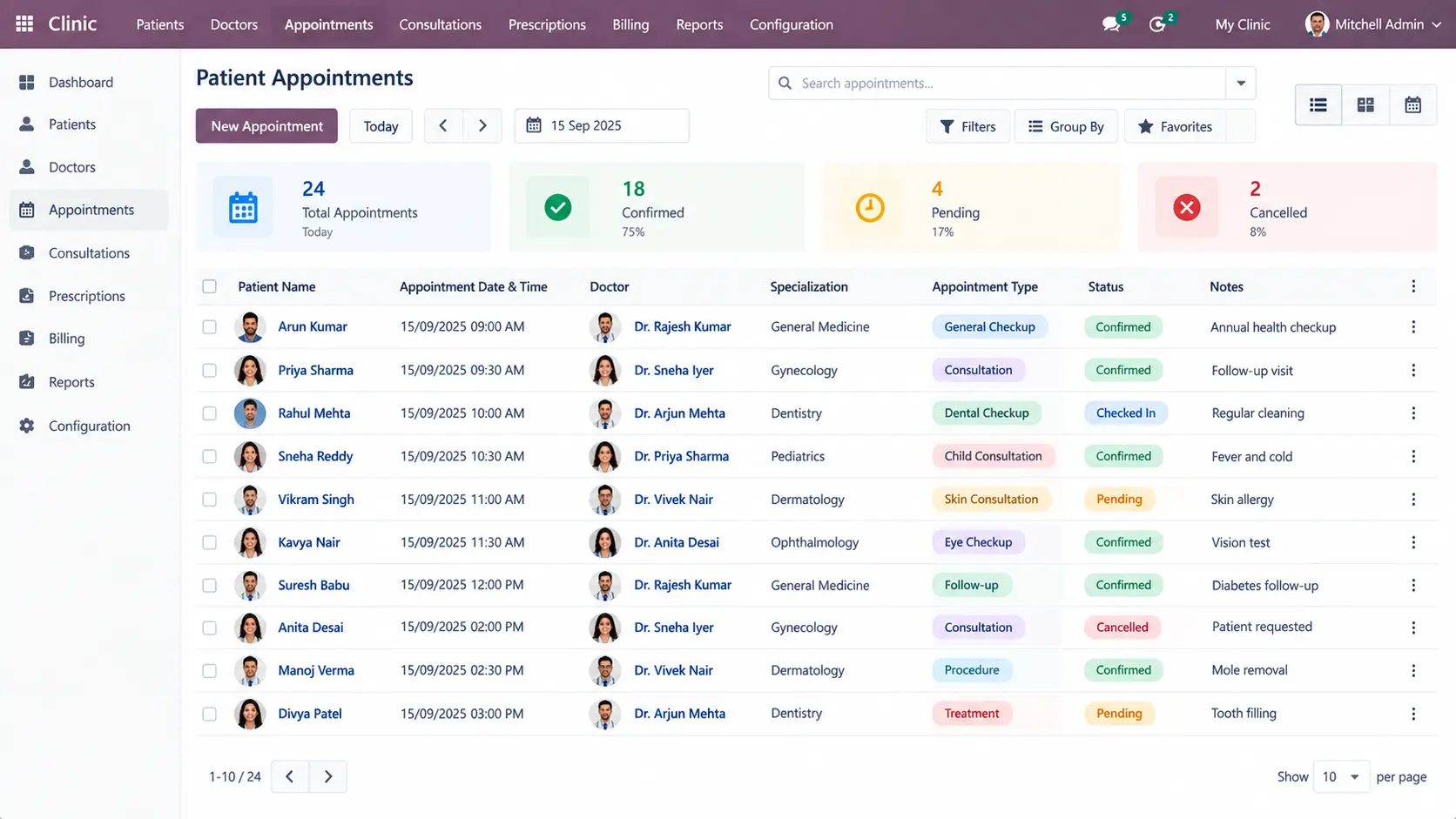
Patient Appointments

Create and manage appointments by connecting patients with doctors, dates, times, and consultation requirements.

Patient-Appointments

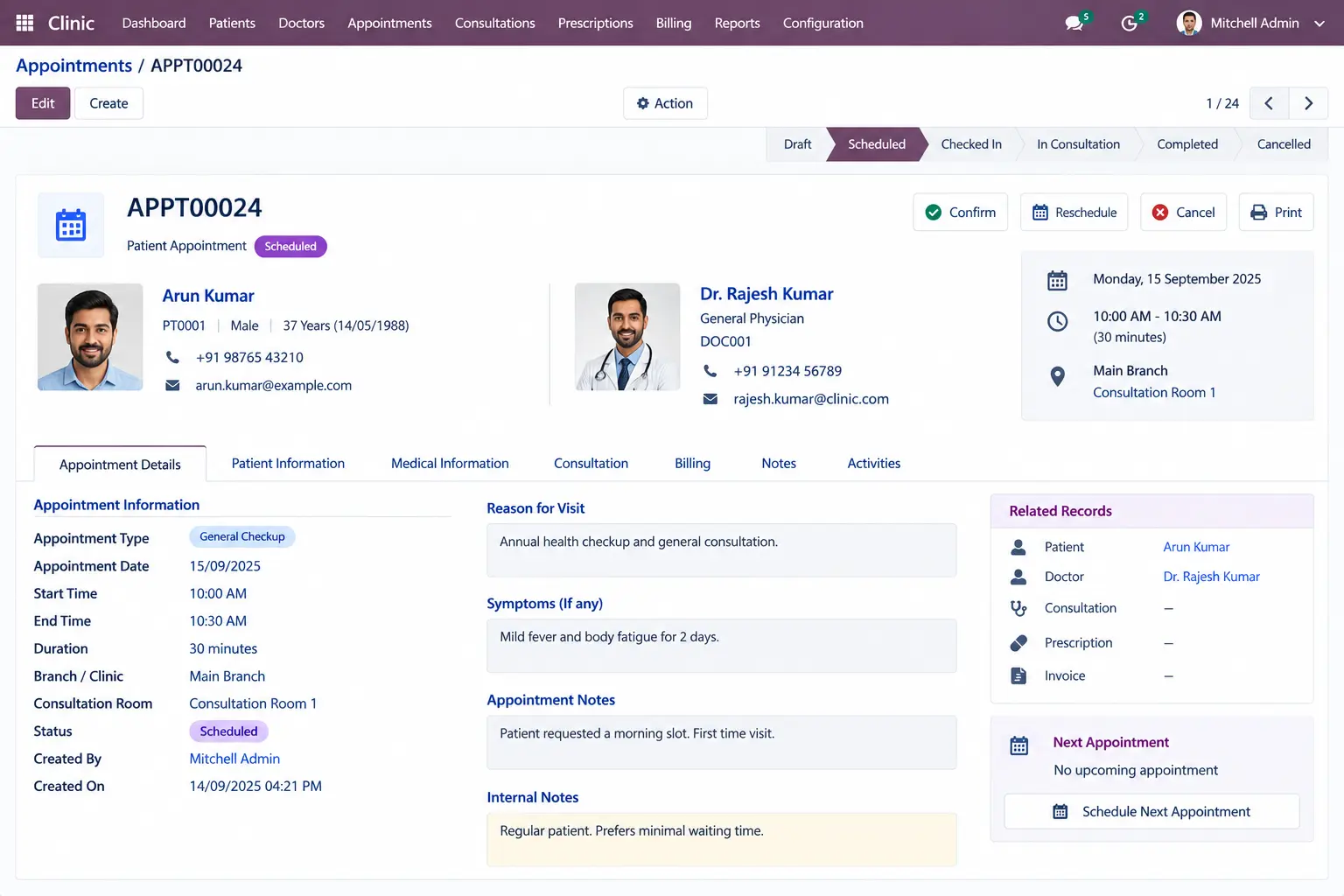
Appointment Details

View appointment information including patient, doctor, scheduled time, status, and related consultation details.

Appointment-Details

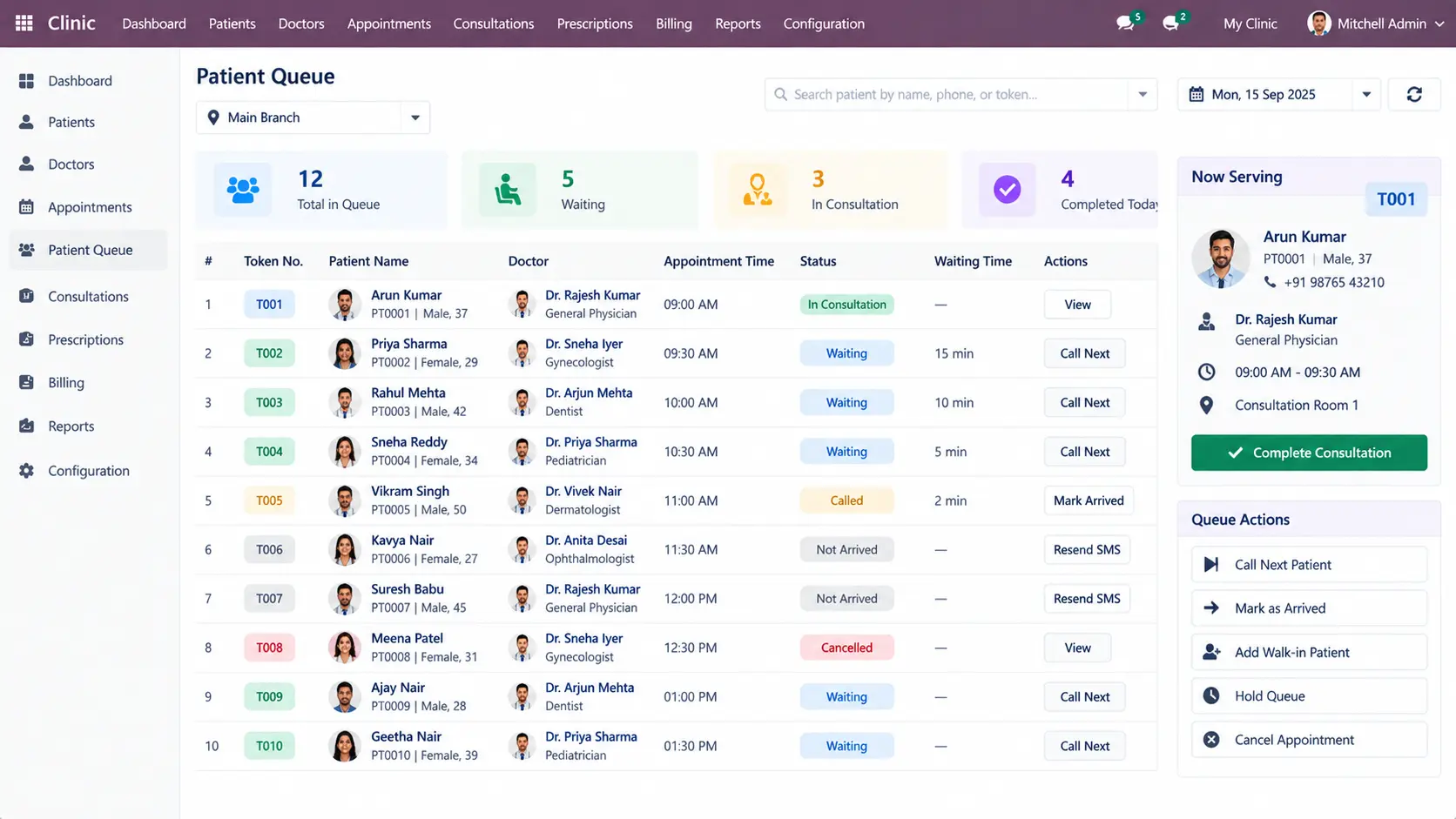
Patient Queue

Organize patients waiting for consultation and track their position within the clinic workflow.

Patient-Queue

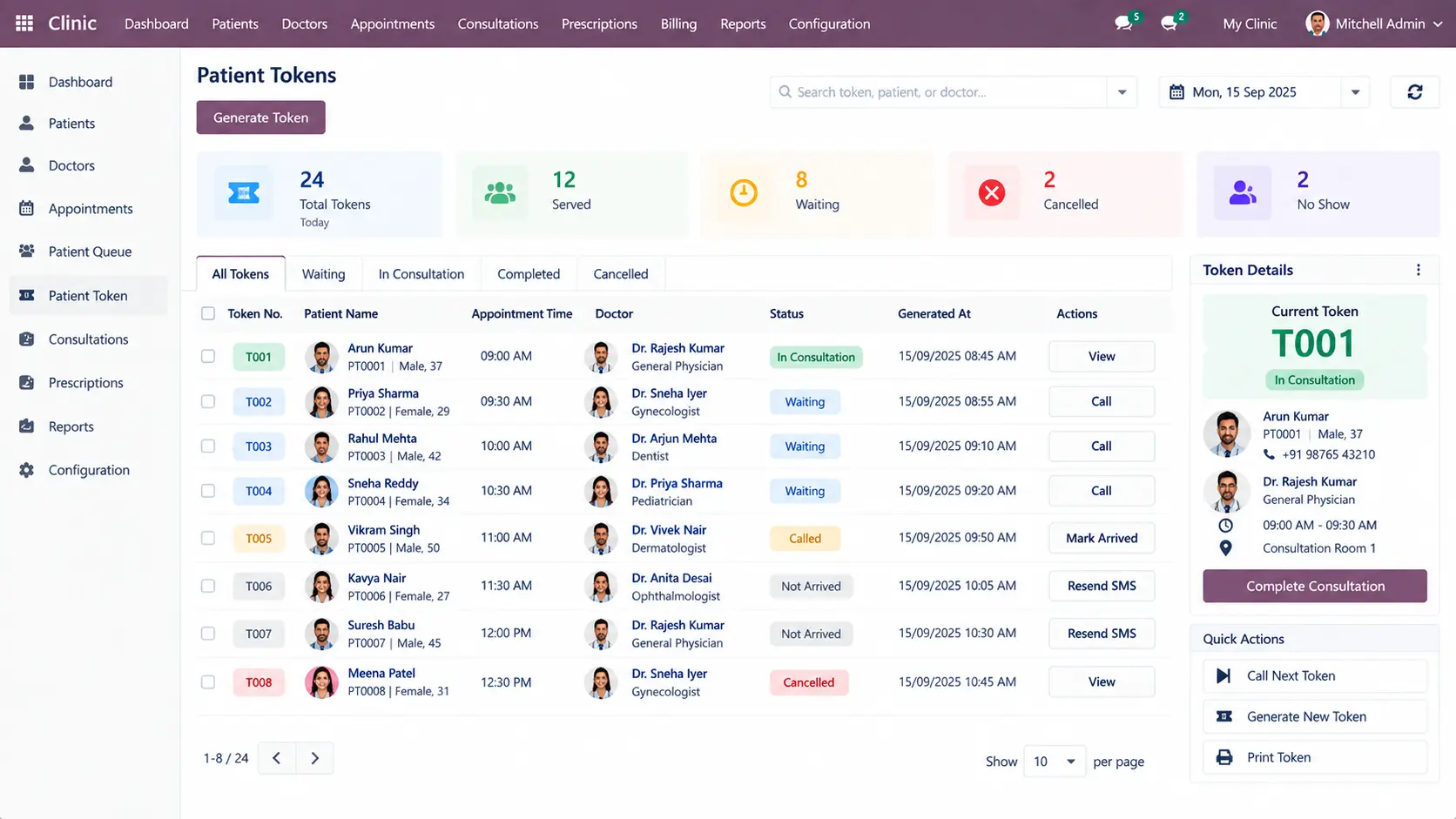
Patient Token

Use token-based workflows to manage consultation order and patient movement through the clinic.

Patient-Token

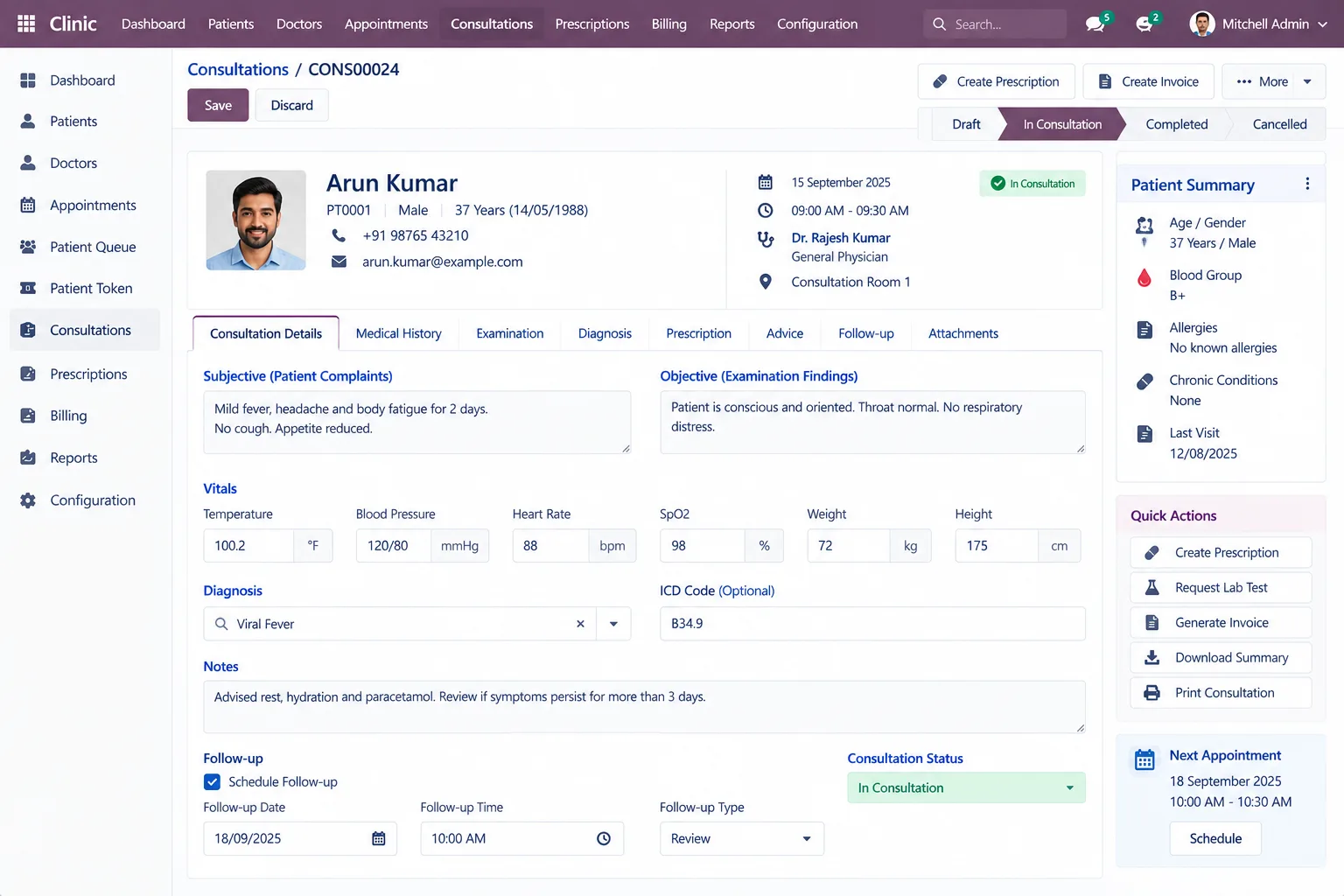
Consultation

Record consultation information, clinical notes, diagnosis, treatment details, and related patient information.

Consultation

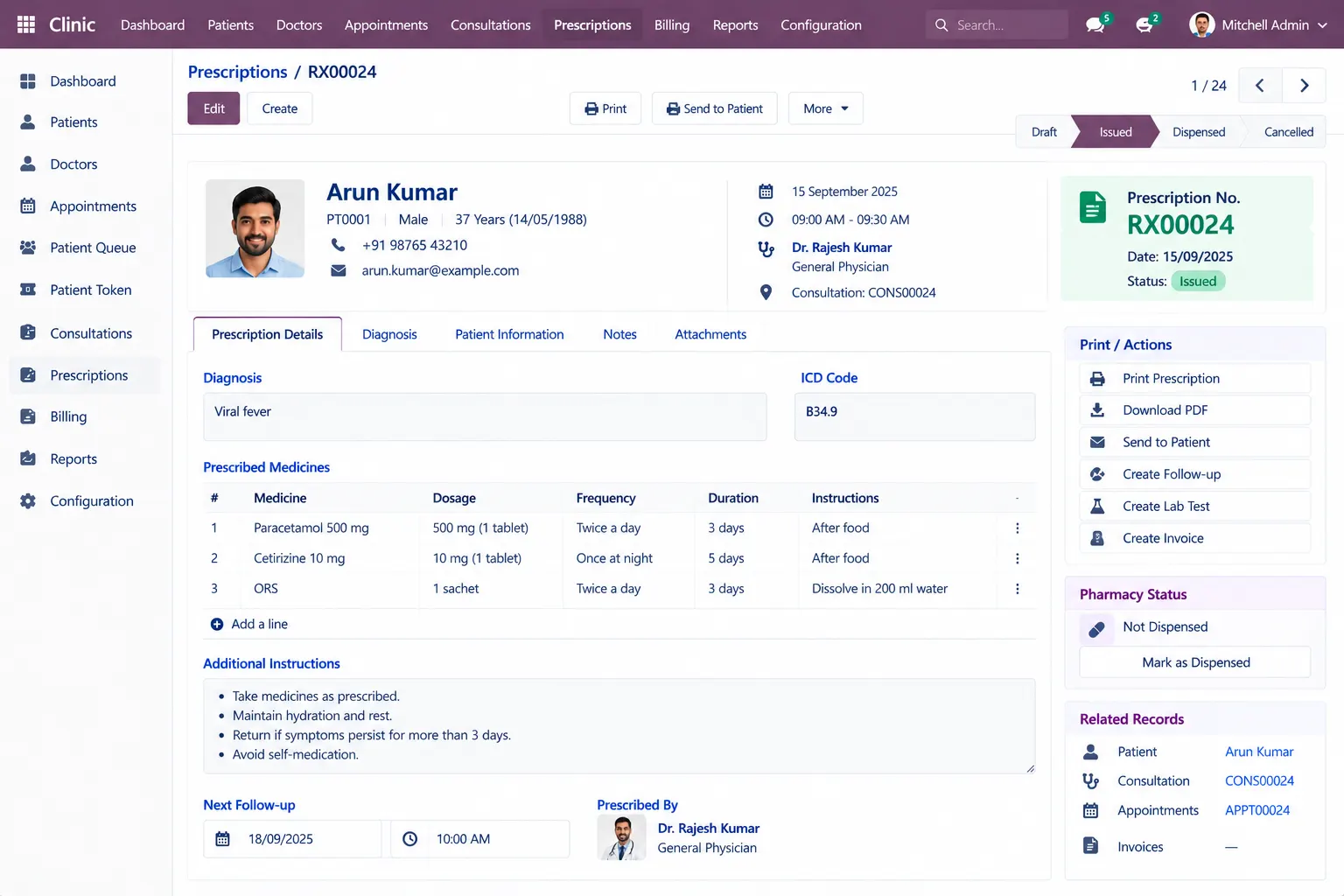
Prescriptions

Create prescriptions with medicines, dosage, frequency, duration, and instructions according to the configured workflow.

Odoo-Prescriptions

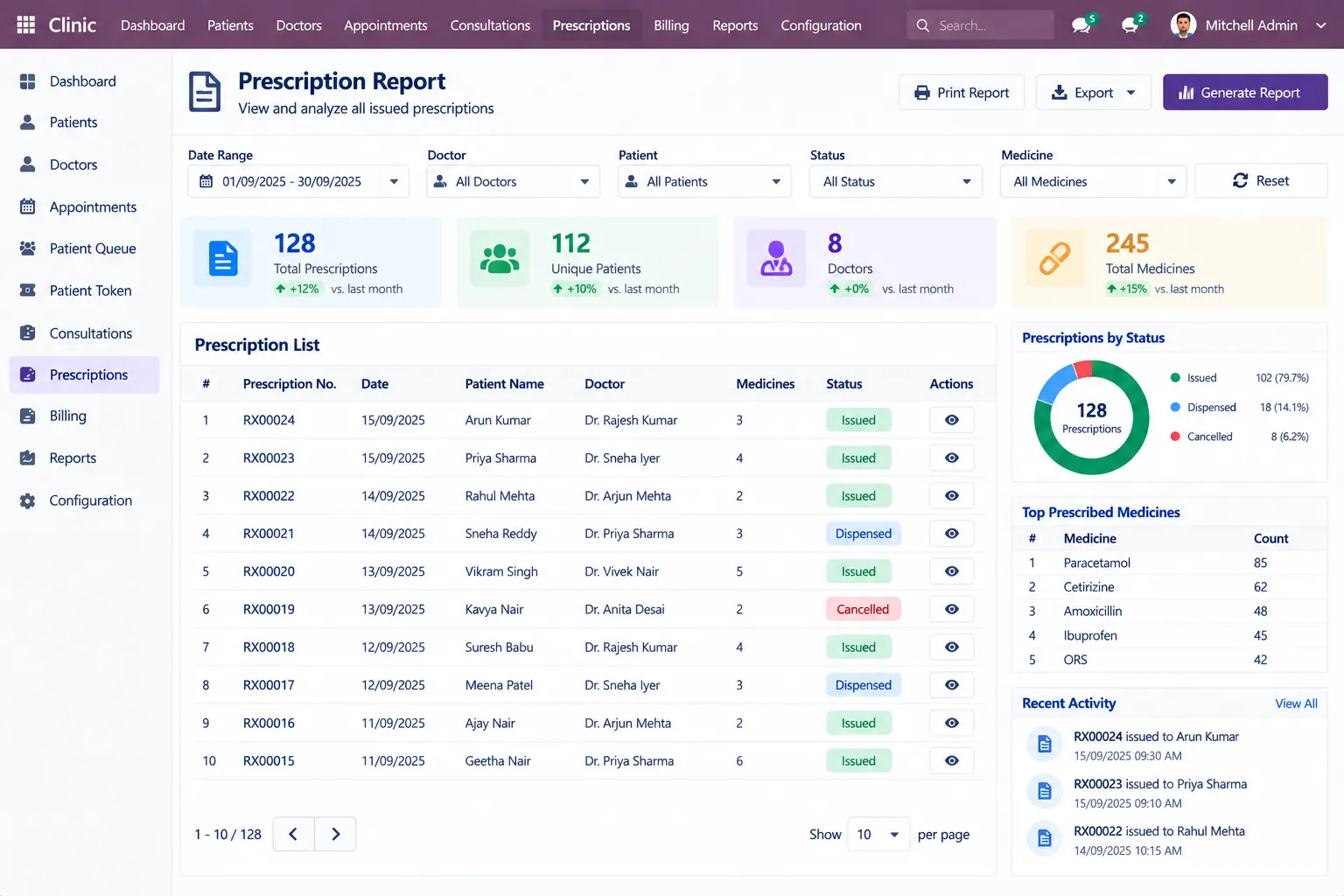
Prescription Report

Generate a structured prescription document containing relevant patient, doctor, medicine, and prescription information.

Odoo-Prescription-Report

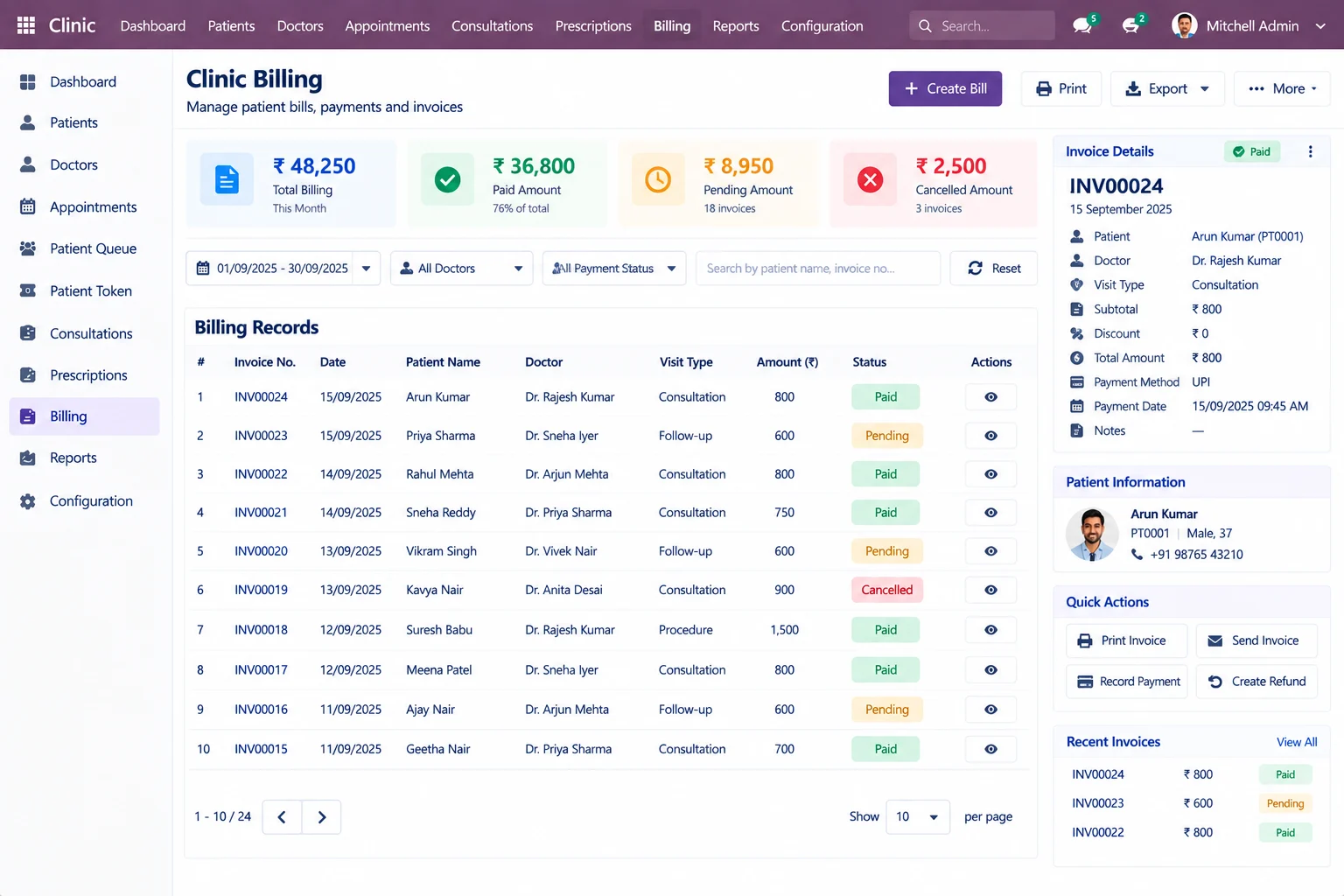
Clinic Billing

Connect consultation and other clinic service charges with the configured Odoo billing workflow.

Clinic-Billing

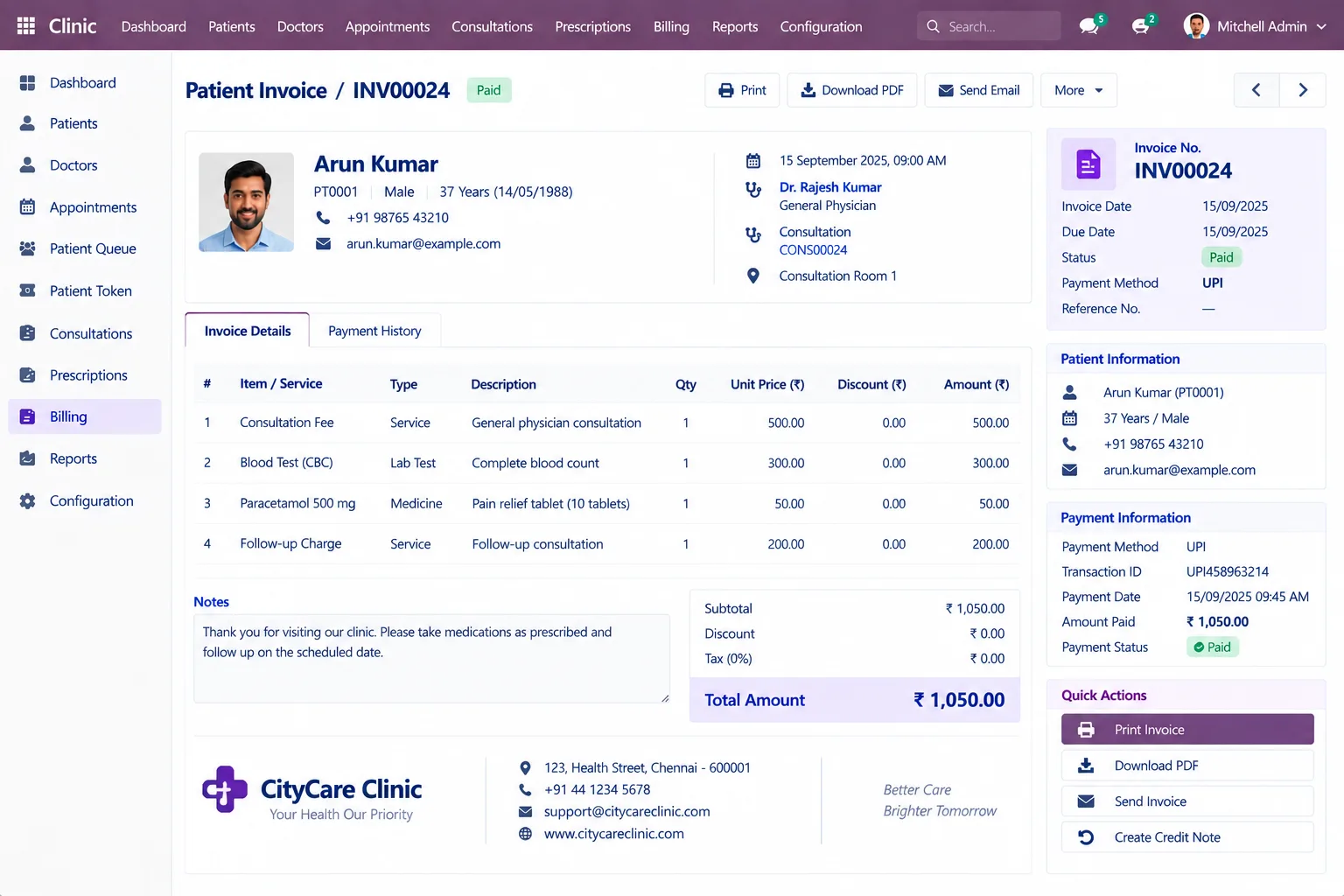
Patient Invoice

Create and manage invoices for consultations, services, medicines, tests, or other configured clinic charges.

Patient-Invoice

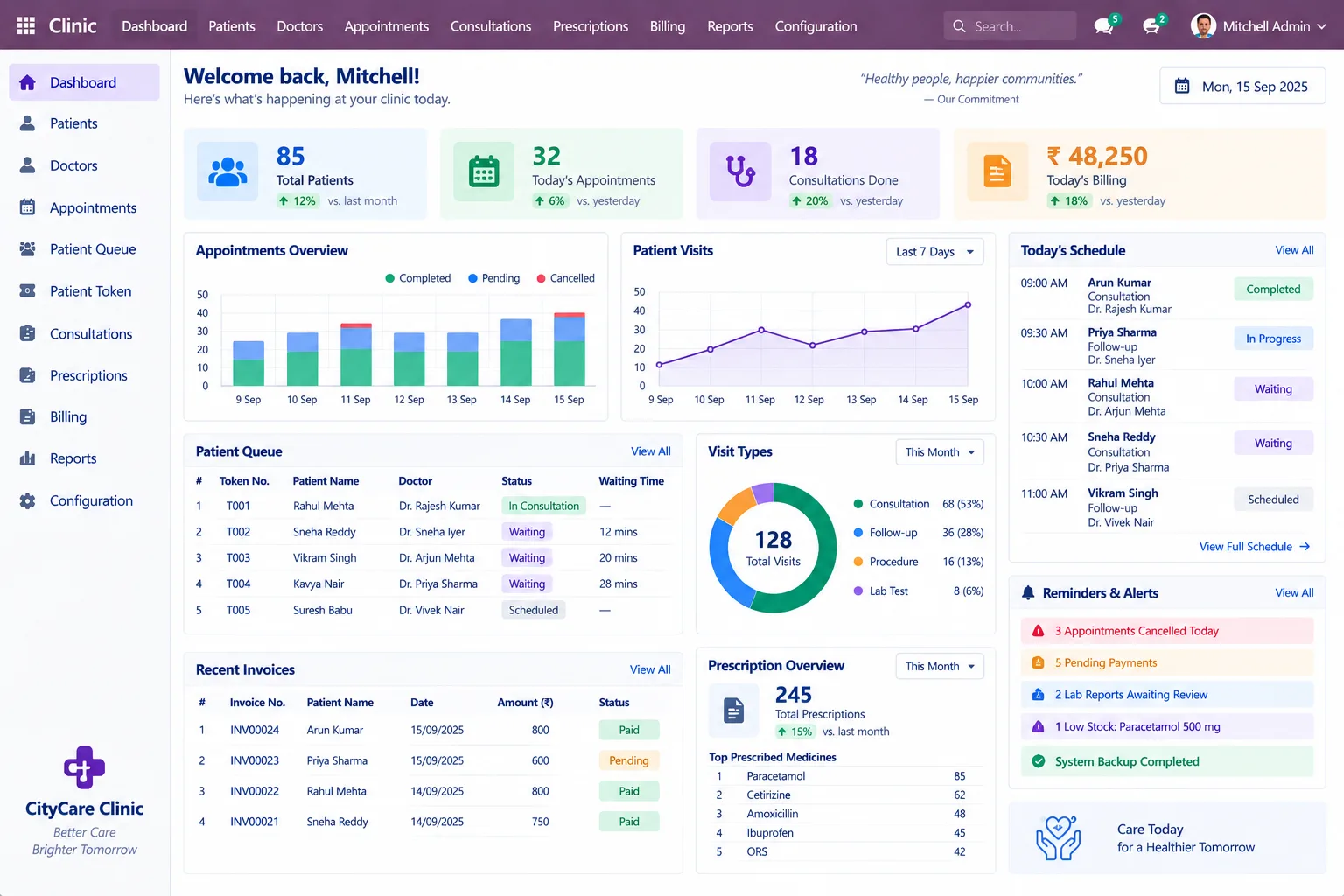
Clinic Dashboard

View appointments, patient activity, doctor schedules, queues, and operational information from a centralized dashboard.

Clinic-Dashboard

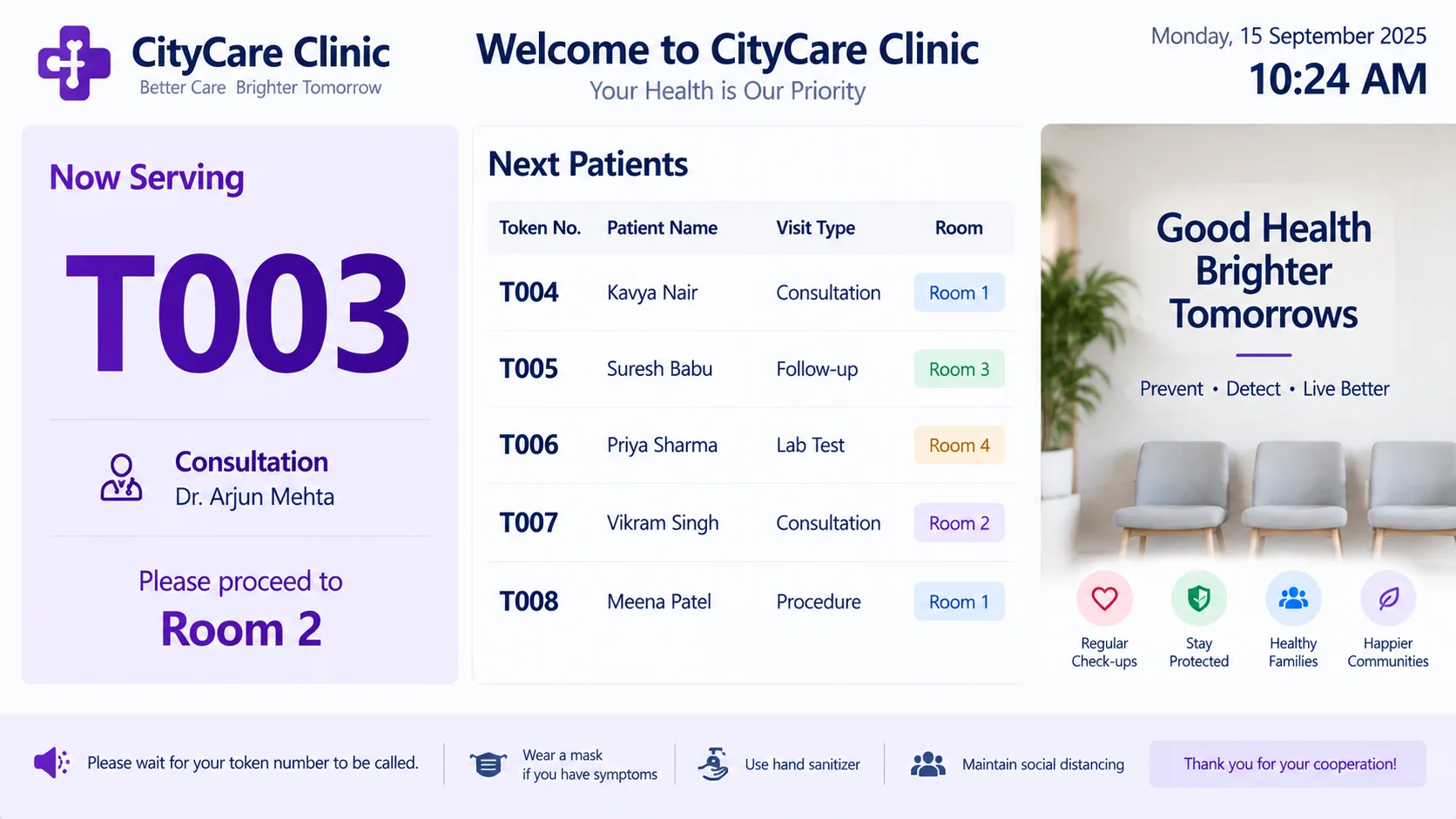
Customer Display

Display current patient or token information on a separate screen where a customer-display workflow is required.

Customer-Display

Odoo Clinic ERP Implementation

Implement Odoo Around Your Clinic Workflow

We start by understanding how your clinic handles patient registration, doctor schedules, appointments, consultations, prescriptions, billing, and reporting, then configure Odoo around those operational requirements.

01

Requirement Analysis

02

Workflow Planning

03

Odoo Configuration

04

Customization & Integration

05

Data Migration

06

Testing

07

Deployment

08

Training & Support

Frequently Asked Questions

Is Odoo suitable for clinic management?

Odoo can be configured to support clinic operations including patients, doctors, appointments, consultations, prescriptions, billing, and related administrative workflows.

Can Odoo manage patient records?

Yes. Patient information can be maintained in centralized records and connected with appointments, consultations, prescriptions, and related clinic activities.

Can Odoo manage doctor schedules?

Yes. Doctor profiles can include specialization, availability, working schedules, and appointment-related information according to the configured solution.

Can Odoo manage clinic appointments?

Yes. Appointments can be scheduled based on doctors, dates, available time slots, and the clinic’s configured workflow.

Can Odoo manage patient queues and tokens?

Yes. Queue or token-based workflows can be configured to organize patient flow and consultation order.

Can Odoo generate prescriptions?

Yes. Prescription workflows can be configured to record medicines, dosage instructions, frequency, duration, and other relevant information.

Can clinic consultations be connected with billing?

Yes. Consultation fees and other configured clinic charges can be connected with Odoo invoicing workflows.

Manage Your Clinic Operations Through One Odoo System

Bring patient management, doctor schedules, appointments, consultations, prescriptions, queues, and billing into a connected clinic workflow.

Configure Odoo around your patient flow, doctor availability, consultation process, and billing requirements.

Online Enquiry