Odoo Restaurant Management System

One Restaurant Operation. Every Order, Ingredient & Payment Under Control.

Orders get placed. Kitchen teams prepare them. Ingredients move from stock. Bills get raised. Payments get recorded. Keeping these activities aligned is where restaurant operations lose visibility.

Bring POS orders, table status, kitchen preparation, ingredient consumption, inventory, purchasing, billing, and payments into one Odoo environment—with the right information connected at each operational stage.

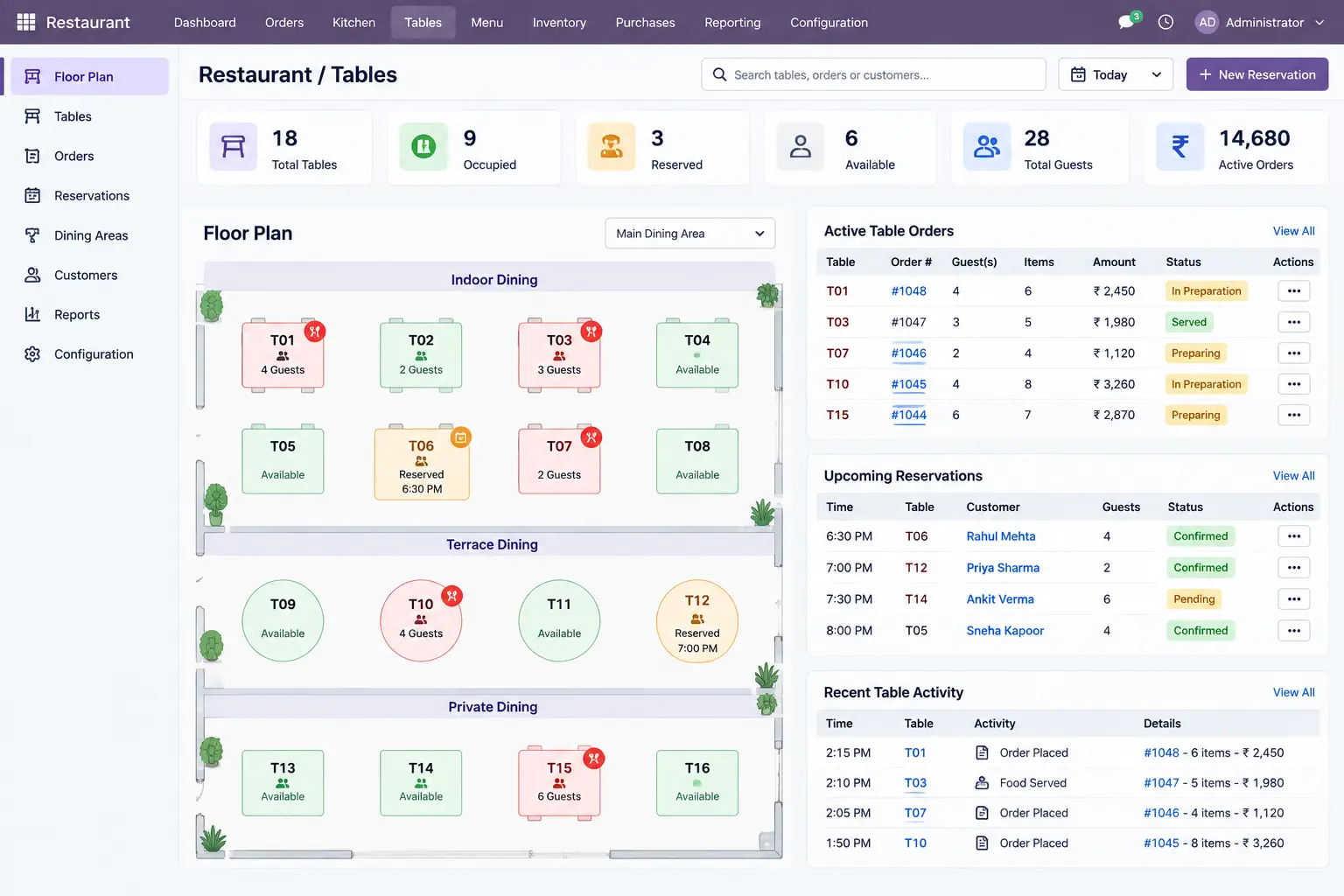
Track pending orders, items under preparation, stock requirements, completed transactions, and payment status from connected restaurant records.
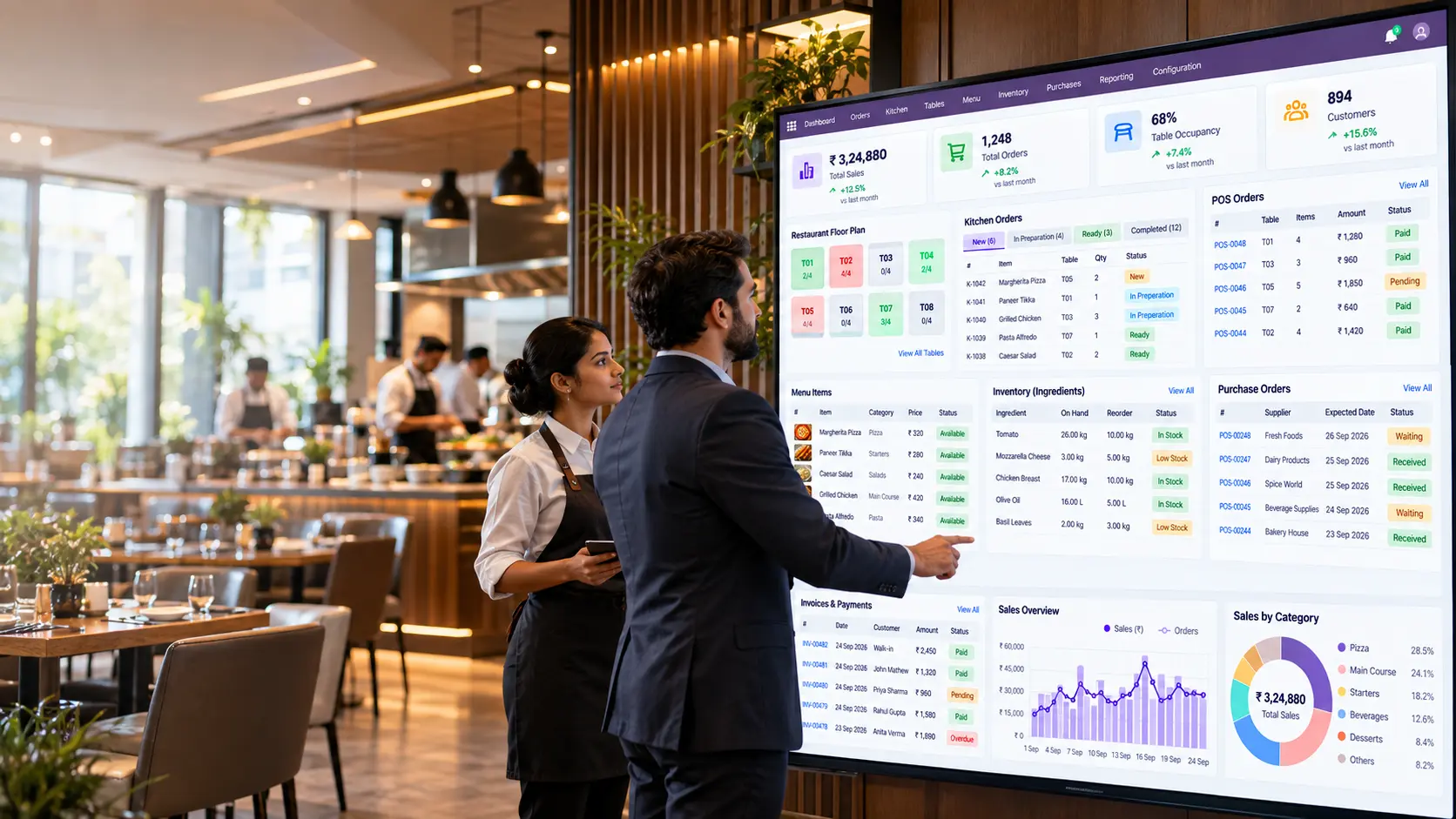
Odoo-Restaurant-Management-System

Restaurant Operations

Control Tables, Orders, Kitchen, Stock & Billing From One System

Keep table activity, POS orders, kitchen preparation, ingredient availability, inventory, purchasing, billing, and payments tied to the same operational records. This gives restaurant teams clearer visibility into what is open, being prepared, available, completed, and paid.

🪑

Restaurant & Table Management

See dining areas, table status, occupied tables, active orders, and related customer or order information from the restaurant interface.

🎯

POS & Order Management

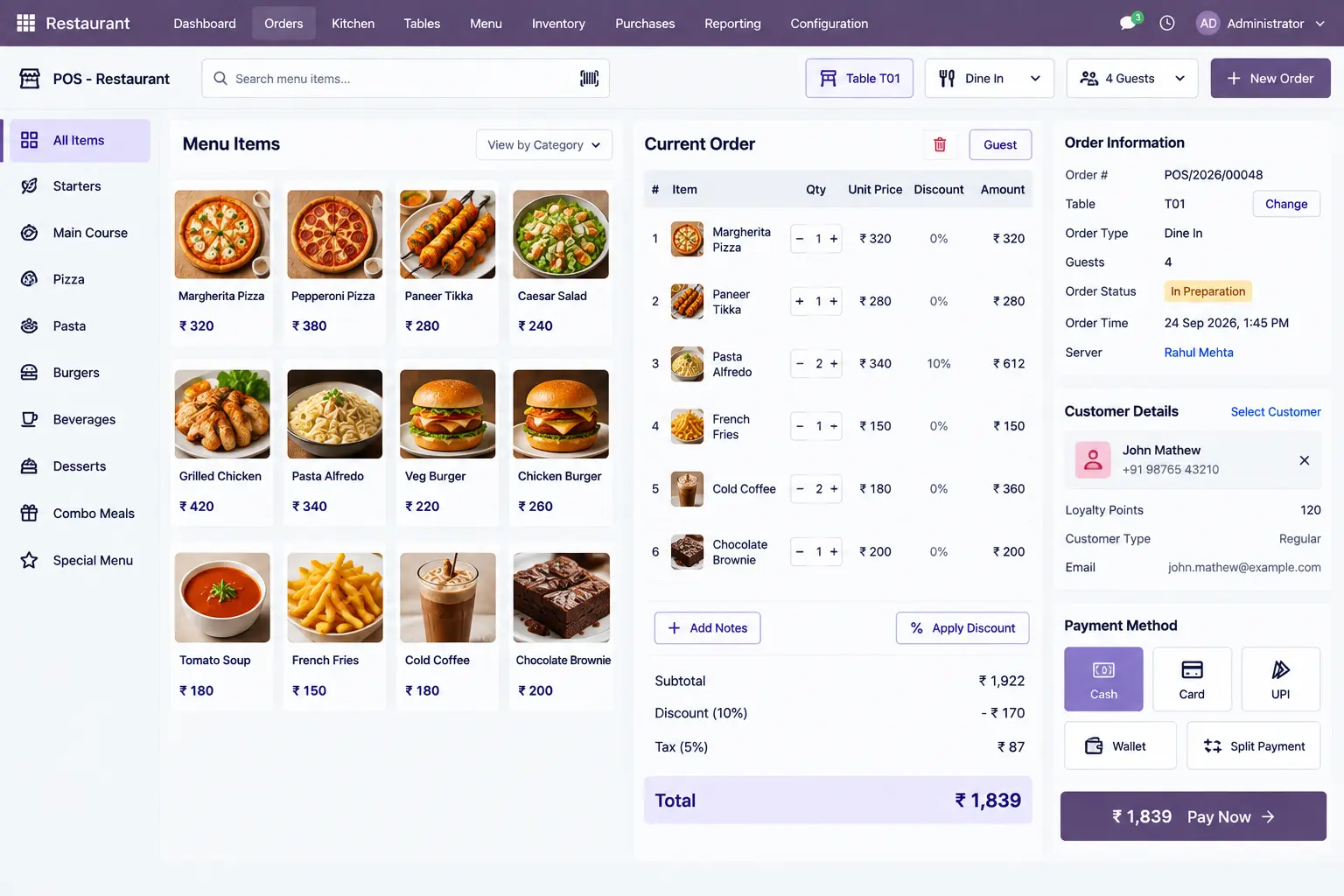
Handle menu selections, quantities, pricing, discounts, customer details, order status, and payment information within the POS transaction.

👨‍🍳

Kitchen & Order Preparation

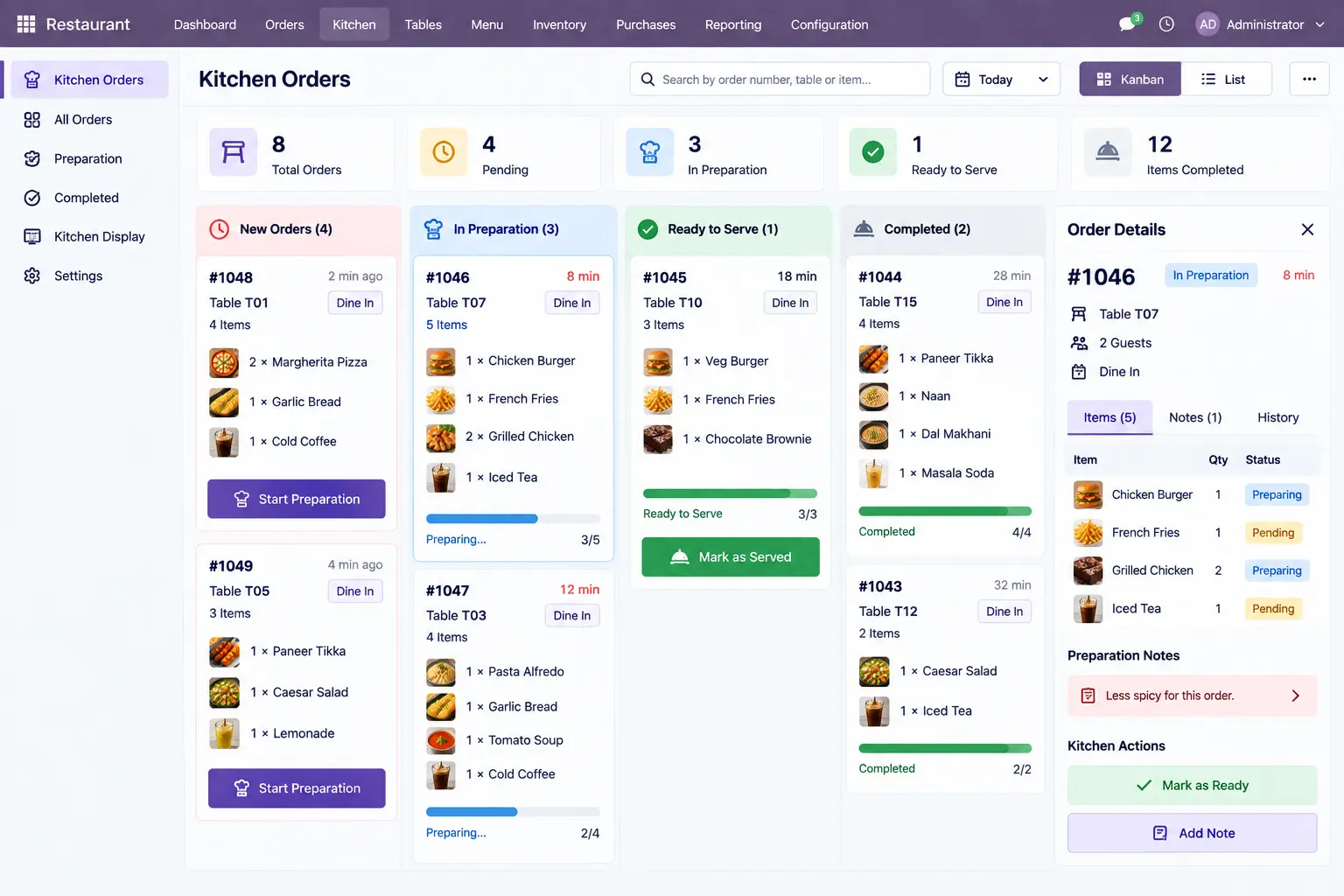
Give kitchen staff visibility into incoming orders, preparation items, pending quantities, order stages, and completed dishes.

📋

Menu & Product Management

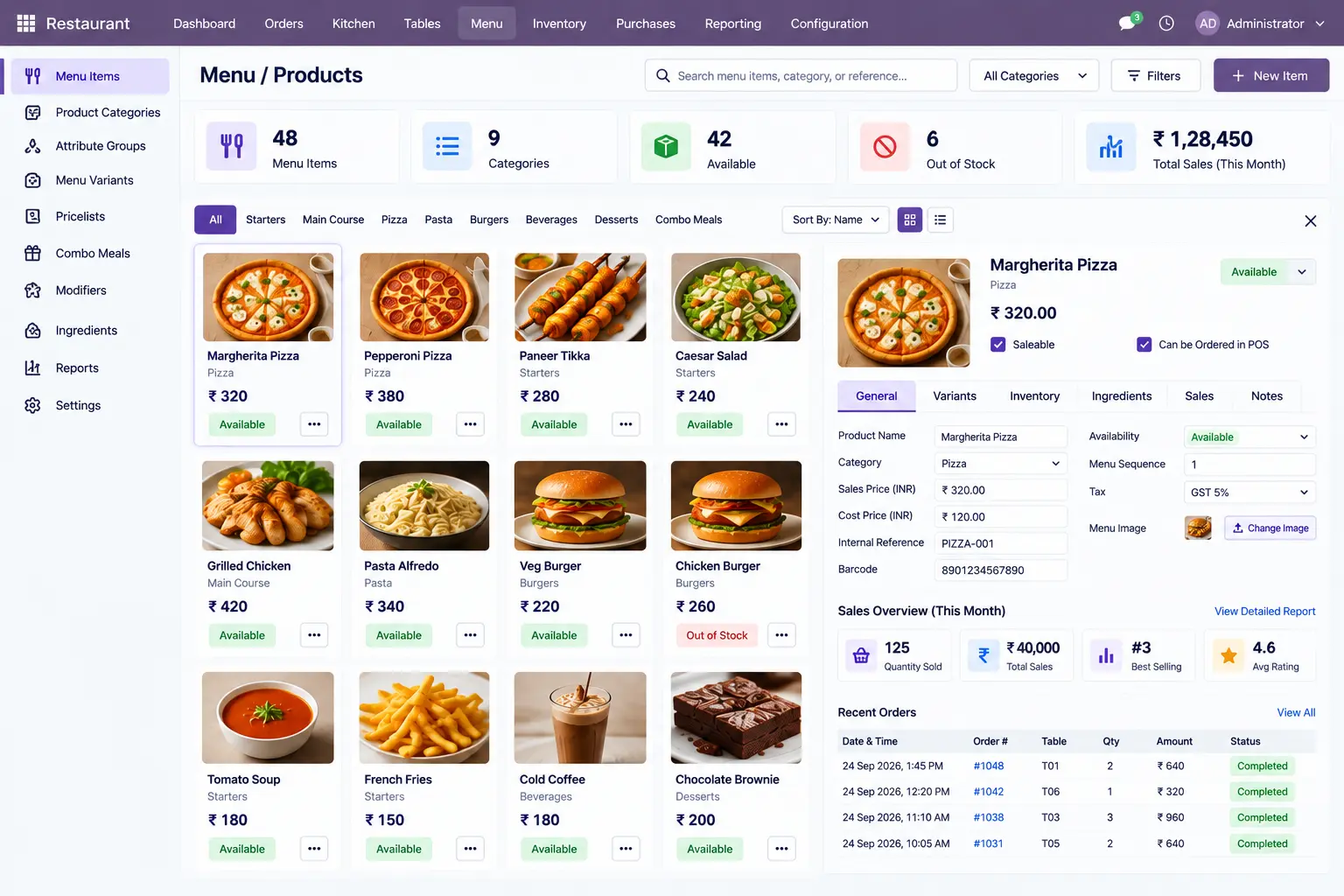
Maintain menu items, product details, selling prices, availability, categories, and sales-related information in a structured product setup.

📦

Inventory & Ingredient Control

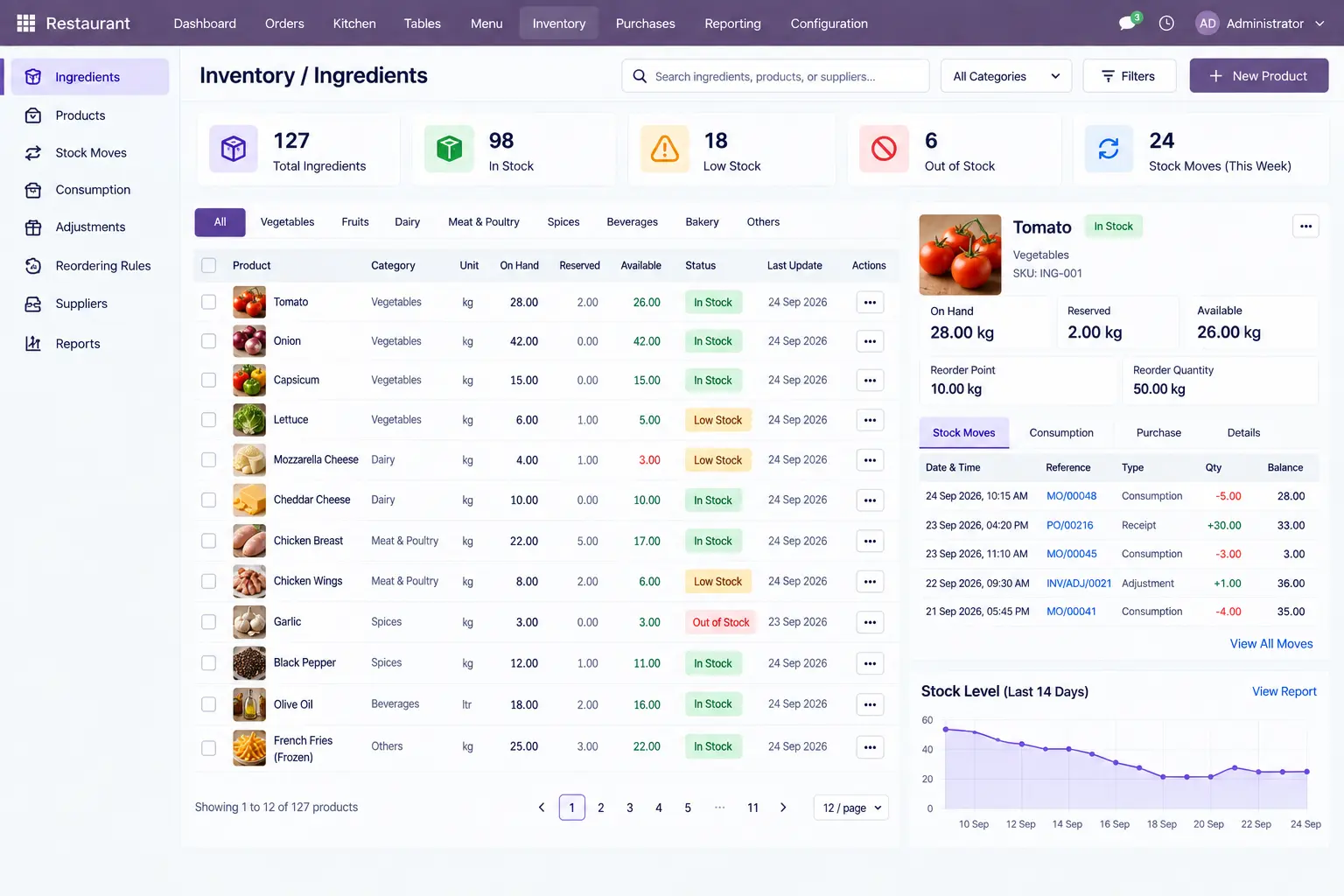
Monitor ingredient quantities, stock availability, inventory movements, and consumption records relevant to restaurant operations.

🛒

Purchasing & Supplier Management

Identify required ingredients, supplier details, purchase orders, receipts, and incoming stock when replenishment is needed.

💳

Billing & Payment

Follow each completed transaction through billing, invoice status, payment records, and outstanding amounts.

📊

Restaurant Reporting

Review sales, order volumes, table activity, inventory, purchasing, payments, and other configured restaurant KPIs from operational reports.

Restaurant Management Features

See Restaurant Operations Inside Odoo

The screens below show the operational records and information restaurant teams work with across orders, kitchen, inventory, purchasing, billing, and reporting.

Restaurant & Table Management

See dining areas, table status, occupied tables, active orders, and table-related activity at a glance.

Odoo-Restaurant-Table-Management

POS & Order Management

See ordered items, quantities, pricing, discounts, customer details, order status, and payment information in the POS.

Odoo-POS-Order-Management

Kitchen & Order Preparation

See incoming orders, items awaiting preparation, preparation stages, pending quantities, and completed items.

Odoo-Kitchen-Order-Preparation

Menu & Product Management

See menu items, categories, prices, availability, product details, and sales information in one product view.

Odoo-Menu-Product-Management

Inventory & Ingredient Management

See ingredient quantities, available stock, inventory movements, and consumption-related information.

Odoo-Inventory-Ingredient-Management

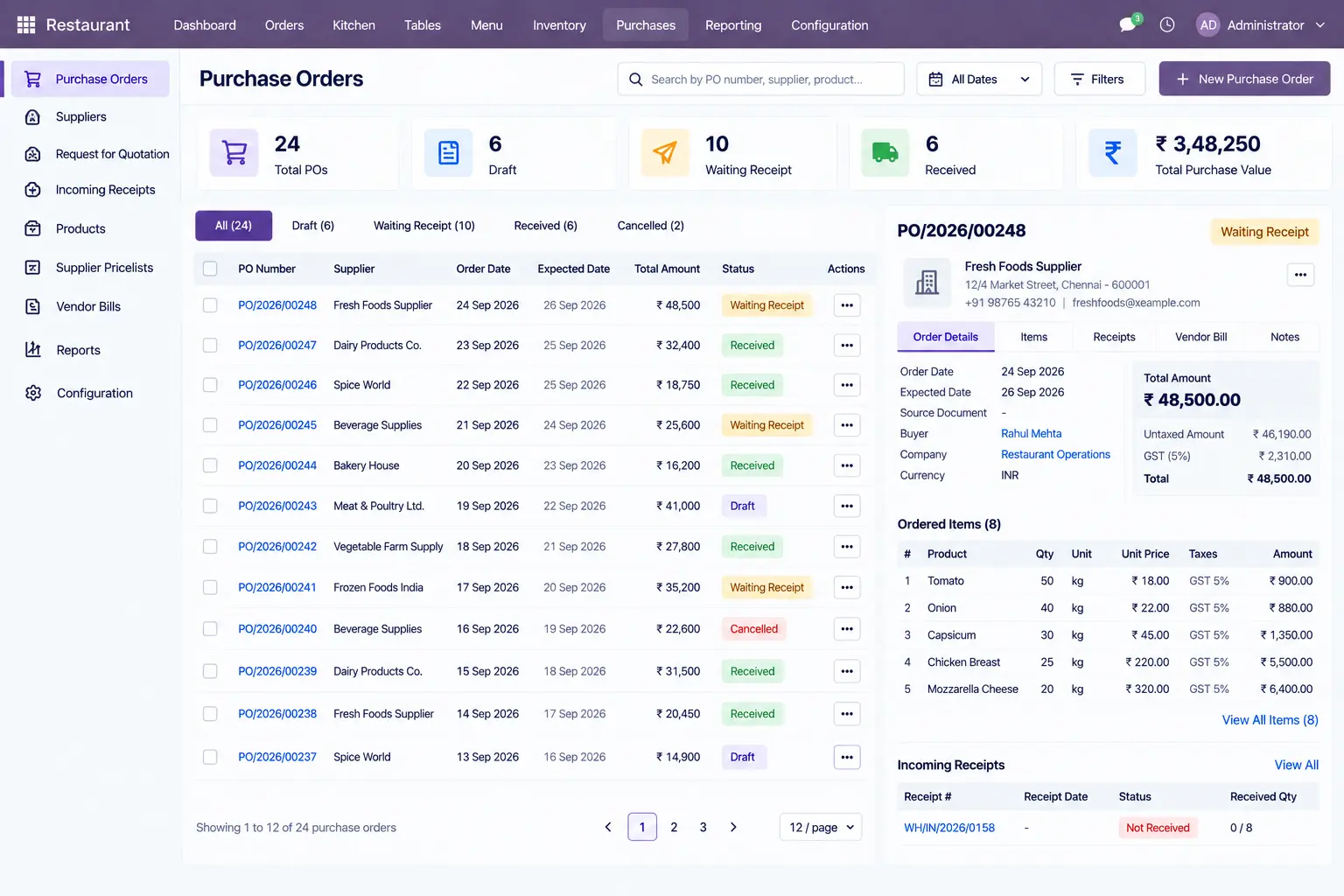
Purchasing & Supplier Management

See suppliers, purchase orders, required ingredients, receipts, and incoming stock in the purchasing records.

Odoo-Purchasing-Supplier-Management

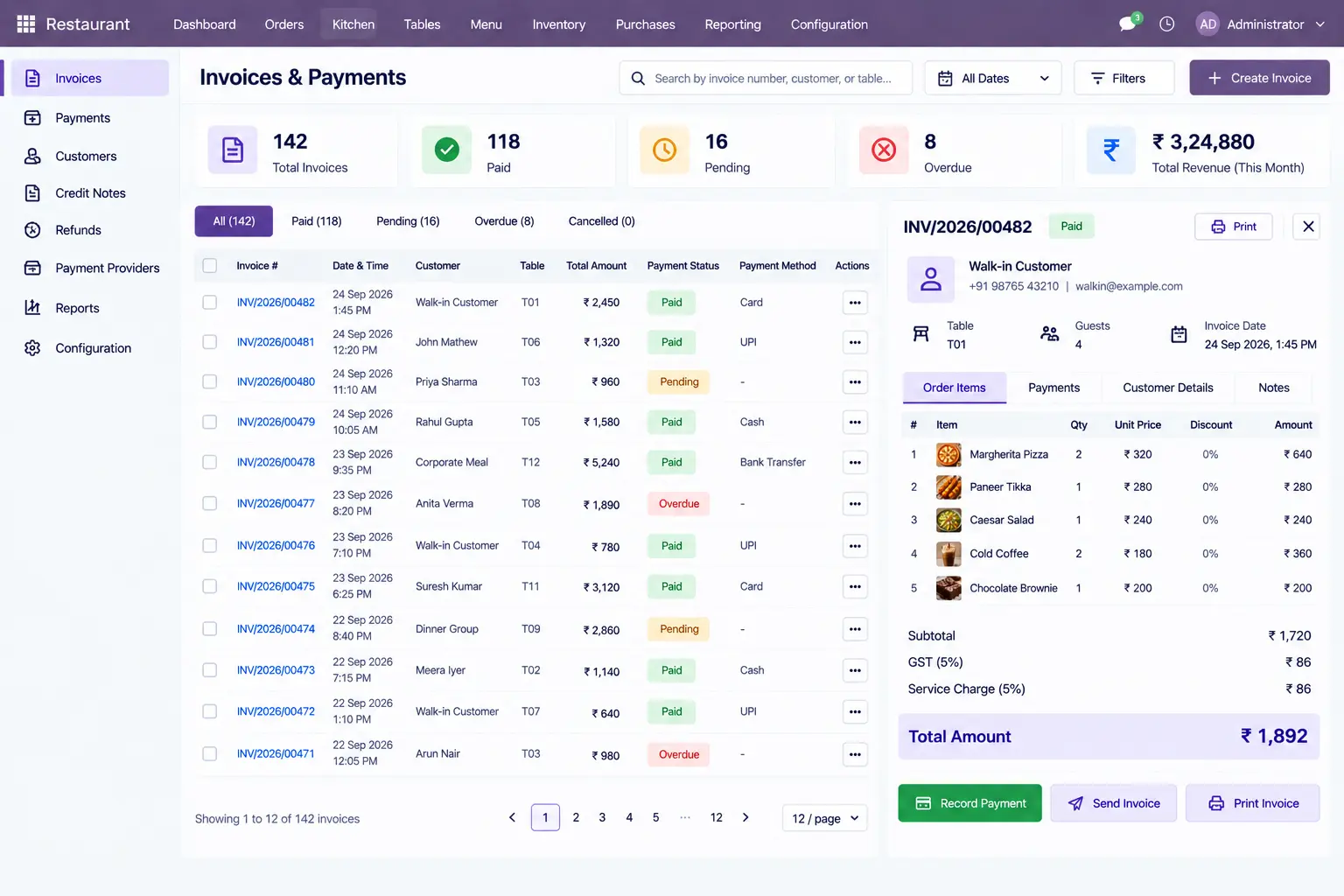
Billing & Payment

See completed transactions, invoice status, payment records, and outstanding amounts.

Odoo-Billing-Payment

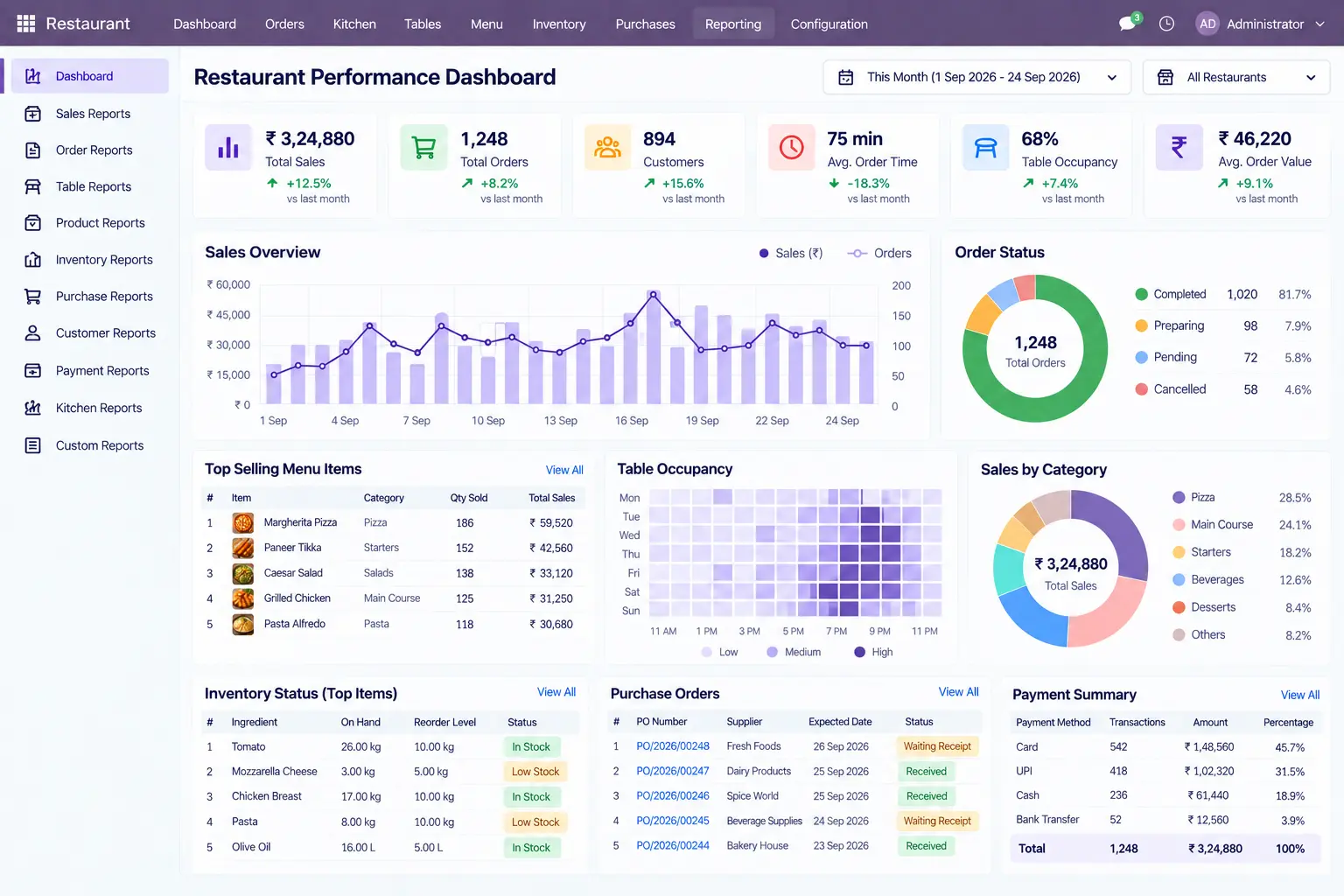
Restaurant Performance & Reporting

See sales, order activity, inventory, purchasing, payments, and configured restaurant KPIs through operational reports.

Odoo-Restaurant-Performance-Reporting

Odoo Restaurant Customization & Integration

Extend the Restaurant Setup Where Standard Configuration Ends

Not every restaurant runs the same way. Branch-wise menus, kitchen routing, table handling, pricing rules, delivery channels, loyalty programs, and payment processes can require additional logic beyond the standard setup.

Odoo can be extended around those requirements rather than forcing the restaurant to change its operating process.

⚙️

Restaurant Workflow

Adapt the core restaurant operation

  • Multi-location operations
  • Kitchen routing
  • Table & seating rules
  • Menu structures
  • Combo & modifier logic
  • Custom order stages
  • Operational reporting
🛍️

Ordering & Customer Experience

Extend how customers place and receive orders

  • Reservations
  • Online order synchronization
  • Loyalty requirements
  • Delivery order handling
  • Customer notifications
  • Location-specific pricing
  • Customer-specific pricing
🔗

Payments & Business Systems

Connect restaurant data with external systems

  • Payment gateways
  • Delivery platforms
  • Accounting systems
  • Customer communication tools
  • External reporting
  • Third-party restaurant applications

Frequently Asked Questions

What is a restaurant management system?

A restaurant management system brings POS orders, tables, menu items, kitchen activity, inventory, purchasing, billing, payments, customers, and reporting into a connected operating environment.

Can Odoo be used as a restaurant management system?

Yes. Odoo can be configured for restaurant POS, table management, menu and product control, kitchen operations, inventory, purchasing, invoicing, payments, and restaurant reporting.

Can Odoo manage restaurant POS, tables, and orders?

Yes. The POS workflow can handle table orders, menu selections, quantities, pricing, discounts, customer details, order status, and payment information within the transaction.

Can Odoo support kitchen order preparation?

Odoo can support the restaurant’s configured kitchen process by providing visibility into incoming orders, preparation items, pending work, order stages, and completed items.

Can Odoo manage restaurant ingredients and inventory?

Yes. Restaurant inventory can cover ingredient quantities, stock availability, inventory movements, purchasing requirements, and consumption-related records.

Can Odoo handle restaurant purchasing and suppliers?

Restaurant purchasing can be managed through supplier records, purchase orders, required ingredients or products, receipts, and incoming stock information.

Can Odoo connect restaurant billing and payments with orders?

Yes. Completed restaurant transactions can be tied to invoices, payment records, payment status, and outstanding amounts, giving the business a clearer financial record for each transaction.

Can an Odoo restaurant management system be customized?

Yes. Requirements such as multi-location processes, kitchen routing, reservations, online ordering, loyalty, delivery integrations, payment gateways, customer notifications, and custom reporting can be addressed through configuration, targeted customization, or integration where required.

Build an Odoo Setup Around Your Restaurant

Your requirements may include multiple locations, kitchen workflows, table management, ingredient control, online orders, delivery, loyalty, billing, or third-party integrations. Configure the Odoo environment around the processes your restaurant actually follows.

Online Enquiry