Odoo Retail Management System

When Retail Operations Run Across Separate Systems, Control Becomes Difficult

Retail operations depend on connected information across POS sales, products, inventory, customers, pricing, payments, invoices, and reporting. When these functions operate through separate systems or disconnected workflows, teams may face inconsistent information, limited stock visibility, duplicate data entry, and difficulty tracking retail transactions.

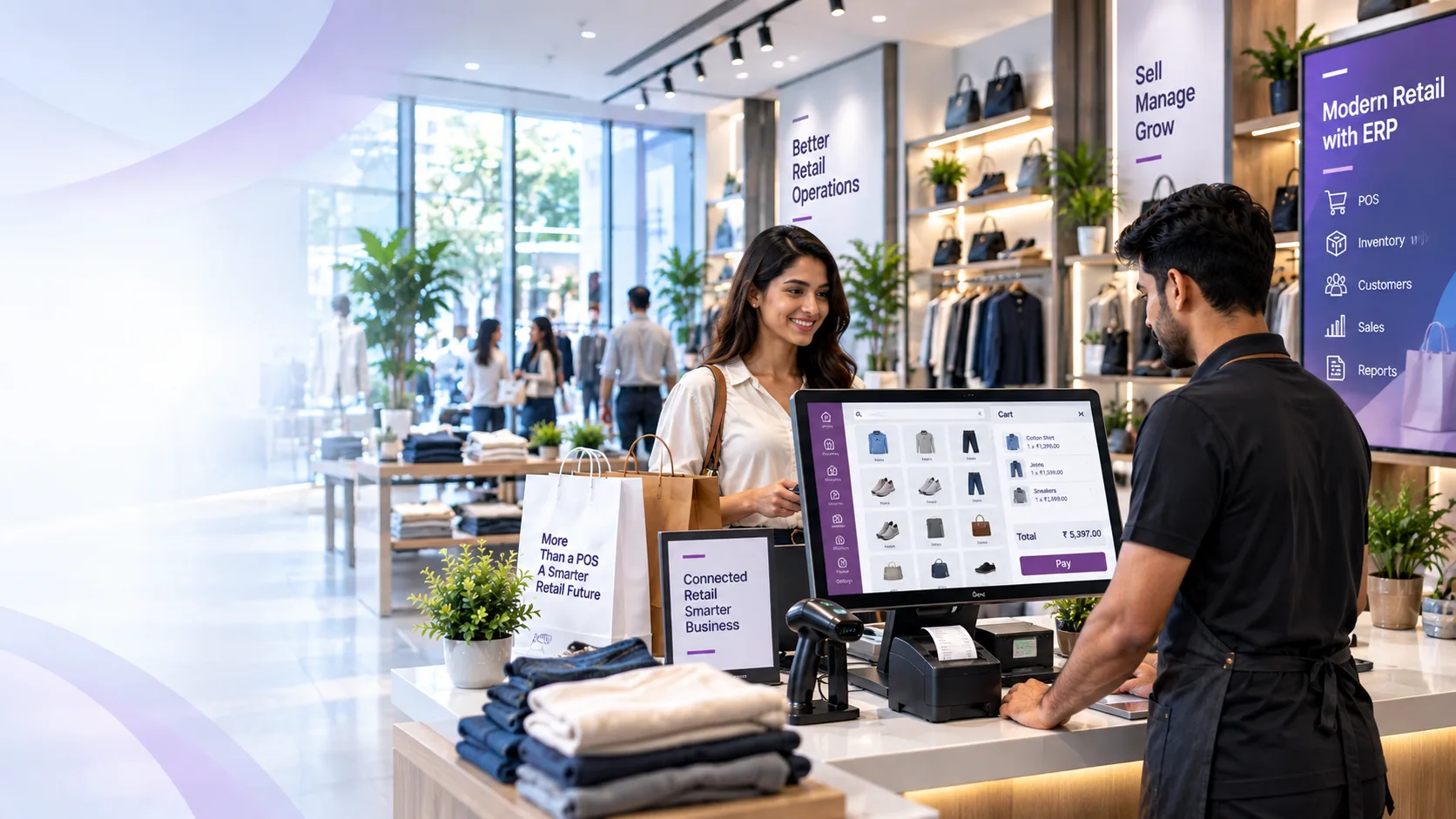
Odoo Retail Management System connects these core operations through one configurable ERP environment, bringing POS, product management, customer records, sales, inventory, payments, invoicing, and reporting into a structured retail workflow.
Odoo-Retail-Management-System

Retail Management System for Connected Store Operations

Manage core retail activities through connected Odoo workflows, from product and customer management to POS sales, inventory, payments, and invoicing.

🛒

Point of Sale Management

Process retail transactions, manage orders, select customers, apply pricing rules, and complete payments through the Odoo POS interface.

📦

Product Management

Maintain products, variants, pricing, barcodes, availability, and other product information required for retail sales.

👤

Customer Management

Maintain customer profiles and connect customer information with POS orders, sales history, invoices, and related transactions.

🧾

Sales Management

Connect retail transactions with sales orders, quotations, invoices, and related Odoo sales workflows.

📊

Inventory Management

Track product availability and stock movements while connecting retail sales with inventory operations.

🏷️

Discounts & Pricing

Apply configured pricelists, discounts, promotional pricing, and customer-specific pricing rules during retail transactions.

💳

Payments & Invoicing

Process customer payments and manage invoices generated from retail transactions through the configured Odoo accounting workflow.

Odoo Retail Management Features

Explore how Odoo supports the core functions of a retail operation, from POS transactions and product management to inventory visibility, payments, returns, and sales reporting.

Retail POS

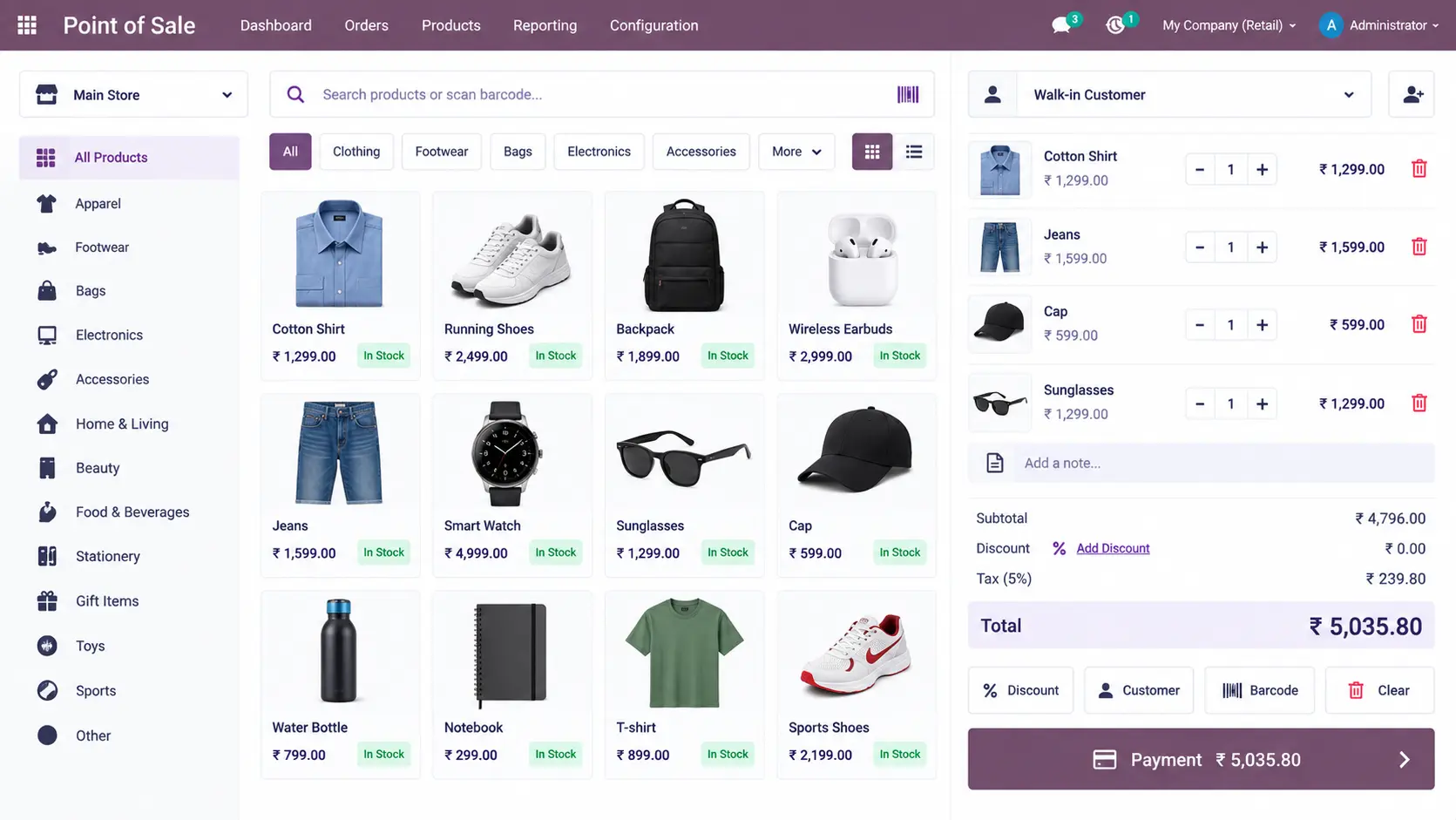
Process customer orders through a centralized POS interface with products, customers, pricing, discounts, payments, and order information available during the transaction.

Retail-POS

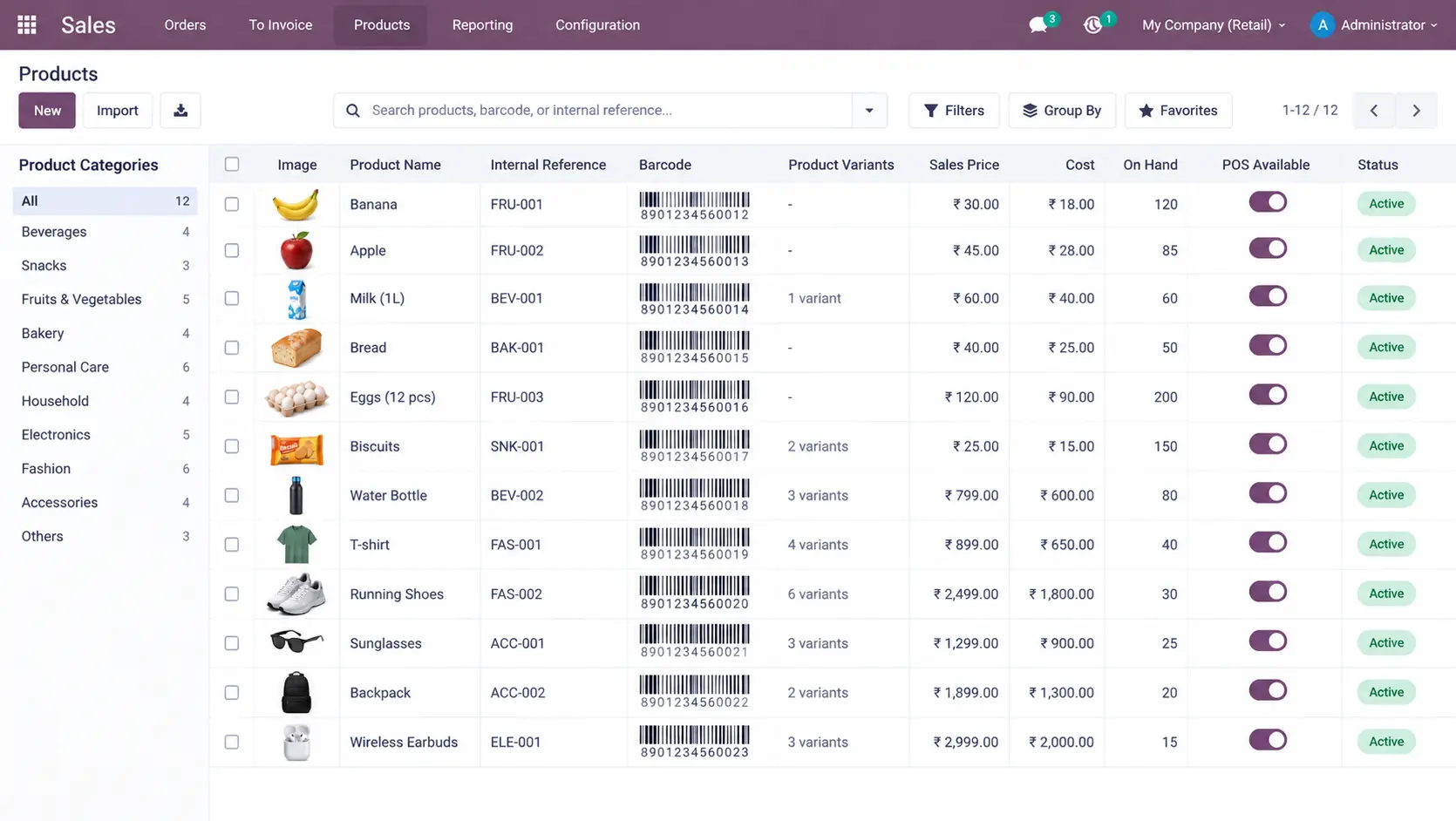
Product & Barcode Management

Search and manage retail products using product information, variants, barcodes, pricing, and configured POS availability.

Product-Barcode-Management

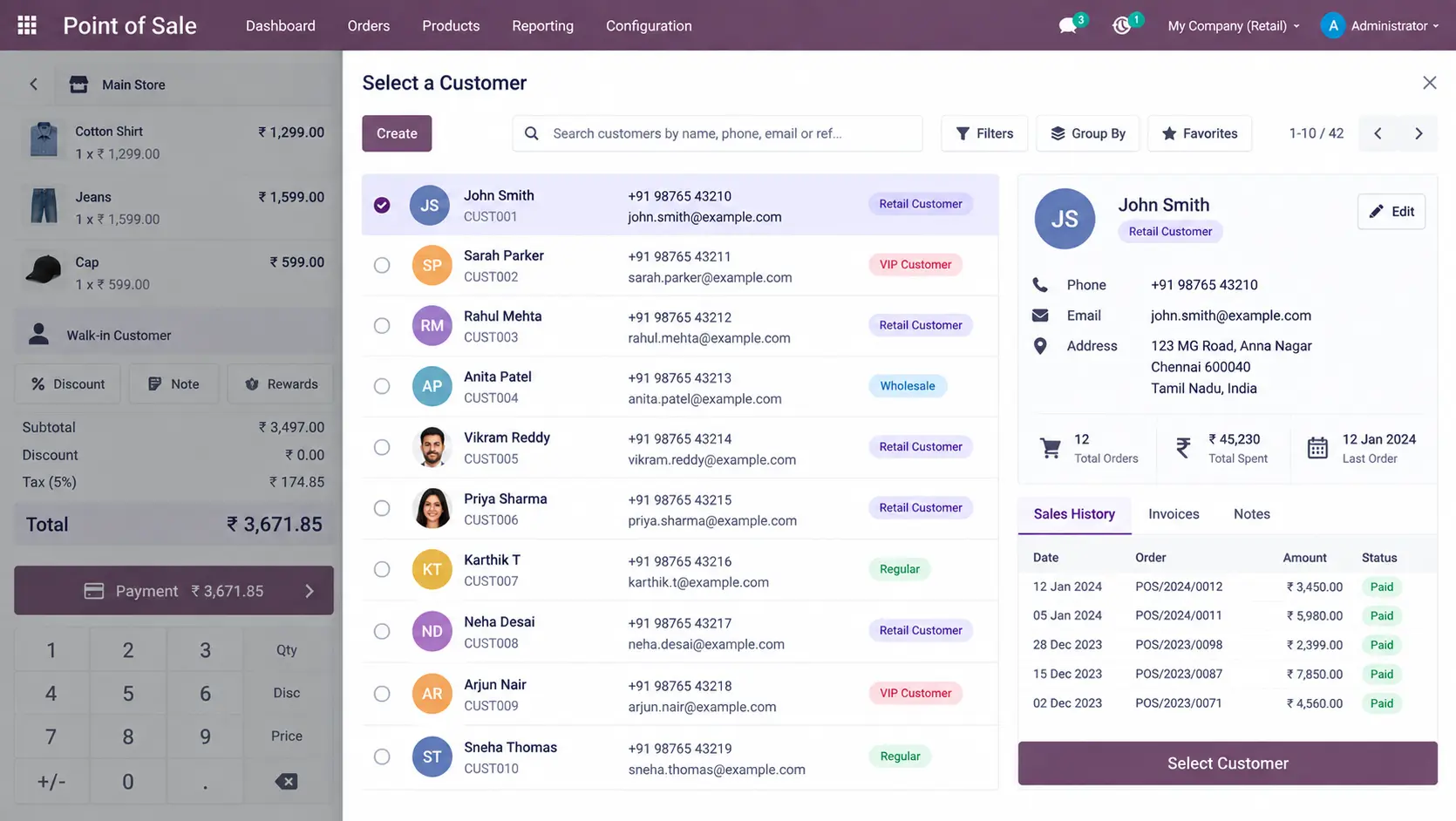
Customer Management

Select customers during POS transactions and connect purchases with customer records, sales history, and invoices.

Customer-Management

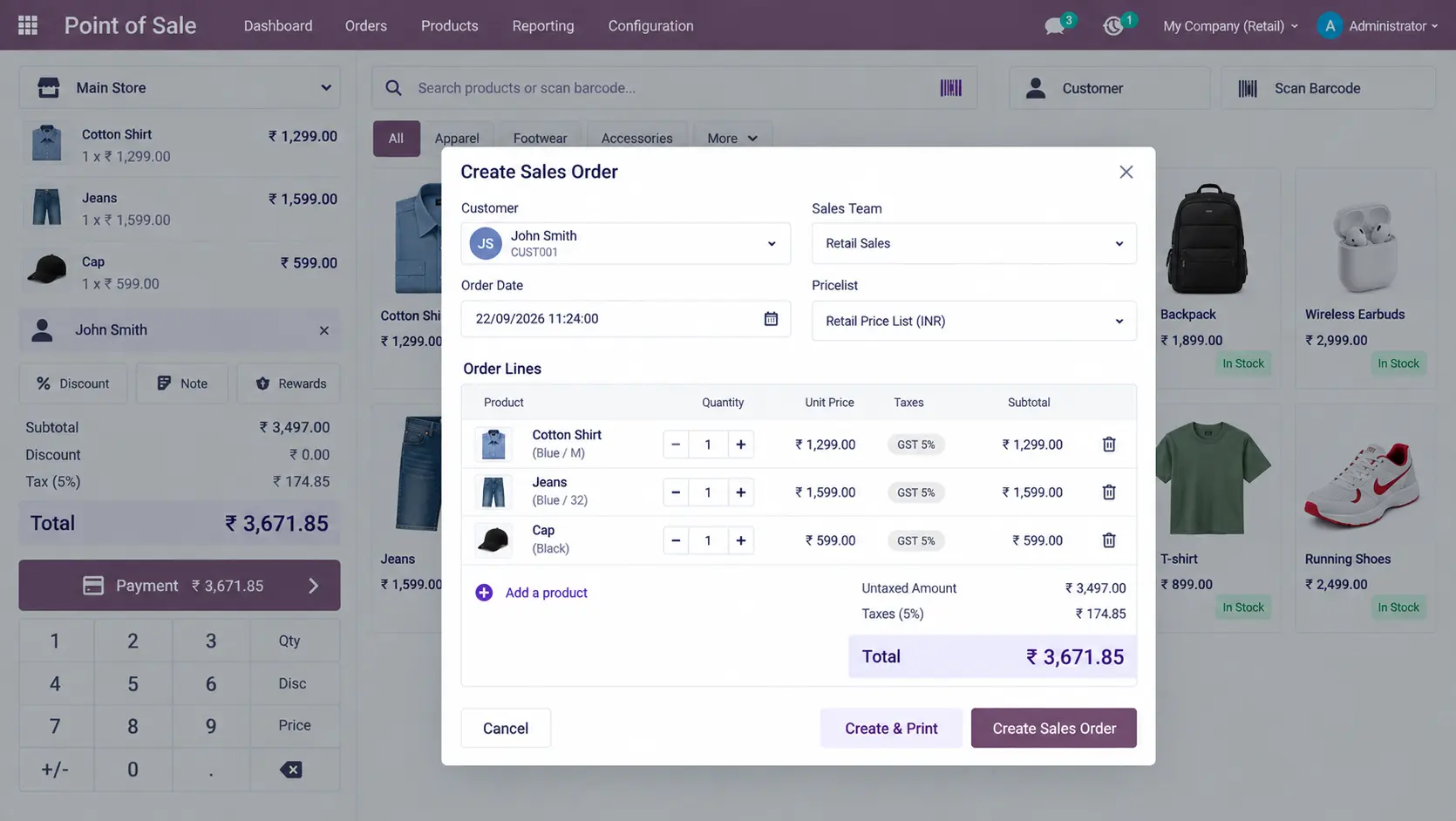
Sales Orders from POS

Create or connect sales orders from the POS workflow when a retail transaction requires a formal sales order.

Sales-Orders-from-POS

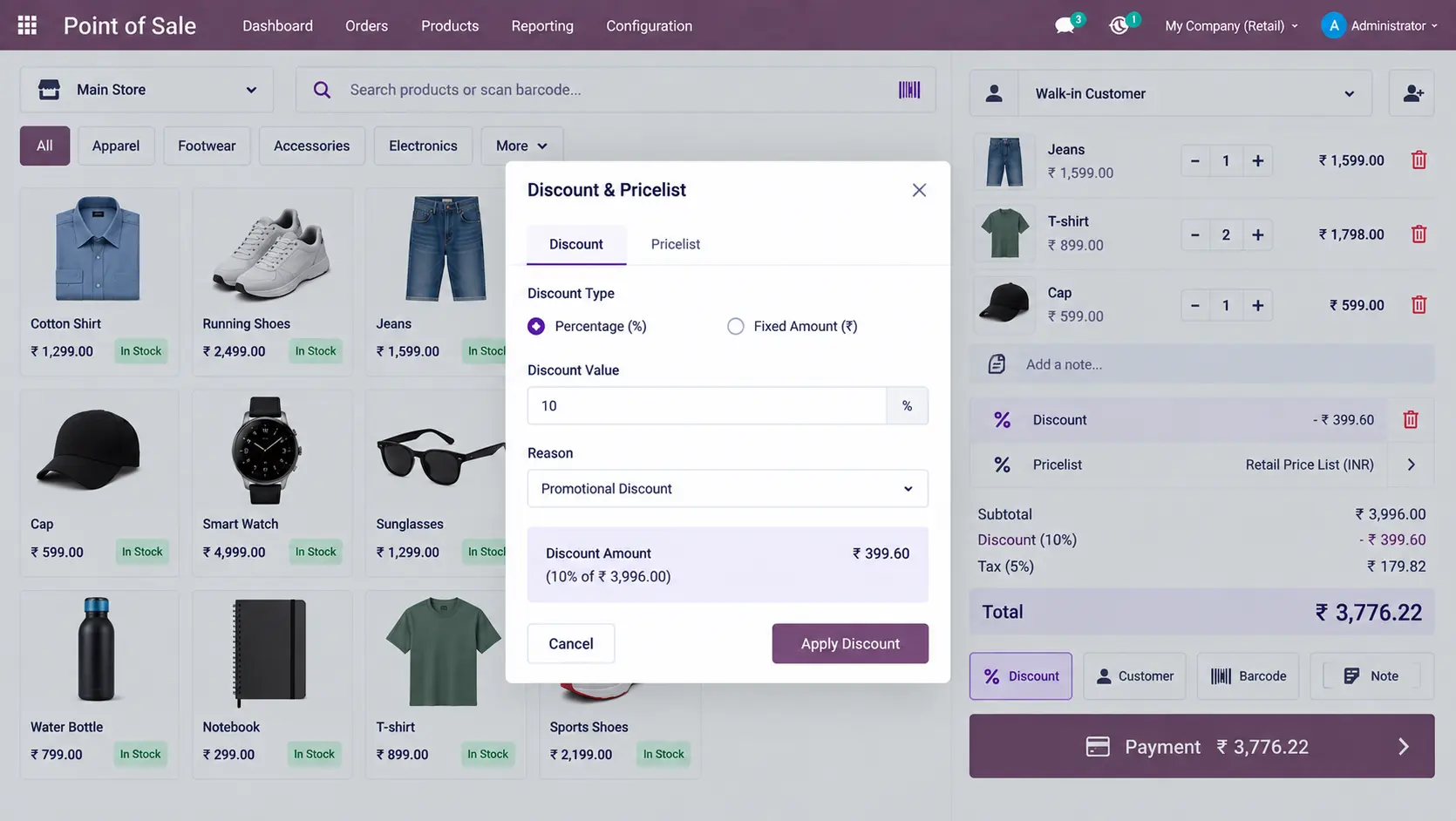
Discounts & Pricelists

Apply fixed or percentage-based discounts and configured pricing rules directly during the retail sales process.

Discounts-Pricelists

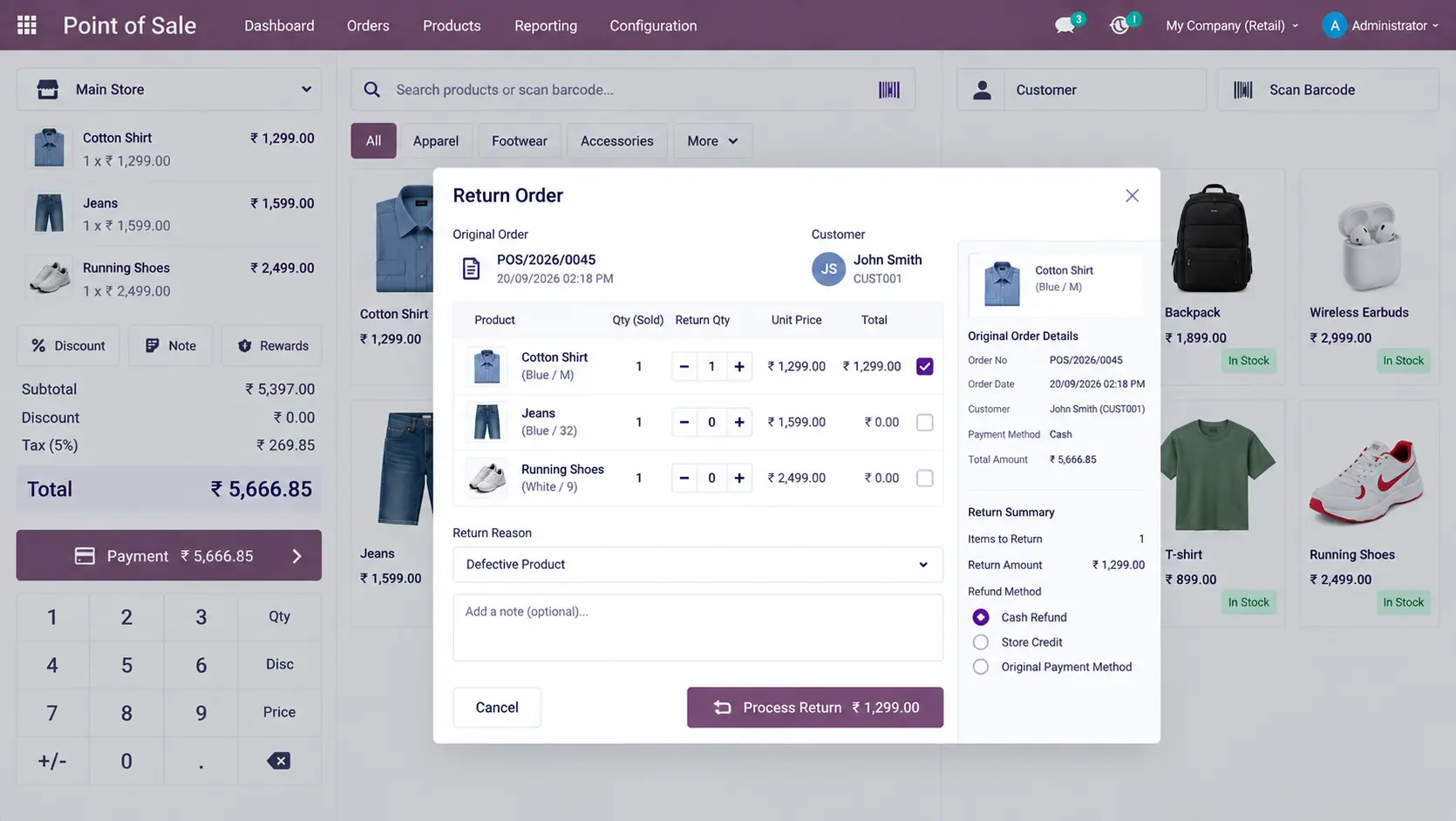
Returns & Reorders

Process returned products and repeat previous purchases without rebuilding the complete customer order manually.

Returns-Reorders

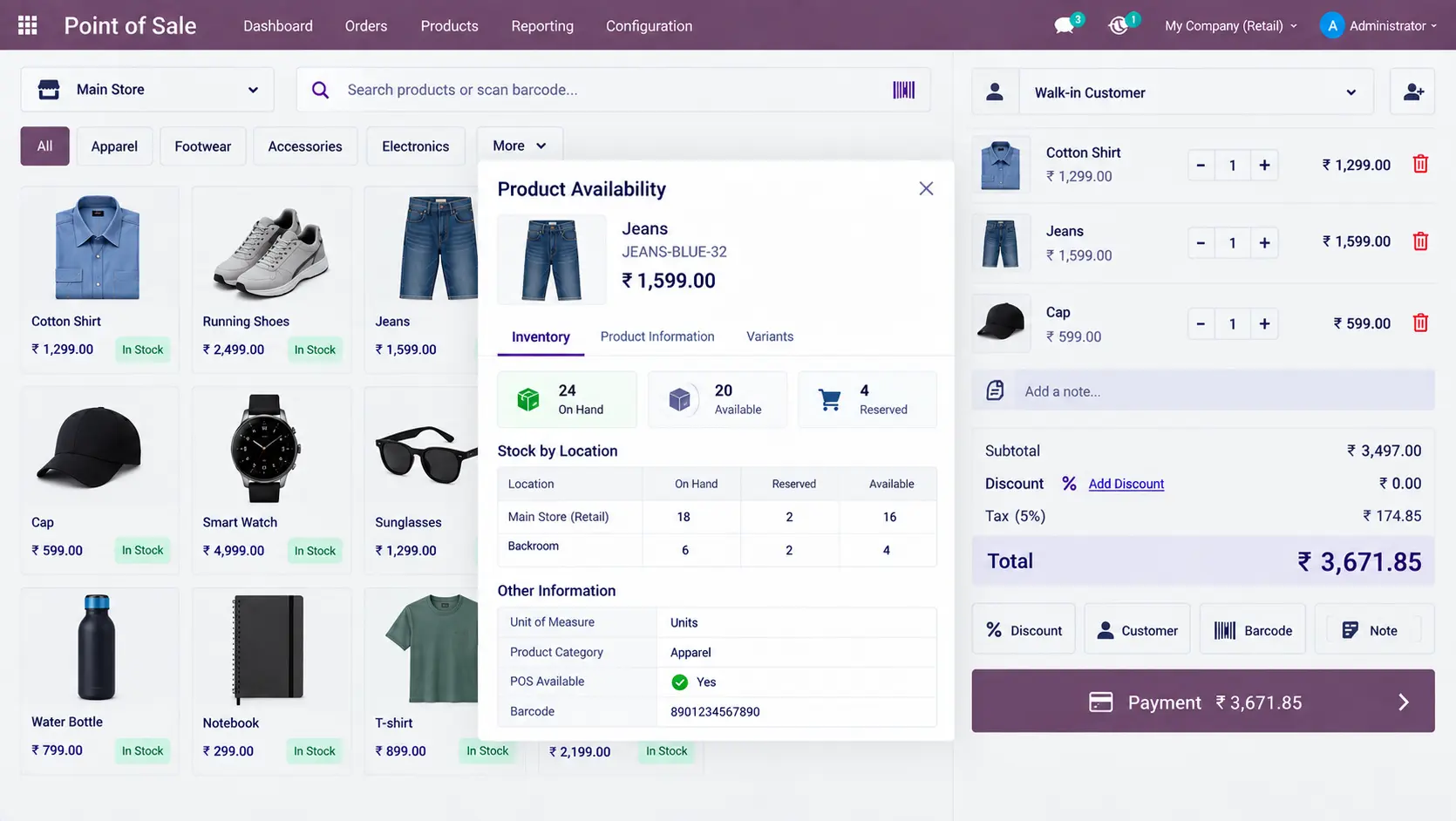
Retail Inventory Visibility

Check product availability during POS operations and view relevant stock information before completing a retail sale.

Retail-Inventory-Visibility

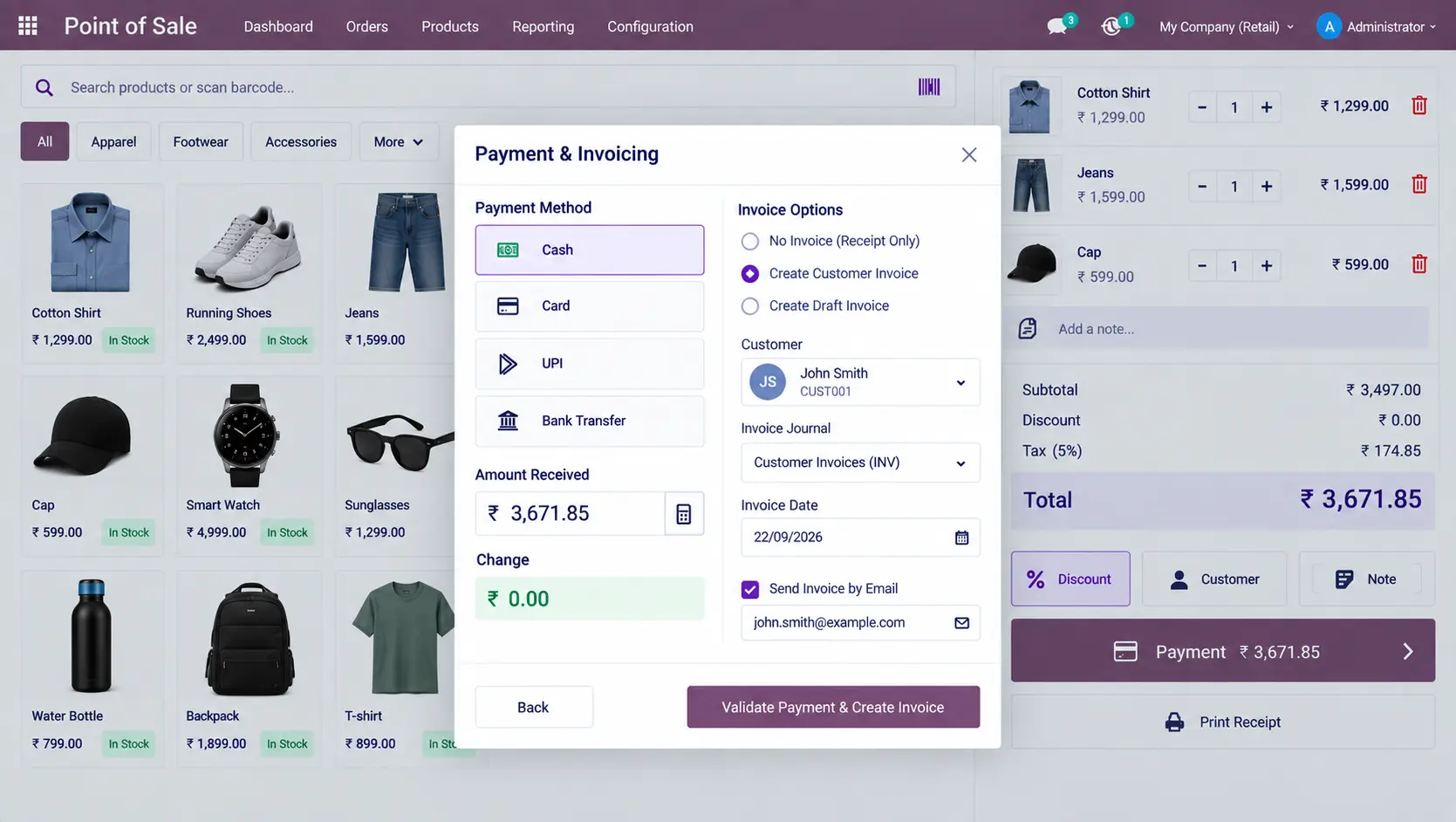
Payments & Invoicing

Process customer payments and generate or manage invoices from retail transactions through the configured workflow.

Payments-Invoicing

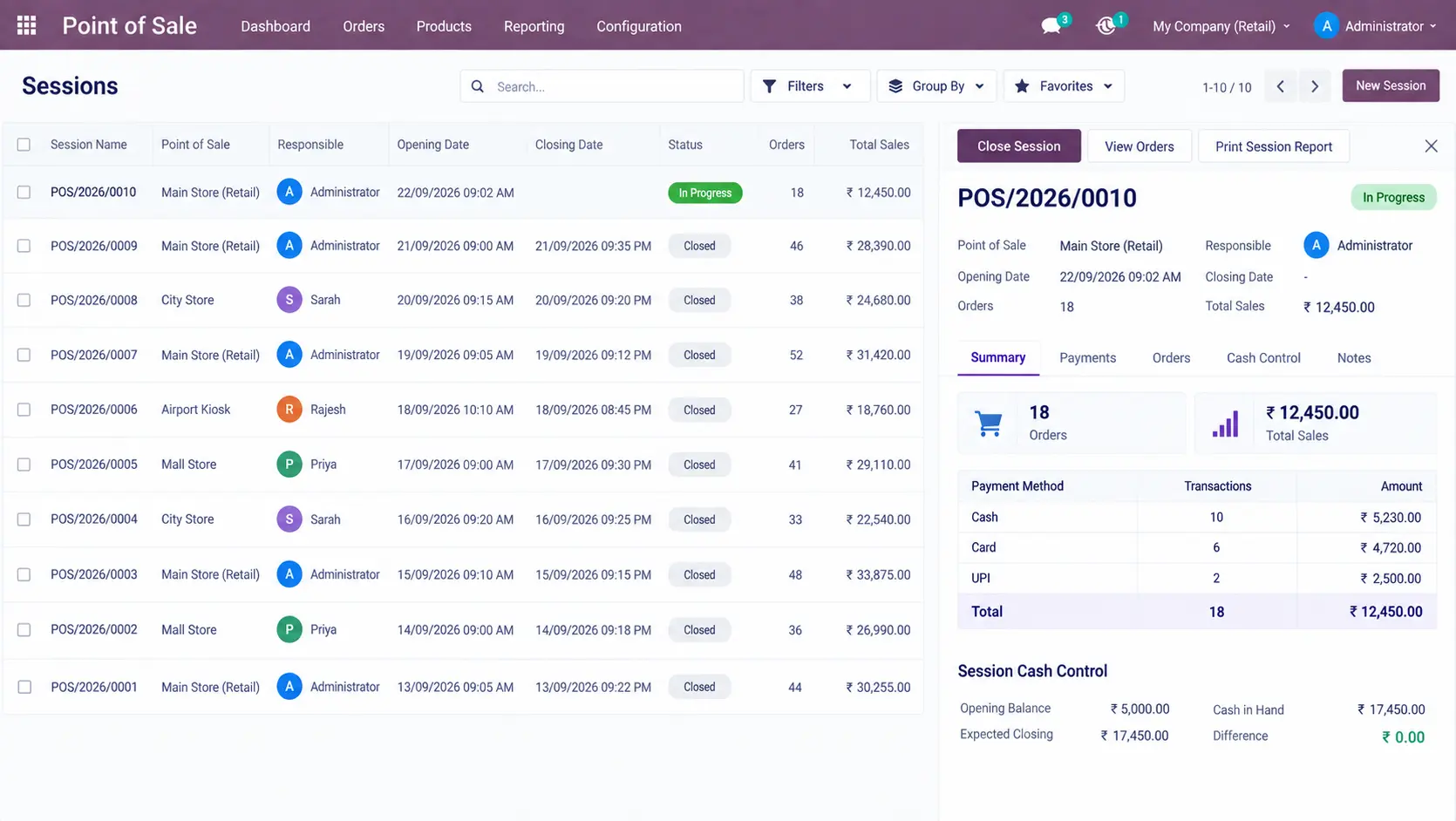
POS Sessions

Manage open and completed POS sessions to track retail activity and support daily session reconciliation.

POS-Sessions

Retail Reports

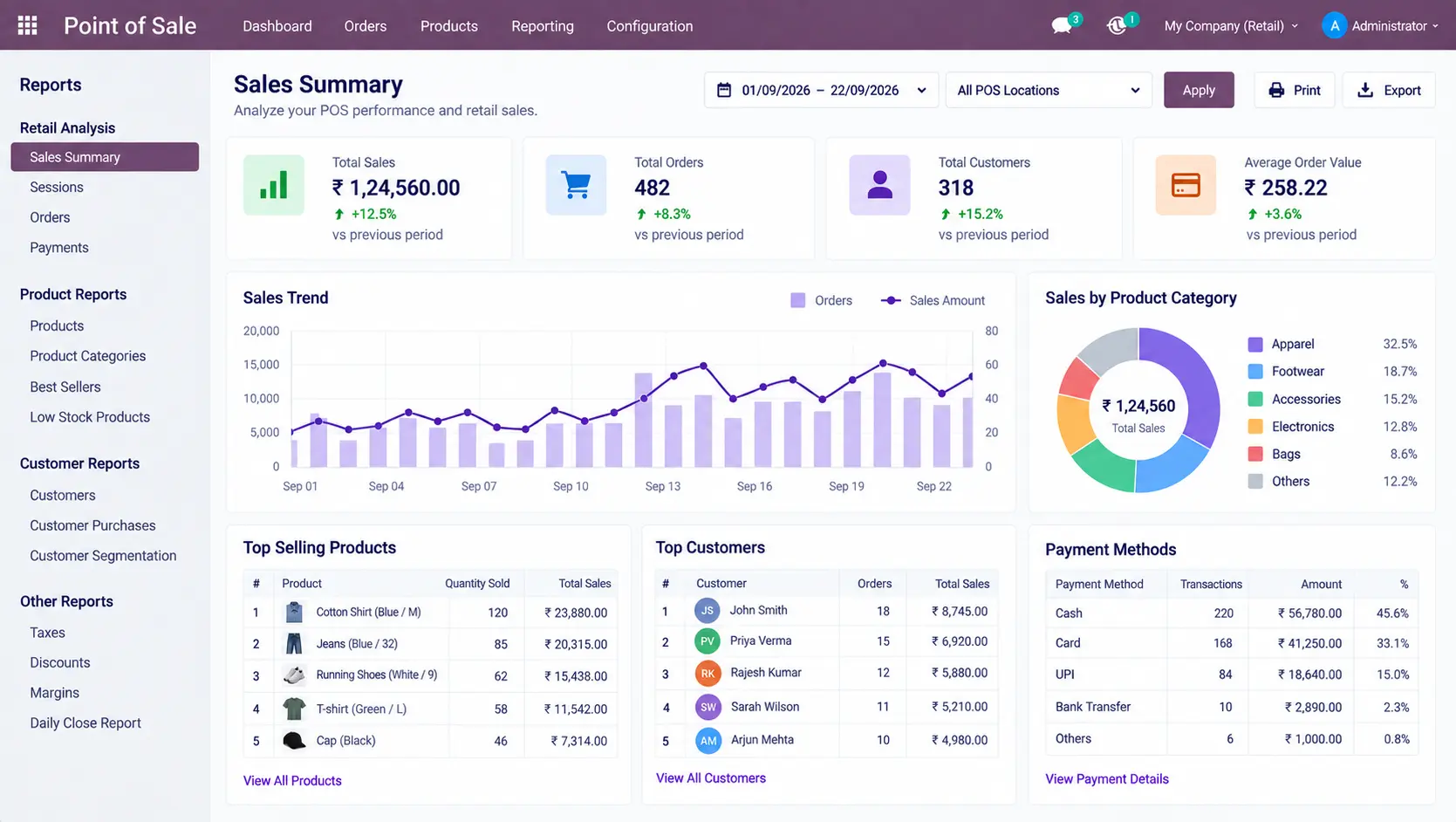
Review sales summaries, session information, payment data, and product, customer, and category performance through configured retail reports.

Retail-Reports

Odoo Retail ERP Implementation

Configure Odoo Around Your Actual Retail Operations

A retail ERP should reflect how your stores actually sell products, receive stock, manage customers, process payments, handle returns, and review sales performance.

Our implementation approach starts with your existing retail processes before configuring Odoo around them.

01
🔍

Requirement Analysis

02
🧩

Retail Workflow Planning

03
⚙️

Odoo Configuration

04
🛒

POS & Inventory Configuration

05
📥

Data Migration

06
🧪

Testing

07
🚀

Deployment

08
🎓

Training & Support

During implementation, related Odoo workflows can be connected instead of treating POS, inventory, sales, and accounting as separate systems.

For broader ERP implementation requirements, see our Odoo ERP implementation service.

If your retail operation also requires accounting configuration, this can be connected with the appropriate Odoo Accounting workflow.

Odoo Retail Management Customization & Integration

Extend Retail Operations When Standard Configuration Is Not Enough

Standard Odoo configuration should be evaluated first. When a specific retail requirement is not covered by the standard setup, the solution can be extended through targeted customization or integration.

  • Payment gateway integration
  • Barcode scanners and retail hardware
  • Receipt printers
  • Existing retail software
  • E-commerce integration
  • Customer loyalty systems
  • SMS and email notifications
  • Multi-store requirements
  • Custom retail reports and dashboards
  • Accounting integrations
  • Third-party retail systems

The objective is to connect the required retail processes while keeping the Odoo environment as simple and maintainable as possible.

Frequently Asked Questions

What is a retail management system?

A retail management system helps businesses manage products, sales, POS transactions, customers, inventory, payments, invoicing, and reporting through connected retail workflows.

Can Odoo be used as a retail management system?

Yes. Odoo can be configured for retail operations using POS, sales, inventory, invoicing, customer management, and related workflows.

Can Odoo manage retail POS?

Yes. Odoo POS can manage products, customers, orders, payments, discounts, invoices, returns, and other configured retail transaction requirements.

Can Odoo manage retail inventory?

Yes. Retail sales can be connected with Odoo inventory workflows to provide product availability and stock-related information during retail operations.

Can Odoo manage discounts and pricing?

Yes. Retail pricing can be configured using pricelists, fixed or percentage-based discounts, and other applicable pricing rules.

Can Odoo manage retail returns?

Yes. Retail return workflows can be configured to process returned products and maintain the related transaction information.

Can Odoo Retail Management be customized?

Yes. Standard Odoo configuration should be evaluated first. Customization or integration can be considered when specific retail requirements are not covered by the standard configuration.

Manage Your Retail Operations Through One Odoo System

Bring POS sales, products, customers, inventory, payments, invoicing, and retail reporting into a connected ERP environment.

Configure Odoo around your store processes, product structure, sales workflows, inventory requirements, and reporting needs.

Online Enquiry