

Server Resources Does Odoo Need?
Choosing the right server resources is one of the most important decisions when deploying Odoo ERP. While Odoo is designed to support businesses of all sizes, its overall performance depends on the quality of the server infrastructure running behind it. An underpowered server can lead to slow page loading, delayed transactions, timeout errors, and a poor user experience, even if Odoo is configured correctly.
Many businesses focus on implementing Odoo but underestimate the importance of server planning. Initially, a small server may appear sufficient, but as more users log in, additional modules are installed, and business data grows, performance issues often become noticeable. These problems rarely occur because of Odoo itself—they are usually caused by inadequate server resources or an unsuitable hosting environment.
Selecting the right server isn’t simply about adding more RAM or choosing a faster processor. It requires understanding how your business uses Odoo. The number of concurrent users, installed applications, transaction volume, reporting requirements, database size, integrations, and expected business growth all influence the resources your server needs.
Whether you are planning your first Odoo deployment, migrating from another ERP, or upgrading an existing installation, understanding server requirements helps you avoid unnecessary costs while ensuring reliable performance as your business grows.
In this guide, you’ll learn how to estimate the server resources required for Odoo, understand how CPU, RAM, storage, and network performance affect the system, and choose a hosting environment that supports both your current operations and future expansion.
How Much Server Resources Does Odoo Need?
For most small businesses, Odoo performs well with 2 vCPUs, 4–8 GB RAM, PostgreSQL, and SSD storage. Medium-sized businesses generally benefit from 4–8 vCPUs, 8–16 GB RAM, and high-performance SSD or NVMe storage, while larger organizations often require scalable cloud infrastructure or dedicated servers to support increasing users, larger databases, and complex business workflows.
Rather than sizing your server based only on the number of employees, consider factors such as concurrent users, installed Odoo modules, database growth, automated workflows, customizations, and future expansion. As your organization grows, these workloads increase significantly.
Expert Insight: In our experience, businesses often underestimate future database growth and the impact of additional Odoo modules. Planning for scalability from day one is usually more cost-effective than migrating to a larger server after performance issues begin to affect daily operations.
Why Server Resources Matter for Odoo Performance
Every action performed in Odoo consumes server resources. Whether users create quotations, update inventory, process invoices, approve purchase orders, or generate financial reports, the application continuously communicates with the PostgreSQL database while processing business logic in the background.
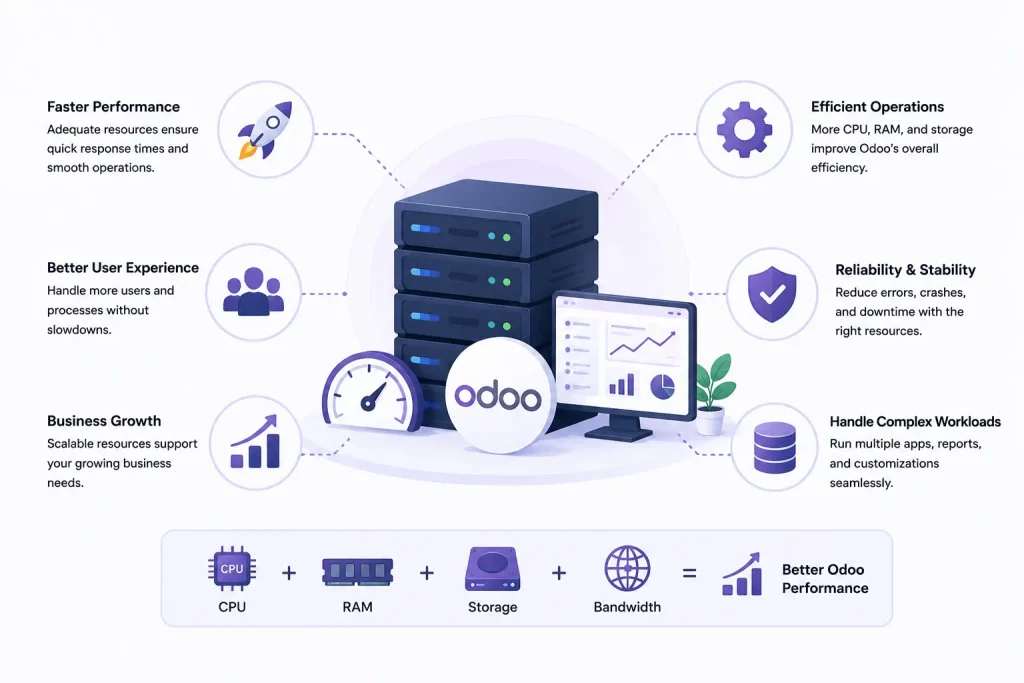
As business operations become more complex, your Odoo server must process a higher volume of requests while maintaining consistent performance. More employees access the ERP simultaneously, additional business modules are introduced, automated workflows become more frequent, and integrations exchange data with external applications. Without adequate server resources, even simple daily tasks can become noticeably slower.
Common signs that your server may not have sufficient resources include:
- Slow page loading and navigation
- Delayed report generation
- Long login times
- Timeout errors during peak business hours
- Database performance bottlenecks
- Slow inventory synchronization
- Delayed accounting transactions
- Poor response times for remote users
While these symptoms are often blamed on Odoo itself, they are more commonly caused by insufficient CPU power, limited RAM, slow storage devices, or an improperly configured hosting environment.
A well-sized server not only improves application speed but also provides greater stability, supports future business growth, and reduces unexpected downtime.
Common Causes of Slow Odoo Performance on Well-Configured Servers
Even after upgrading CPU, RAM, or storage, some businesses continue to experience slow Odoo performance. In many cases, the problem isn’t the hardware itself but factors such as database optimization, custom modules, background processes, or server configuration. Identifying the real bottleneck helps improve performance more effectively than simply adding more resources.
Based on typical Odoo deployments, the following factors are frequently responsible for performance bottlenecks:
- Large PostgreSQL databases that haven’t been optimized
- Too many concurrent users sharing limited server resources
- Slow HDD storage instead of SSD or NVMe drives
- Poorly optimized custom modules
- Resource-intensive scheduled jobs running during business hours
- Insufficient CPU cores for concurrent processing
- Large file attachments increasing database size
- Inefficient third-party integrations
Before upgrading your infrastructure, it’s important to identify the actual bottleneck. In some cases, optimizing the database or reviewing custom modules can deliver significant performance improvements without increasing server resources.
The Four Core Server Resources Odoo Depends On
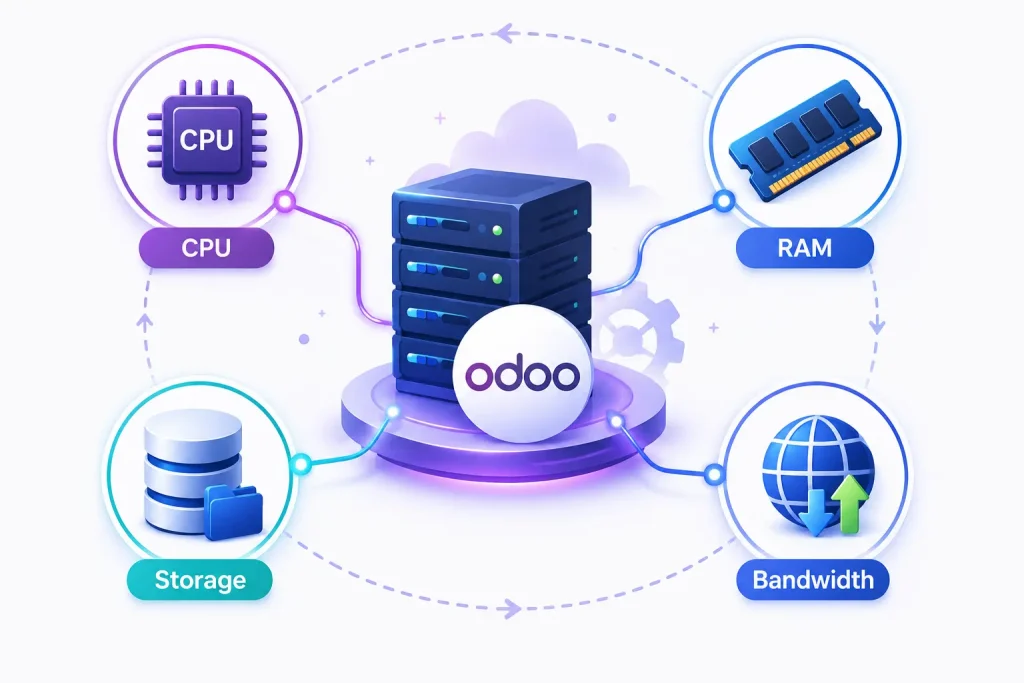
Many people believe RAM is the most important component for Odoo. While memory certainly plays a major role, overall performance depends on the balance between four key server resources.
CPU
The processor is responsible for executing business logic, handling user requests, running automated workflows, processing reports, and managing background tasks.
- Handle more concurrent users
- Process reports faster
- Execute scheduled actions efficiently
- Improve overall application responsiveness
- Reduce delays during busy working hours
RAM
RAM stores active application data, database queries, and user sessions while the system is running.
Adequate memory helps Odoo:
- Support more simultaneous users
- Reduce disk swapping
- Improve application responsiveness
- Process larger databases more efficiently
- Handle multiple business modules without performance degradation
When RAM becomes insufficient, users typically experience slower page loading, delayed report generation, and reduced system responsiveness.
Storage
Storage performance has a direct impact on database operations because every transaction in Odoo reads and writes information to PostgreSQL.
For production environments, SSD or NVMe storage is strongly recommended because it provides significantly faster read and write speeds than traditional hard drives.
Benefits include:
- Faster database queries
- Improved login speed
- Quicker report generation
- Faster file uploads
- More efficient backup operations
Choosing SSD storage is one of the simplest ways to improve overall Odoo performance.
Network Performance
Server hardware alone cannot guarantee fast performance. Reliable network connectivity is equally important, particularly for businesses with remote employees or multiple office locations.
A stable network improves:
- Page loading speed
- Remote user experience
- API communication
- Cloud application performance
- Data synchronization between integrated systems
Businesses operating across multiple branches should evaluate network quality alongside server specifications when planning their Odoo deployment.
Which Server Resource Has the Biggest Impact?
Each server component contributes differently to Odoo performance.
| Server Resource | Impact on Odoo |
| CPU | Handles business logic, workflows, reports, and concurrent users |
| RAM | Supports active users and database operations |
| SSD/NVMe Storage | Speeds up PostgreSQL database performance |
| Network | Improves remote access and API communication |
The best performance comes from a balanced infrastructure rather than investing heavily in only one component. For example, adding more RAM may not improve performance if the server still relies on slow HDD storage or an underpowered processor.
How to Calculate the Right Server Resources
One of the biggest mistakes businesses make is estimating server size based only on employee count. In reality, server requirements depend on how Odoo is used.
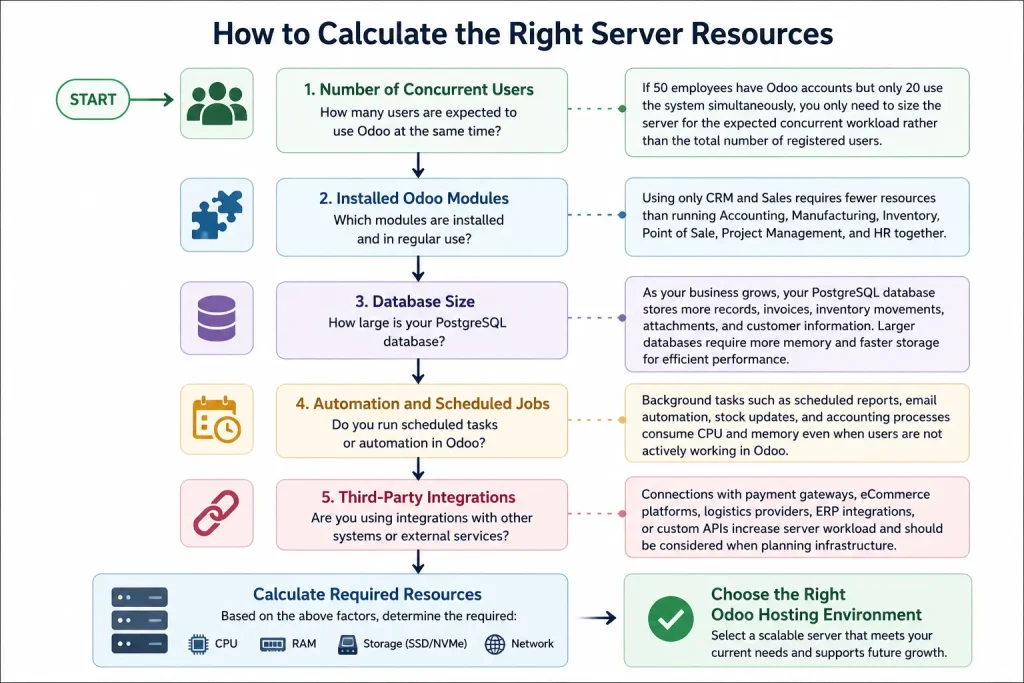
- Number of Concurrent Users
- Installed Odoo Modules
- Database Size
- Automation and Scheduled Jobs
- Third-Party Integrations
VPS, Cloud, or Dedicated Server: Which Is Best for Odoo?
Choosing the right hosting environment is just as important as selecting the correct server specifications.
| Feature | VPS Hosting | Cloud Hosting | Dedicated Server |
| Cost | Lower | Medium | Higher |
| Scalability | Moderate | Excellent | Limited by hardware |
| Performance | Good | Excellent | Excellent |
| Maintenance | Manual | Depends on provider | Manual |
| Best For | Small Businesses | Growing Businesses | Large Enterprises |
VPS Hosting
A Virtual Private Server is a cost-effective option for startups and small businesses. It provides dedicated resources at a lower cost than a dedicated server while offering better performance than shared hosting.
Cloud Hosting
Cloud hosting allows resources to scale as your business grows. It offers higher availability, improved reliability, and flexibility for businesses expecting increased workloads.
Dedicated Server
Dedicated servers provide maximum performance and complete control over hardware resources. They are typically chosen by enterprises with high transaction volumes, strict compliance requirements, or extensive customizations.
If you prefer to focus on running your business instead of managing servers, a managed Odoo hosting solution can handle infrastructure, updates, monitoring, backups, and security while allowing your team to concentrate on daily operations.
Real Business Examples
Understanding server requirements becomes easier when viewed through practical business scenarios.
Example 1: Small Retail Business
- 12 users
- Sales
- Inventory
- Accounting
Recommended Infrastructure:
- 2–4 vCPUs
- 8 GB RAM
- SSD Storage
This setup provides enough resources for daily operations while allowing room for moderate growth.
Example 2: Manufacturing Company
- 60 users
- Manufacturing
- Inventory
- Purchase
- Accounting
- Barcode
Recommended Infrastructure:
- 8 vCPUs
- 16 GB RAM
- NVMe SSD
Manufacturing environments process significantly more transactions and benefit from additional CPU power.
Example 3: Multi-Branch Enterprise
- 250+ users
- Multiple warehouses
- CRM
- Accounting
- Manufacturing
- HR
- Project Management
Recommended Infrastructure:
- Dedicated or scalable cloud infrastructure
- 16+ vCPUs
- 32 GB+ RAM
- High-performance NVMe storage
- Load balancing and regular monitoring
Checklist Before Choosing an Odoo Server
Before selecting your server, ask yourself the following questions:
✅ How many users will access Odoo simultaneously?
✅ Which Odoo modules will you use?
✅ How large is your current database?
✅ Do you expect rapid business growth?
✅ Will you integrate with third-party applications?
✅ Do you require automated backups?
✅ Is disaster recovery important?
✅ Do you need a staging or testing environment?
Common Server Sizing Mistakes That Affect Odoo Performance
Even businesses that invest in quality hardware can experience poor Odoo performance if the server isn’t configured correctly. Avoiding these common mistakes will help you build a more reliable ERP environment.
1. Choosing a Server Based Only on User Count
Many businesses estimate server resources based only on the total number of employees. However, factors such as concurrent users, installed modules, database size, and transaction volume have a much greater impact on performance.
2. Using HDD Instead of SSD Storage
Traditional hard drives are significantly slower than SSD or NVMe storage. Since Odoo depends heavily on PostgreSQL database operations, slower storage can increase page loading times, report generation delays, and overall response time.
3. Ignoring Future Business Growth
A server that works well today may struggle six months later if your business expands. Planning for future users, larger databases, and additional modules helps avoid costly migrations and unexpected downtime.
4. Installing Too Many Custom Modules
Customizations can improve business processes, but poorly optimized modules may increase CPU usage, database queries, and memory consumption. Regular performance reviews help identify inefficient custom developments.
5. Not Monitoring Server Performance
Without monitoring CPU, memory, storage, and database performance, it’s difficult to identify bottlenecks before they affect users. Proactive monitoring allows you to address issues early and maintain a consistent user experience.
When Should You Upgrade Your Odoo Server?
As your business grows, the server resources that once supported your Odoo environment may no longer be sufficient. Upgrading your server at the right time helps maintain fast performance, reduces downtime, and ensures employees can continue working efficiently.
You should consider upgrading your Odoo server if you notice any of the following:
- Users experience slow page loading during peak business hours.
- Reports take much longer to generate than before.
- Login times increase as more employees access the system.
- CPU or RAM usage remains consistently high.
- Database size grows significantly over time.
- Additional Odoo modules are introduced.
- Third-party integrations increase server workload.
- Business operations expand to multiple locations.
Upgrading before these issues become critical helps maintain productivity and avoids disruptions to daily business operations.
Why Choosing the Right Odoo Hosting Provider Matters
Selecting the right server specifications is only one part of building a reliable Odoo ERP environment. The quality of your hosting provider also plays a significant role in system performance, security, scalability, and long-term reliability.
A good Odoo hosting provider should do more than simply offer CPU, RAM, and storage. The right hosting environment should help keep your ERP system secure, available, and ready to scale as your business grows.
When evaluating an Odoo hosting provider, look for features such as:
- High-performance cloud or VPS infrastructure
- SSD or NVMe storage for faster database performance
- Automated daily backups
- 24/7 server monitoring
- Regular security updates
- Free SSL certificates
- Firewall and malware protection
- Easy resource upgrades as your business grows
- Technical support with Odoo expertise
- High uptime and reliable infrastructure
If your organization doesn’t have an in-house server administration team, a managed Odoo hosting solution can reduce operational overhead by handling server maintenance, monitoring, backups, operating system updates, and security management. This allows your team to focus on using Odoo to run the business rather than maintaining the underlying infrastructure.
Frequently Asked Questions
Small businesses typically require 4–8 GB RAM, while medium-sized organizations generally benefit from 8–16 GB RAM. Larger deployments may require 32 GB or more, depending on concurrent users, installed modules, and database size.
Yes. Odoo runs well on a VPS when the server includes sufficient CPU resources, RAM, SSD storage, and a properly configured PostgreSQL database. VPS hosting is a practical option for startups and small businesses.
Yes. SSD or NVMe storage significantly improves database performance, page loading speed, report generation, and overall system responsiveness compared to traditional HDD storage.
Small deployments usually perform well with 2–4 vCPUs. Medium-sized businesses often require 4–8 vCPUs, while enterprise environments may need 8 or more, depending on workload and concurrent users.
Yes. Larger PostgreSQL databases require additional RAM, faster storage, and sometimes more CPU resources to maintain consistent performance as records and attachments increase.
VPS hosting is suitable for smaller deployments with predictable workloads, while cloud hosting offers greater scalability, flexibility, and high availability for growing businesses.
If users experience slow performance, frequent timeouts, delayed reports, or consistently high CPU and RAM usage, it may be time to upgrade your server resources.
Not always. While additional RAM can help, performance also depends on CPU capacity, storage speed, PostgreSQL optimization, and the quality of custom modules.
Yes. Multiple databases can run on the same server if adequate CPU, RAM, and storage resources are available. Proper resource allocation is important to maintain performance.
Managed Odoo hosting is a good choice for businesses that want expert support, automated backups, security updates, performance monitoring, and scalable infrastructure without managing servers internally.
Conclusion
Choosing the right server resources is essential for building a fast, reliable, and scalable Odoo environment. Rather than focusing on hardware specifications alone, evaluate how your business uses Odoo, including concurrent users, installed modules, database growth, integrations, and future expansion plans.
A balanced combination of CPU, RAM, SSD storage, and reliable network performance provides the foundation for consistent ERP performance. As your organization grows, regularly reviewing server capacity and optimizing your infrastructure helps prevent performance bottlenecks before they affect daily operations.
If you’re planning a new Odoo deployment or looking to improve the performance of an existing installation, selecting the right hosting environment is just as important as choosing the correct server configuration. A managed hosting solution with scalable resources, proactive monitoring, and Odoo expertise can simplify infrastructure management while ensuring your ERP system continues to perform reliably as your business evolves.

