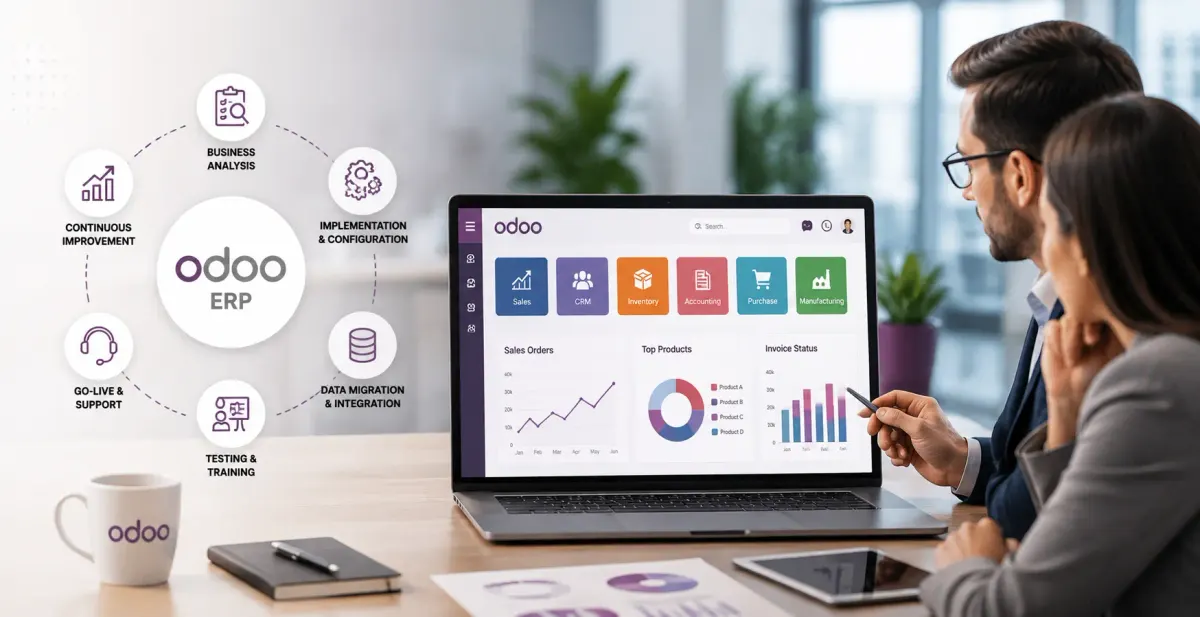
What Does an Odoo Implementation Company Do?
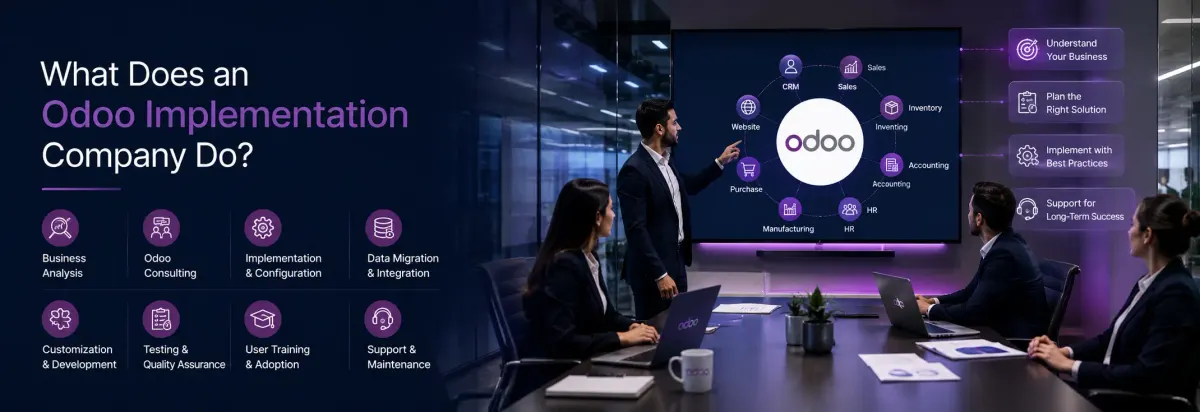
Odoo Implementation Company Do
An Odoo implementation company does far more than install software. Instead of a one-time software setup, implementation is an end-to-end process that prepares Odoo for your business, helps your team adopt it confidently, and keeps the system running smoothly long after go-live. In short, installation is technical, while implementation is strategic.
This distinction matters because Odoo is free or low-cost to download, yet most businesses still hire an implementation partner. The reason isn’t the software price — it’s the risk of getting the setup wrong. A misconfigured chart of accounts, a rushed data migration, or modules nobody was trained to use can cost far more in lost productivity than the implementation itself.
In many ERP implementation projects, inaccurate master data is one of the most common causes of reporting issues after go-live. Spending time on data validation before migration usually prevents these problems.
This guide breaks down exactly what an Odoo implementation company does, stage by stage, so you know what to expect and what to look for when choosing one.
Installation vs. Implementation: Why the Difference Matters
Installing Odoo simply means deploying the software on a server. Once installed, Odoo starts running, users can log in, and the available modules become accessible. At this stage, however, the system has not yet been configured for your business processes. modules are technically available. That’s it.
Implementation means making Odoo actually fit your business:
- Mapping your real workflows (how a purchase order moves from request to payment, how stock gets received and tracked)
- Configuring the chart of accounts, tax rules, and warehouses to match your operations
- Setting up user roles and access rights so the right people see the right data
- Migrating your existing customer, inventory, and financial records accurately
A business can install Odoo in an afternoon. A proper implementation takes weeks because it’s solving a business problem, not just a technical one.
The Odoo Implementation Process, Step by Step
A structured implementation company follows a repeatable process. Here’s what each phase typically involves.
1. Discovery and Business Analysis
Before any configuration begins, the implementation team interviews department heads and maps current workflows. They identify bottlenecks, redundant tools, and the specific modules your business actually needs CRM, Inventory, Accounting, Manufacturing, HR, or a combination.
Deliverable: A Business Blueprint Document a clear map of your processes, the gaps Odoo needs to fill, and which modules will be used.
2. Planning and Module Mapping
With the blueprint in hand, the team selects and sequences which modules to deploy, plans the implementation timeline, and decides on cloud vs. on-premise deployment based on your security, scalability, and budget needs.
3. Configuration
This is where Odoo is shaped to match your business:
- Chart of accounts and tax mapping
- Warehouse structures and stock rules
- User roles and access permissions (for example, restricting profit/loss visibility to finance staff)
- Email templates, approval workflows, and automated actions
- Custom fields or reports specific to your operations
4. Data Migration
Existing data from spreadsheets, legacy ERP systems, or accounting software is cleaned and transferred into Odoo. This step is more delicate than it sounds — duplicate records, incomplete financial history, or mismatched formats here can cause reporting errors for months after go-live if not handled carefully.
5. Testing and Quality Assurance (UAT)
Before anything goes live, your team runs User Acceptance Testing — working through real scenarios (placing an order, generating an invoice, processing payroll) inside the new system to confirm it behaves as expected.
6. Training and Go-Live
End users get role-based training so they know how to use the system day one, not just how it theoretically works. Go-live is planned carefully — often timed to the start of a new fiscal period to avoid messy mid-cycle transitions.
7. Post-Launch Support
Implementation doesn’t end at go-live. Ongoing support includes monitoring performance, fixing issues that surface under real usage, providing additional training where gaps appear, and applying updates as your business evolves.
Implementation Differs by Business Size
| Business Size | Typical Scope |
| Small business | Few core modules (Sales, Inventory, Accounting), light configuration |
| Medium business | Standard business analysis, multiple integrated modules |
| Large enterprise | In-depth analysis, multiple modules, custom development, phased rollout |
In-House, Odoo Direct, or Implementation Partner?
| Option | Best For | Trade-off |
| In-house team | Companies with existing technical staff and Odoo experience | Slower, higher internal opportunity cost |
| Odoo direct | Simple, standard deployments with no heavy customization | Less flexibility, generic support |
| Implementation partner | Most SMBs and mid-market companies needing tailored configuration | Added cost, but faster and lower risk |
For most growing businesses, a certified implementation partner offers the best balance industry experience without the overhead of building in-house ERP expertise from scratch.
How to Choose the Right Implementation Company
- Proven track record — completed projects in your industry, not just general Odoo experience
- Module expertise — specific experience with the modules you need (Manufacturing, eCommerce, multi-company, etc.)
- Transparent pricing — a clear scope and cost breakdown, not vague hourly estimates
- Post-launch support plans — what happens after go-live matters as much as the go-live itself
- References and reviews — verified client feedback, not just testimonials on their own site
- Certified partner status — confirms a direct relationship with Odoo and access to official resources
Common Mistakes That Derail Implementations
- Over-customization — modifying Odoo heavily instead of using standard features, which increases cost and complicates future upgrades
- Rushed data migration — skipping data cleanup leads to duplicate records and inaccurate reporting after go-live
- Underestimating training time — employees resist or misuse a system they weren’t properly trained on
- Poor integration planning — Connecting payment gateways, CRM platforms, or shipping services without proper testing can lead to synchronization issues after deployment.
- Compressed timelines — rushing configuration and testing to hit an arbitrary go-live date increases the risk of operational disruption
Frequently Asked Questions
Implementation is the initial setup and deployment of Odoo modules aligned to your existing workflows, largely using out-of-the-box configuration. After deployment, customization helps refine Odoo by introducing features that better support your business workflows. Extend functionality beyond Odoo’s standard capabilities.
The timeframe depends on the complexity of your business requirements. Smaller deployments are often completed within a few weeks, while larger projects involving multiple modules, data migration, integrations, and custom development may take several months to deliver and thoroughly test before launch.
The core implementation process is the same. The main differences come from which modules are available — Enterprise includes features like full Accounting, multi-company support, and certain industry-specific modules not available in Community.
Yes, especially for very simple, single-module deployments. However, multi-module or industry-specific implementations benefit significantly from partner expertise to avoid configuration mistakes and rushed data migration.
You’ll likely face misconfigured workflows, inaccurate reporting, and poor user adoption — the software runs, but it doesn’t actually fit how your business operates.
Conclusion
An Odoo implementation company does the work that turns Odoo from a piece of software into a system your business actually runs on — mapping your workflows, configuring the platform to match them, migrating your data accurately, training your team, and supporting the system after launch. The technical installation takes minutes; getting implementation right is what determines whether your ERP investment actually pays off.
If you’re evaluating implementation partners, ask for their process documentation, request references from businesses similar in size to yours, and confirm what post-launch support is included before signing on.