

Your Odoo invoice is confirmed, but the e-invoice fails to generate, gets rejected during validation, or remains without an IRN.
The failure can occur at different points in the e-invoicing workflow — from invoice and GST data validation to e-invoice configuration, API authentication, or submission to the NIC system.
This is why simply retrying the invoice or changing tax settings may not solve the problem. The actual cause depends on where the workflow first fails.
An invoice may have incomplete required information, the company’s GST or e-invoicing configuration may be incorrect, API credentials may fail authentication, or the generated e-invoice data may be rejected during submission.
The right troubleshooting approach is to identify that first failure point and trace it back to its source.
What Can Cause Odoo E-Invoice Generation to Fail?
An Odoo invoice can be valid for normal accounting and still fail during e-invoice processing.
The failure may occur during invoice validation, e-invoice generation, API authentication, or submission to the NIC system.
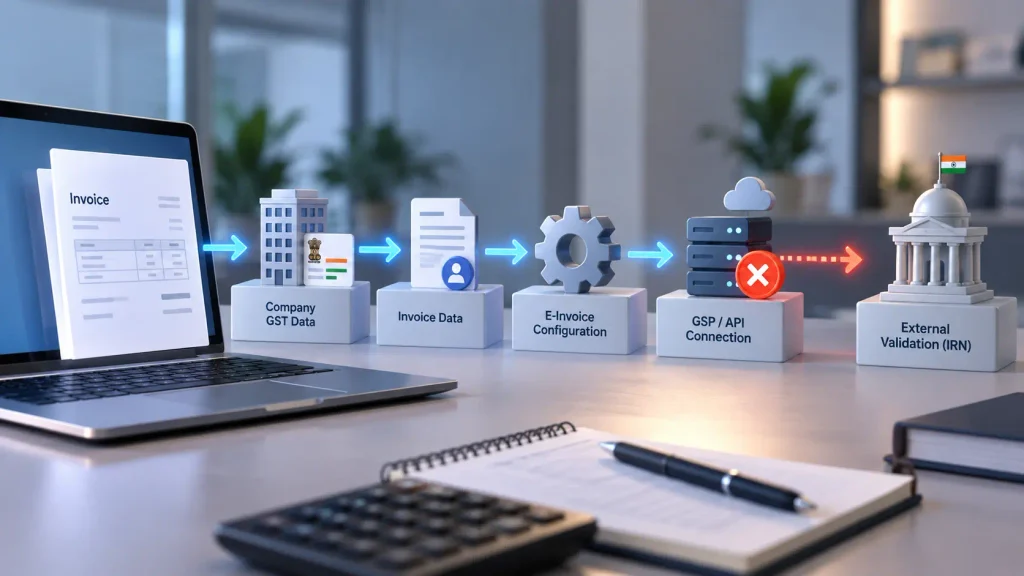
A useful way to locate the problem is to trace the workflow:
Invoice Data → Company/GST Information → E-Invoice Configuration → GSP/API Credentials → Validation → NIC Submission → Response/IRN
The objective is to identify where the process first fails, rather than treating every e-invoice error as the same configuration problem.
The Indian E-Invoicing Setup Is Not Configured Correctly
Odoo’s Indian e-invoicing workflow depends on the appropriate Indian localization and e-invoicing functionality being installed and configured.
Check:
- Indian fiscal localization
- Indian E-invoicing functionality
- E-Invoicing setting
- Correct company in a multi-company database
- Production or testing environment
If the e-invoicing functionality is not correctly configured, the failure can occur before Odoo reaches the submission stage.
E-invoice process unavailable ≠ e-invoice submission rejected.
These indicate different points of failure and should be investigated differently.
Company GST Information or API Credentials Are Incorrect
Odoo’s e-invoicing process depends on correct company information and configured access to the e-invoice service.
Check:
Company Information → GSTIN → GSP → API Username → API Password → Environment
If authentication or company-level configuration fails, the invoice itself may be valid while the e-invoice submission cannot proceed.
This is why recreating the invoice or changing its amount may not resolve the problem.
The first question should be:
Did Odoo successfully authenticate and communicate with the e-invoice service?
If not, investigate the integration configuration before changing the invoice.
Invoice or Master Data Does Not Meet E-Invoice Requirements
An invoice can be successfully posted in Odoo while still containing information that does not satisfy the e-invoice workflow.
Review:
Customer → GST Information → Product → HSN/UQC → Taxes → Invoice Lines → Quantities → Amounts → Document Details
Check both the invoice and the master data behind it. A problem with a customer, product, tax, or required classification can affect the e-invoice generated from that configuration.
Odoo’s Indian localization includes validation checks for information such as HSN and UQC, which is why master data should be reviewed when fiscal-document validation fails.
A useful distinction is:
Accounting validation ≠ e-invoice compliance validation
A posted invoice does not necessarily mean that all information required for e-invoicing will pass the next validation stage.
Compare Failed and Successful Invoices
When failures affect only certain transactions, compare the failed invoice with a successfully generated e-invoice.
Check differences across:
Customer → GST Information → Product → HSN/UQC → Tax → Invoice Lines → Document Details
If failures are limited to specific customers, products, taxes, or transaction types, investigate the corresponding master data and configuration.
If all invoices fail, investigate company-level e-invoicing configuration and integration first.
The objective is to determine whether the failure is transaction-specific or configuration-wide.
How Should You Investigate an Odoo E-Invoice Generation Problem?
Do not immediately recreate the invoice or repeatedly retry e-invoice generation. Start with the failed transaction and identify the first stage where the workflow stops.
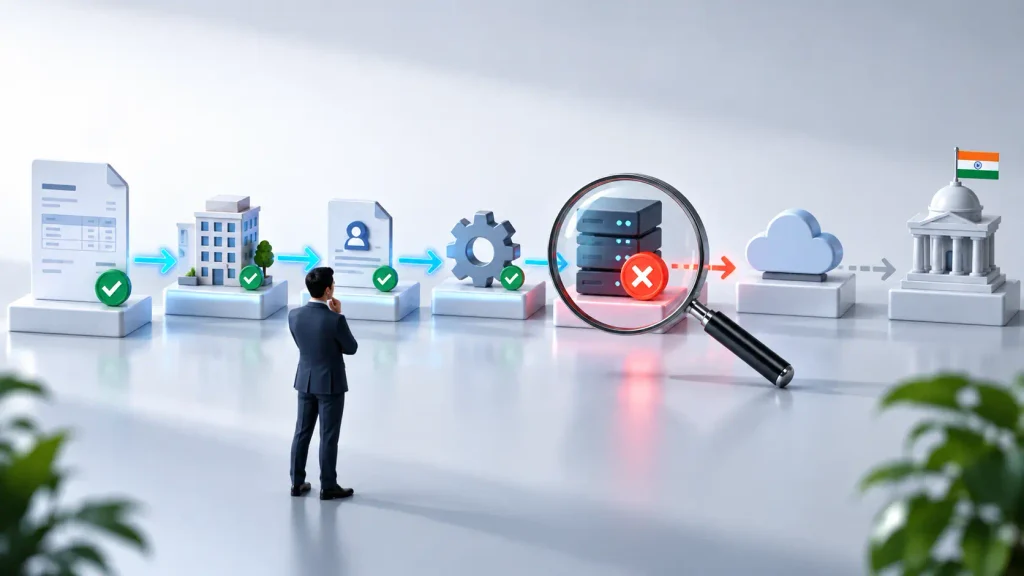
Invoice → Company/GST Data → Customer/Product Data → Tax & Invoice Data → E-Invoice Configuration → GSP/API → Submission → Validation Response → IRN
At each stage, verify the actual Odoo data, configuration, status, and response before moving to the next stage.
Start With the Failed Invoice
Begin with the exact invoice that failed.
Check:
- Invoice status
- Company
- GST information
- Customer information
- Invoice lines
- Tax and amount details
- E-invoice status
- Error or response from the generation attempt
Also determine whether a similar invoice has generated an e-invoice successfully.
The first distinction is:
Invoice data problem → investigate the transaction.
Submission or authentication problem → investigate the integration.
Confirm the Company and GST Information
Verify the company associated with the invoice and its Indian fiscal information.
Check:
Company → Country → PAN → GSTIN → Indian Localization → E-Invoicing
In a multi-company database, confirm that the e-invoice configuration belongs to the company processing the invoice.
If the company-level information is incorrect, changing the individual invoice does not resolve the underlying problem.
Verify E-Invoice Configuration and API Access
Check the configured e-invoicing setup:
E-Invoicing → GSP → API Credentials → Environment
Confirm that the required configuration is enabled and that the credentials and environment are appropriate for the intended transaction.
Then determine whether Odoo is able to authenticate and communicate with the e-invoice service.
Authentication failure → investigate GSP/API configuration.
Authentication succeeds → continue to submission and validation.
Compare the Failed Invoice With a Successful Invoice
When the configuration appears correct, compare the failed transaction with a successfully generated e-invoice.
Check:
Customer → Product → HSN/UQC → Tax → Quantity → Unit → Invoice Lines → Total → Document Information
Focus on differences rather than reviewing every Odoo setting.
If the difference follows a particular customer, product, tax, or transaction type, investigate that corresponding data or configuration.
Identify Where the Submission Fails
Determine whether Odoo fails before submission, during authentication, during external validation, or after submission.
The investigation path is:
Invoice Data → E-Invoice Generation → API Authentication → Submission → External Validation → Response → IRN
Odoo’s e-invoice status and related transaction information can provide evidence about where the process stopped.
Do not treat a failed submission as proof that the invoice itself is incorrect.
Follow the Response to the First Failure
If a response or error is available, use it to identify the first failed stage.
- Data validation failure → review the invoice or master data.
- Authentication failure → review GSP/API credentials and environment.
- Submission failure → investigate the integration and communication stage.
- Successful submission without the expected result in Odoo → investigate the returned response and Odoo’s subsequent workflow.
The objective is simple:
Find the first point where the expected e-invoice workflow and the actual result stop matching.
What Does the First Point of Failure Tell You?
The first failure point helps distinguish a transaction problem from a configuration or integration problem.
Invoice data is incorrect →
Investigate customer, product, tax, HSN/UQC, and transaction information.
Invoice data is correct but e-invoice configuration is incorrect →
Investigate Indian localization, e-invoicing activation, GSP, and environment configuration.
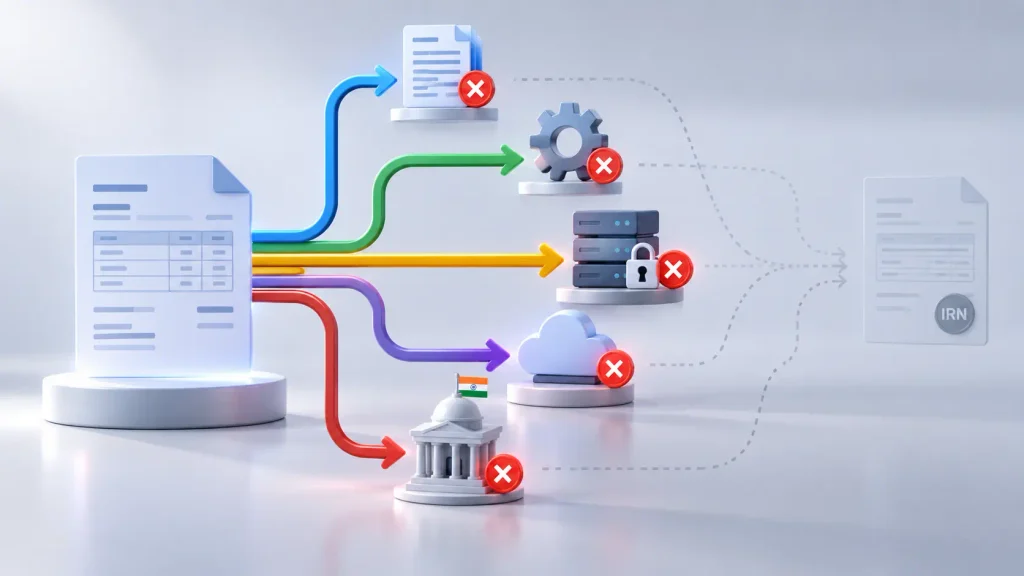
Configuration is correct but authentication fails →
Investigate GSP/API credentials and connectivity.
Authentication succeeds but submission is rejected →
Investigate the validation response and the invoice data associated with the rejection.
Submission succeeds but the expected IRN or e-invoice status is not reflected in Odoo →
Investigate the returned response, e-invoice status, and subsequent Odoo workflow.
This distinction prevents unnecessary changes. Recreating an invoice will not resolve a company-level configuration problem, while changing configuration will not correct incorrect transaction data.
When Repeated Failures Point to Configuration
A repeated failure pattern is an important diagnostic signal.
All invoices fail → investigate company-level e-invoicing configuration and integration.
Specific customers fail → investigate customer GST and master data.
Specific products or product groups fail → investigate product, HSN/UQC, and tax configuration.
Specific transaction types fail → investigate the related invoice and tax configuration.
Authentication or submission fails consistently → investigate GSP/API configuration.
Failures begin after a configuration change → investigate the recent implementation or configuration change.
The broader the failure pattern, the more likely the problem is configuration-wide rather than transaction-specific.
Frequently Asked Questions
The failure can occur in invoice data, company GST information, e-invoice configuration, API authentication, validation, or submission. Identify where the process first fails before changing or recreating the invoice.
An IRN may not be generated when the e-invoice fails before successful submission or when the submitted data is rejected. Check the invoice status, e-invoice status, and submission response to identify the failure point.
Check the configured GSP, NIC API credentials, and intended production or testing environment. If authentication succeeds, investigate the submission response and validation result.
Compare the failed and successful invoices across customer, product, HSN/UQC, tax, invoice lines, and transaction information. Differences in these areas can identify whether the failure is transaction-specific.
Conclusion
A failed Odoo e-invoice does not necessarily mean the invoice itself is wrong. The problem may come from invoice data, configuration, API authentication, validation, or submission.
The key is to identify the first point where the e-invoice workflow stops producing the expected result. This distinguishes an isolated transaction problem from a wider configuration or integration issue.
If the same failure continues across multiple invoices, investigate the underlying configuration and workflow instead of repeatedly correcting individual transactions.
Need help troubleshooting Odoo e-invoicing, GST, accounting workflows, or Indian localization? Work with an Odoo implementation team to identify the configuration or integration issue and establish the correct workflow.

