

Your Odoo CRM opportunity is active, but it will not move to the next stage as expected. The required stage may not be available, the opportunity may move and then return, or the problem may affect only certain users, sales teams, or opportunities.
This usually means the problem is not simply the stage itself. The cause can be deeper in the CRM workflow — such as the sales team assigned to the opportunity, stage configuration, user access, automated actions, or custom CRM logic controlling how opportunities move.
The important question is not simply:
“Why can’t I move this Odoo opportunity?”
It is:
“What is preventing Odoo from completing the expected stage change?”
The fastest way to resolve the problem is to identify where the opportunity’s stage movement first stops or changes, then investigate that part of the CRM configuration instead of repeatedly modifying the opportunity.
What Should Happen When an Odoo Opportunity Moves Through the Pipeline?
Odoo CRM uses pipeline stages to track an opportunity as it progresses through the sales process. The stages can be configured according to the business workflow, so the expected sequence may differ between sales teams or pipelines.
A typical workflow may look like:
New → Qualification → Proposal → Negotiation → Won/Lost
If an opportunity cannot move as expected, first identify what is actually happening:
- The required stage is not available.
- The opportunity cannot be moved to the expected stage.
- The opportunity moves to an unexpected stage.
- The opportunity moves and later returns to another stage.
- One user can move it while another cannot.
- The problem affects a particular sales team or multiple opportunities.
These different symptoms matter because they can point to different causes. The objective is to determine where the actual CRM workflow differs from the expected one.
How Should You Investigate an Odoo Opportunity That Will Not Move?
Do not immediately recreate the opportunity or change the pipeline.
Start with the exact opportunity that is failing and determine what happens when the stage change is attempted.
A useful diagnostic path is:
Opportunity → Current Stage → Target Stage → User → Workflow → Result
Start With the Exact Opportunity
Open the failing opportunity and confirm:
- Sales team and salesperson
- Current stage
- Expected target stage
- Whether the target stage is available
- Whether the problem occurs in Kanban or direct editing
- Whether Odoo shows an error or unexpected behavior
Do not change the record yet. First establish the exact symptom.
Compare With an Opportunity That Works
Find another opportunity that can be moved successfully and compare it with the failing one.
Check:
Sales Team → Salesperson → Current Stage → Target Stage → Company → Relevant Fields → Workflow Behavior
If only one opportunity fails while similar opportunities work, investigate record-specific differences.
If multiple opportunities fail in the same way, investigate the shared configuration or workflow.
This comparison can narrow the investigation much faster than reviewing every CRM setting.
What Does the First Point of Failure Tell You?
The first point where the expected workflow breaks usually indicates where the investigation should continue.
Target stage is not available
→ Investigate pipeline and stage configuration.
Stage is available, but the user cannot change it
→ Investigate user access and permissions.
Opportunity moves, but later changes again
→ Investigate automation or customization.
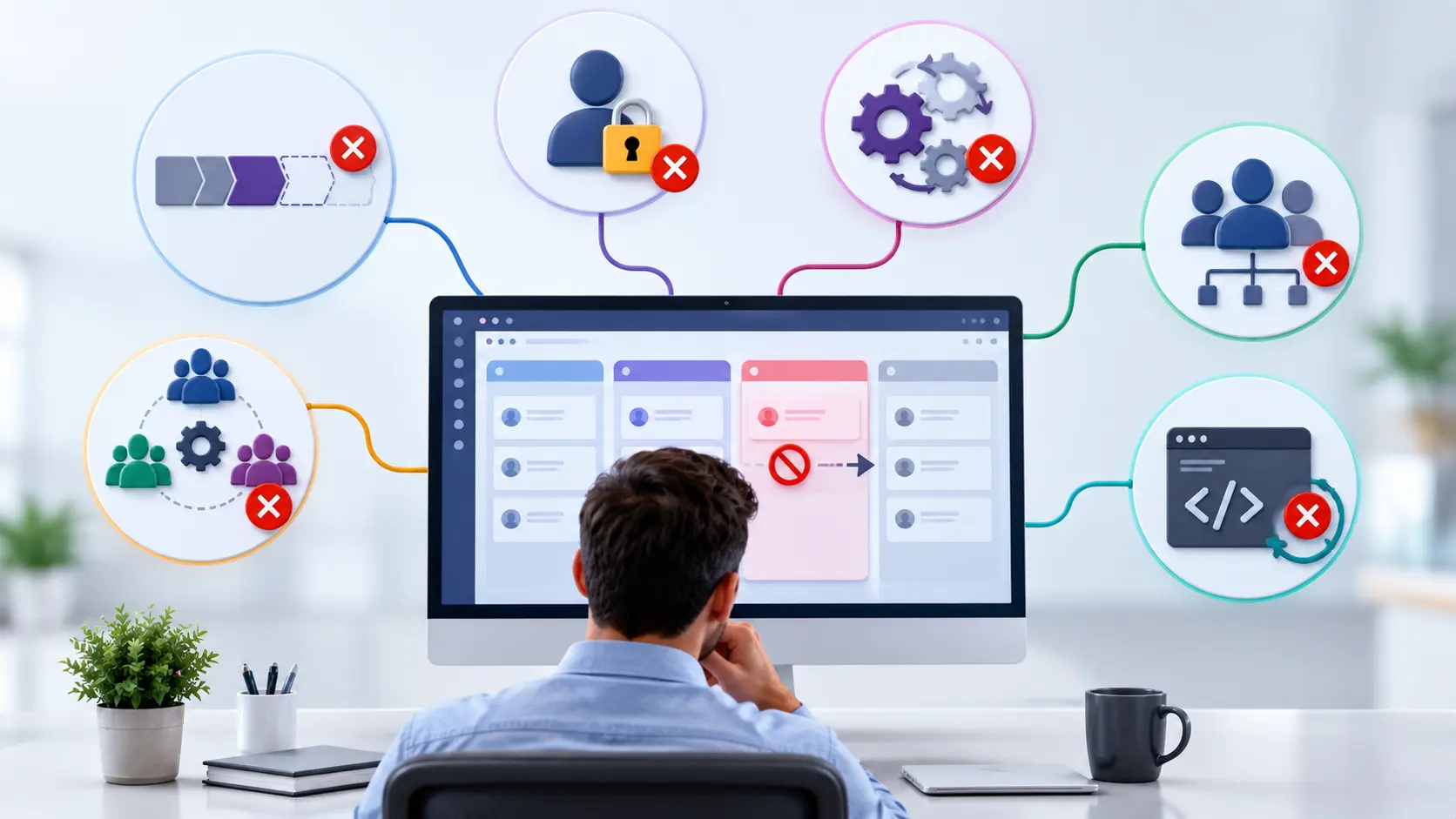
Only one sales team is affected
→ Investigate team-specific pipeline configuration.
Multiple teams are affected
→ Investigate shared configuration, automation, security, or customization.
The problem started after a customization
→ Investigate the recent custom change and related workflow logic.
The objective is to identify the first point of failure, rather than repeatedly changing the opportunity or CRM settings.
An Automation or Customization May Be Changing the Stage
A confusing situation occurs when the opportunity appears to move successfully, but its stage changes again afterward.
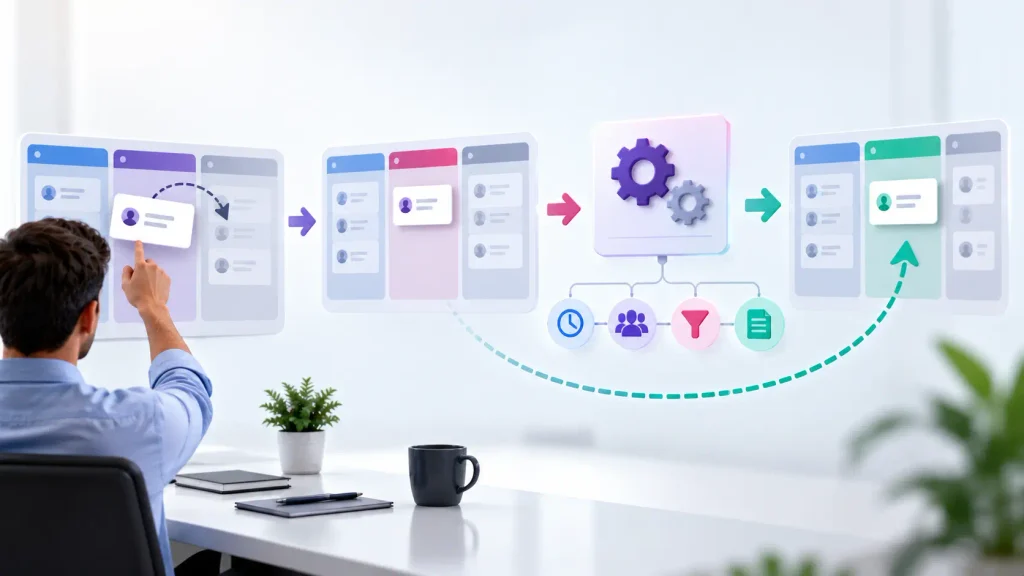
User moves opportunity → stage changes → automation or custom logic runs → stage changes again
Odoo automation rules can update records when defined triggers and conditions are met. Custom modules, Studio customizations, or other workflow logic can also affect how opportunities behave.
If the stage consistently changes after a particular action, investigate automation rules, opportunity conditions, assigned users or teams, and custom CRM logic before changing the standard stage configuration.
This is particularly important when the behavior started after a customization or affects only specific opportunities or users.
What Should You Avoid When an Odoo Opportunity Is Stuck?
Avoid repeatedly changing the opportunity without first identifying the cause.
Common troubleshooting mistakes include:
Changing the opportunity repeatedly
This can alter the evidence needed to identify the original problem.
Recreating the opportunity
A new opportunity may appear to work while the underlying CRM configuration remains incorrect.
Changing pipeline stages immediately
If the problem is caused by user access, automation, or customization, changing the stages does not address the underlying cause.
Giving users higher permissions without investigation
This can hide an access-control problem instead of resolving it correctly.
Disabling automations without understanding them
An automation may be part of an important business process and should be investigated before being changed or removed.
Assuming every stage problem is an Odoo bug
The behavior may result from configuration, access rules, automation, or customization rather than a product defect.
The goal is to identify the cause before changing the CRM workflow.
When Does a CRM Pipeline Problem Require Odoo Configuration Help?
If the issue is caused by a simple stage assignment or user configuration, an authorized Odoo administrator may be able to correct it directly.
Implementation or technical support becomes more relevant when the problem involves:
- Multiple sales teams with different pipelines
- Complex stage rules
- Customized CRM workflows
- Automated stage changes
- User-specific access restrictions
- Multi-company CRM configuration
- Custom modules or Studio automation
- A workflow that no longer matches the business sales process
At that point, the objective should not be to make one opportunity move manually.
The objective is to ensure that the entire CRM workflow moves opportunities correctly and consistently across the relevant users, teams, and processes.
This becomes especially important when the same problem affects multiple salespeople or teams.
Frequently Asked Questions
Start by checking the opportunity’s sales team, current stage, target stage, user access, and stage configuration. If the opportunity moves and then changes back, investigate automation or customization.
The stage may not be available for the relevant sales team, or the opportunity may be assigned to a different pipeline than expected. Odoo allows stages to be assigned to sales teams.
If the stage changes successfully and then reverts, investigate automated actions or customized workflow logic. An automation may update the opportunity when its configured trigger or condition is met.
Compare the users’ CRM access and record permissions. If the same opportunity behaves differently for different users, the problem may be related to access configuration rather than the opportunity itself.
Yes. Odoo allows stages to be configured and assigned to sales teams, supporting different pipeline structures for different teams.
Conclusion
When an Odoo CRM opportunity cannot move to the next stage, the cause may be the pipeline configuration, user access, automation, or customized CRM workflow.
The key is to identify where the expected stage movement first stops or changes rather than repeatedly modifying the opportunity.
Need help configuring or troubleshooting an Odoo CRM pipeline? An Odoo implementation team can review the pipeline, access rules, automation, and customized workflow to identify the underlying issue.

