
Products and variants
Title, description, images, options, barcodes and price, published from whichever side you decide owns the catalogue. Variants map to Odoo product variants rather than to separate products.
VariantsImagesPricing
A Shopify store and an ERP disagree about stock within days of being connected badly. The storefront oversells because it is reading a number that was true an hour ago; the warehouse ships against a reservation Shopify has never heard of.
A good integration is mostly agreement, not code. Which system owns the product record, how stock is published, what an order becomes on arrival, and who gets told when a record will not go through.
Businesses running Odoo with OdooBots







Odoo Shopify integration keeps one product, stock, customer and order record across both systems, with a defined owner for each. Products and variants are published from Odoo or imported from Shopify, available stock is pushed out as it changes, paid orders land in Odoo as sales orders ready to pick, refunds and payouts reconcile against the Shopify payout statement, and failed records sit in a queue rather than disappearing.
The most common cause of overselling is not the connector. It is publishing on-hand stock instead of forecast available stock, so quantities already reserved for other orders are offered again.
Six things move between a Shopify store and Odoo, and each one needs a direction before it needs a connector.
Title, description, images, options, barcodes and price, published from whichever side you decide owns the catalogue. Variants map to Odoo product variants rather than to separate products.
Forecast available quantity pushed to Shopify as it changes, per location if you sell from more than one, with an optional buffer so a last unit is never sold twice.
A paid Shopify order becomes an Odoo sales order with its customer, lines, discounts, shipping line and tax, ready for the warehouse to pick.
Shopify customers and addresses matched to existing Odoo contacts by email or phone before a new record is created, so the same buyer is not created four times.
Transactions recorded against the invoice, with Shopify Payments payouts reconciled as a batch deposit net of fees rather than invoice by invoice.
Despatch from Odoo marks the Shopify order fulfilled with its tracking number, and a Shopify refund raises the matching credit note.
A customer places an order and pays. Within a minute or two the order appears in Odoo as a sales order against a matched customer, stock is reserved, and the storefront quantity drops. The warehouse picks and despatches; the tracking number goes back to Shopify and the customer gets their notification. The invoice posts in Odoo, and when Shopify pays out, that deposit reconciles against the batch of orders it covers, net of fees.
Nothing in that chain is unusual. What decides whether it holds up is the handling of the cases around it: the order that arrives for a product Odoo does not have, the partial refund, the address that fails validation. Those go to a queue with an owner, not to a log file.
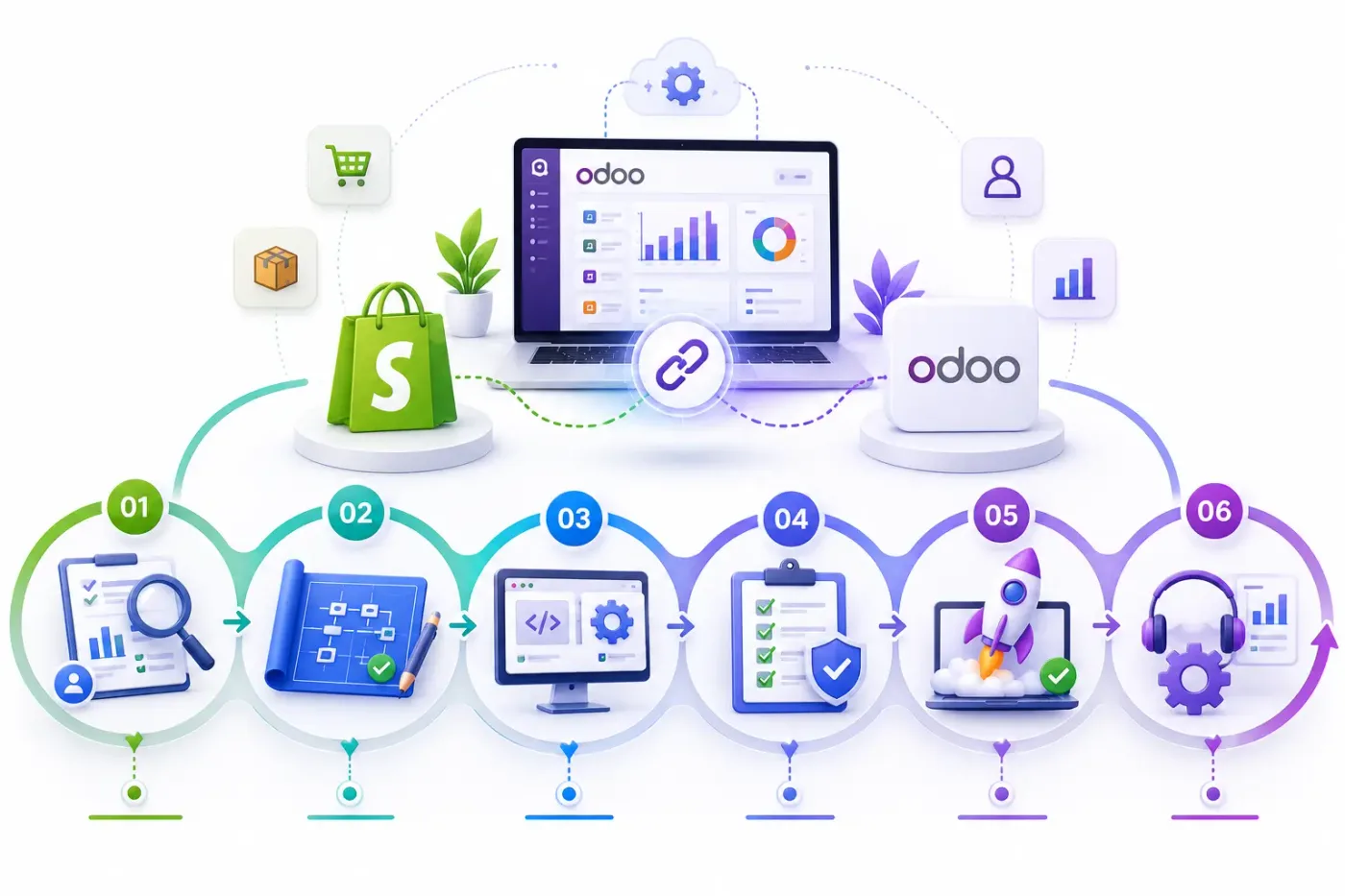
These are the decisions that are cheap to make now and painful to reverse once two systems have been exchanging records for a month.
Odoo or Shopify, decided per field. Price and stock usually belong to Odoo; description and images often belong to Shopify because that is where the merchandiser works.
Internal reference, barcode or Shopify SKU. It must be unique and present on both sides before anything is switched on, and cleaning it is usually the largest single task.
Forecast available rather than on hand, and from which warehouse or locations. This one decision prevents most overselling.
Publishing one or two units fewer than you hold absorbs the gap between a sale and the stock update. Cheap insurance on fast-moving lines.
What a Shopify fulfilment status means in Odoo and the reverse, including partial fulfilment, which is where most mappings are left vague.
How Shopify tax lines, shipping charges and discount codes land on the Odoo invoice so GST reporting is right the first time.
A named person who checks failed records and an alert when the queue grows. Without this, two systems drift apart quietly until an audit finds it.
We would rather say this before you buy licences than after. These are the areas where we scope real development, recommend a different tool, or tell you the connector will not reach.
In-store Shopify POS is a separate product with its own stock behaviour. Connecting it is a second piece of work, not part of the storefront sync.
Stock is published, not queried in real time. A buffer handles the gap; a true live lookup at checkout is not how either system works.
A bundle sold on Shopify that must consume components in Odoo needs explicit modelling. It is configuration plus a little development, not a toggle.
Shopify subscription apps hold their own billing schedule. Reconciling that against Odoo subscriptions is a separately scoped job.
Per-market pricing and currency rules can be mapped, but the rounding and tax behaviour has to be agreed rather than assumed.
Bringing years of past orders across is rarely worth it. We usually import open orders and customers, and leave history readable in Shopify.
Connecting Shopify to Odoo is less about the connector than about agreeing what is true where, and what happens when a record will not go through.
Understand your catalogue size, how many locations you sell from, which app holds your stock today, and whether Shopify POS or subscriptions are in scope.
Agree the owner of each field, the SKU matching key, which stock figure is published and how order statuses map in both directions, in writing before anything is built.
Connect Shopify to Odoo using the standard connector where one fits, and build only what the connector genuinely cannot reach. See Odoo customization.
Your records, in a test database, including the awkward ones — the cancelled order, the partial refund, the product that exists on one side only.
A queue for failed records with a named owner and an alert, because an integration nobody watches diverges quietly and the divergence is found at audit.
Cutover with a reconciliation on both sides, then hypercare, then ongoing support and AMC.
We do not publish one integration price, because the same connector costs very differently depending on the factors below. We do publish what moves the number, and the price is fixed in writing before work starts.
We start a Shopify integration with a spreadsheet, not a connector: every field, who owns it, which way it travels. That hour is why our stores do not oversell, and it is the step most integrations skip.
Product capabilities stated on this page are documented by Odoo. The mapping advice, failure handling and limitations come from our own integrations.
Tell us how many variants you sell and whether you ship from more than one location. Those two answers shape the mapping, and the diagnosis call is free.