
Quotations
Templates with standard line sets, optional and alternative products, validity dates, terms, and online acceptance with payment where you want it.
TemplatesOptionsOnline accept
Most businesses do not have a selling problem in their software. They have a re-typing problem: the quotation is written in one place, the order in another, the delivery note in a third, and the invoice from whatever the accountant can reconstruct.
Odoo Sales exists to make that one chain. The value is not the quotation screen; it is that nothing after the quotation has to be entered again.
Businesses running Odoo with OdooBots







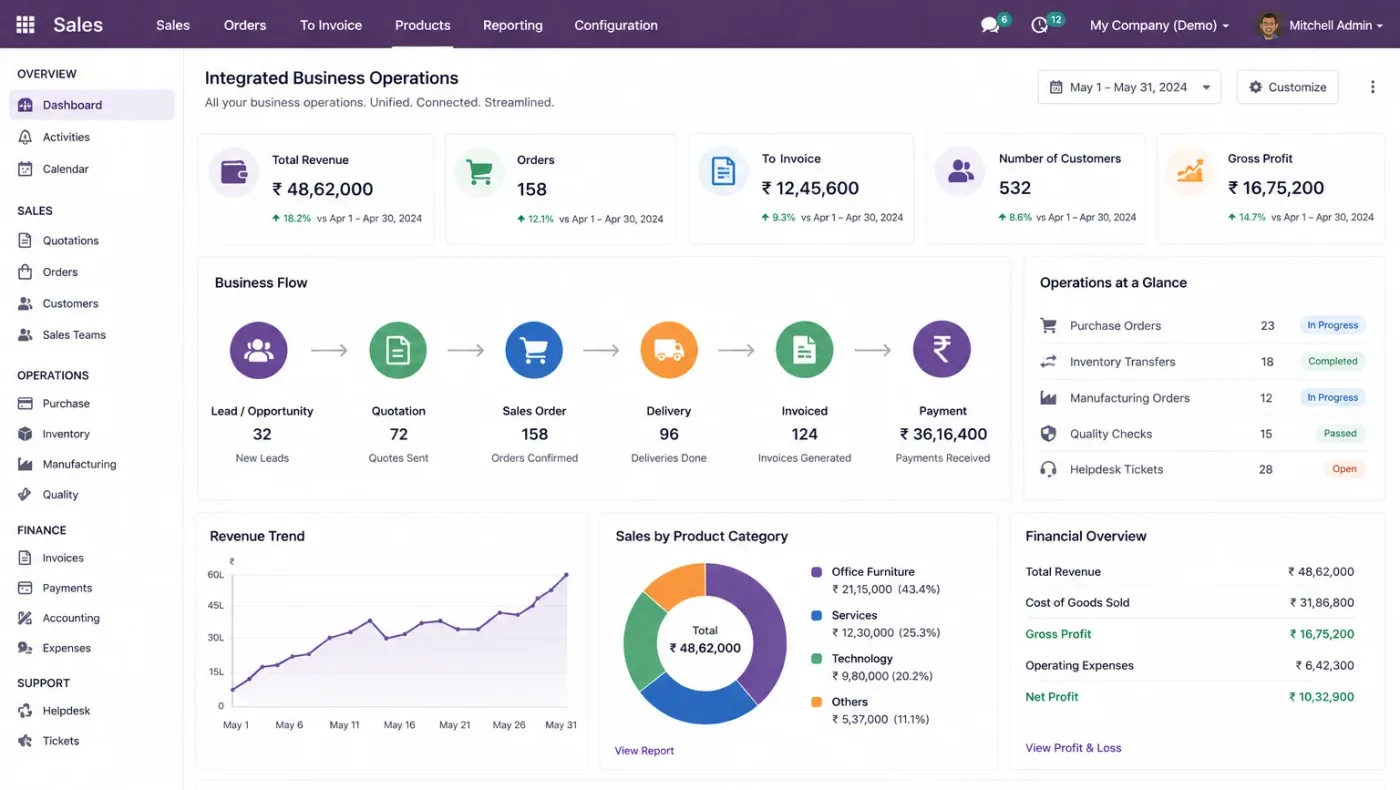
Odoo Sales turns a quotation into an order, a delivery and an invoice without anything being retyped. Quotations are built from templates with optional products and a customer-specific pricelist, confirmation reserves stock and creates the delivery, invoicing draws from what was actually delivered, and the margin on the order is visible against real cost rather than an assumed one.
The feature that saves the most time is the least impressive one: a quotation template. Businesses that build five good templates quote in minutes; businesses that start every quotation blank keep their old habits whatever software they buy.
Six parts make up the sales application, and each one hands its output to the next without a re-entry step.
Templates with standard line sets, optional and alternative products, validity dates, terms, and online acceptance with payment where you want it.
Pricelists by customer, quantity break, period or currency, with discount limits enforced rather than negotiated at the desk.
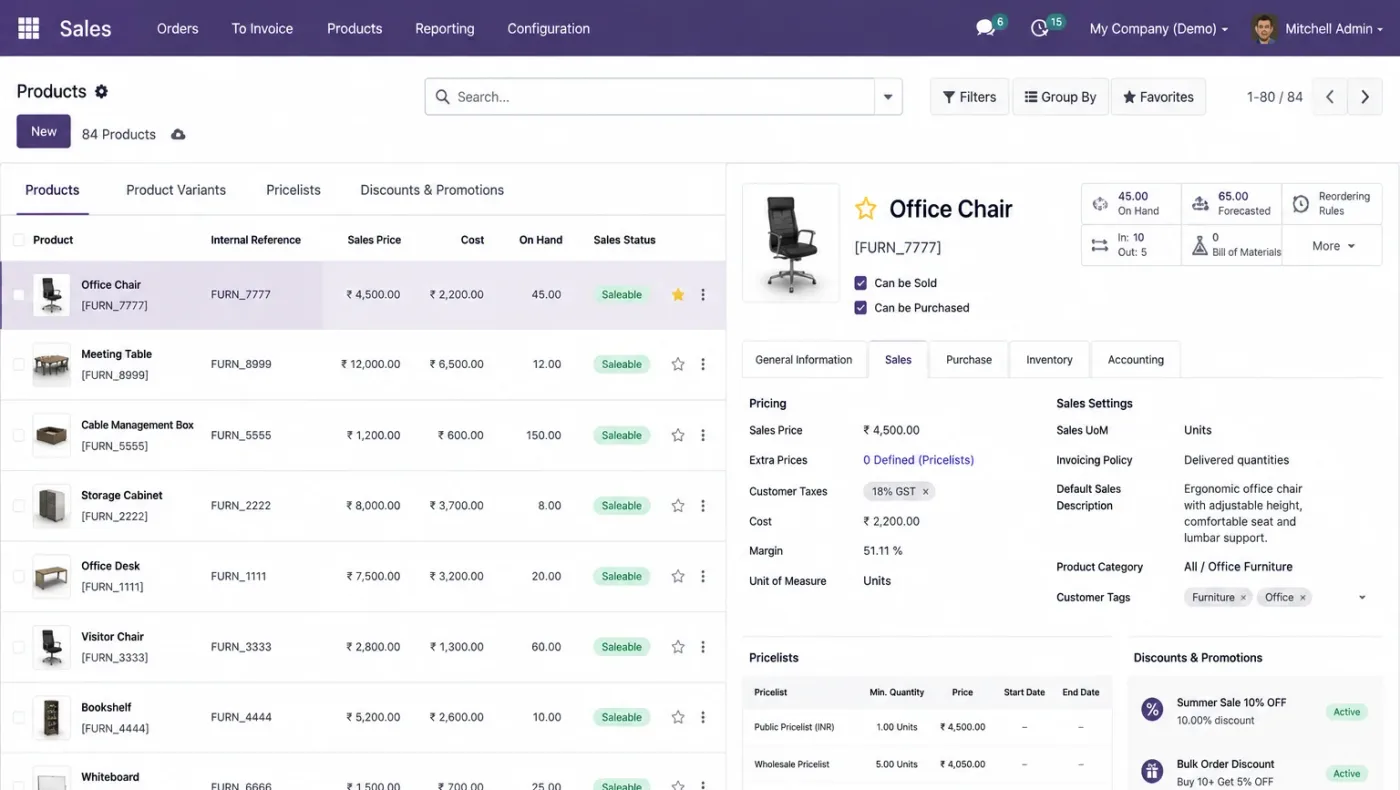
Variants for size, colour or grade, units of measure with conversions, and cost held against the product so margin is real.
Confirmation reserving stock and creating the picking, with part deliveries, backorders and delivery dates the customer can be told honestly.
Invoices on ordered or delivered quantity, down payments, milestone invoicing and credit notes, all drawn from the order rather than keyed.
Sales by customer, product, salesperson and period with margin against real cost, plus the pipeline behind it from CRM.
A quotation drawn from a template and a pricelist is confirmed. Stock reserves, the warehouse picks and despatches, and the invoice is raised for what actually went out. Accounting receives the entry, CRM closes the opportunity, and the margin figure uses the product cost the inventory module maintains.
When one of those links is missing, the gap fills with a spreadsheet, and the spreadsheet becomes the real system within a month.
These are the configuration decisions that are cheap to make now and structural to change once transactions exist. We walk through each one before a single record is migrated.
Ordered or delivered quantity, per product. It decides what a part delivery invoices and is awkward to change once customers are used to it.
Customer, quantity, period or currency. Most businesses discover three people have been applying three different discount conventions.
Who may discount and by how much, enforced in configuration rather than agreed verbally and forgotten.
Bought by one unit, sold by another, with the conversion configured once and correctly. Errors here distort every margin report.
Size and colour as variants of one product, which is almost always right and needs the data prepared properly first.
The five or six templates that cover most of what you sell. The single highest-return hour in a sales implementation.
Whether dates come from stock availability, lead time or a manual promise, so the customer is told something defensible.
Odoo moves features between Community and Enterprise from one version to the next, so the list below is what holds today and is confirmed against your own version during the diagnosis rather than taken as permanent.
Community includes the whole quote-to-invoice chain: quotations and templates, pricelists, variants, units of measure, order confirmation, delivery and invoicing. For most businesses selling physical goods, that is the requirement.
Enterprise adds things around the edge of selling rather than selling itself, so the test is whether any of them is on your critical path.
We would rather say this before you buy licences than after. These are the areas where we scope real development, recommend a bolt-on, or tell you another tool is the better answer.
Rule-driven configuration of a complex product with dependent options is beyond standard quotations and is scoped as development.
Anything past a simple percentage — tiered, split, collection-linked — usually needs a custom module.
Retrospective volume rebates and trade schemes are common in Indian distribution and are not standard Odoo.
Multi-level approval by value, margin and customer category needs configuration on Enterprise or development on Community.
Heavily designed proposal documents are better produced where they are designed, with Odoo holding the commercial data.
Statistical demand forecasting from thin history produces confident numbers with no basis behind them.
Implementing Odoo Sales needs more than installing the application. It should reflect how your business already works, and change only what is worth changing.
Understand what you sell, how pricing and discounts work today, whether you invoice on order or delivery, and how delivery dates are promised.
Settle the invoicing policy, pricelist structure, units of measure and quotation templates before anything is configured.
Set Odoo Sales up around how you work rather than installing it at its defaults, and build only what configuration genuinely cannot reach. See Odoo customization.
Masters, open items and opening balances prepared and loaded. Data cleaning is scoped explicitly, because it is usually the largest single task. See Odoo migration.
Your team runs real transactions in a test database before go-live, including the awkward cases that never appear in a demonstration.
Role-based training for the people who key transactions daily, then cutover, hypercare and ongoing support and AMC.
We do not publish one price, because the same application costs very differently depending on the factors below. We do publish what moves the number, and the price is fixed in writing before work starts.
We spend the first week building your quotation templates rather than demonstrating features, because a salesperson who can quote in two minutes adopts the system and one who starts every quotation blank goes back to a spreadsheet.
Product capabilities stated on this page are documented by Odoo. The configuration advice, edition notes and limitations come from our own implementations.
Tell us whether you invoice on order or on delivery, and how many pricelists you really run. Those two answers shape the configuration, and the diagnosis call is free.