
Forecast views
Where stock is heading per product and warehouse given confirmed orders, reservations and incoming supply, so a shortage is visible before it becomes one.
Per productPer warehouseForward
Most businesses do not plan demand. They react to it: stock runs low, somebody notices, a purchase order goes out, and the lead time is absorbed by the customer waiting.
Planning is the difference between knowing in March what April needs and finding out in April. Odoo supports it through forecasting, replenishment rules and the master production schedule — and all three depend on data most businesses have not yet cleaned.
Businesses running Odoo with OdooBots







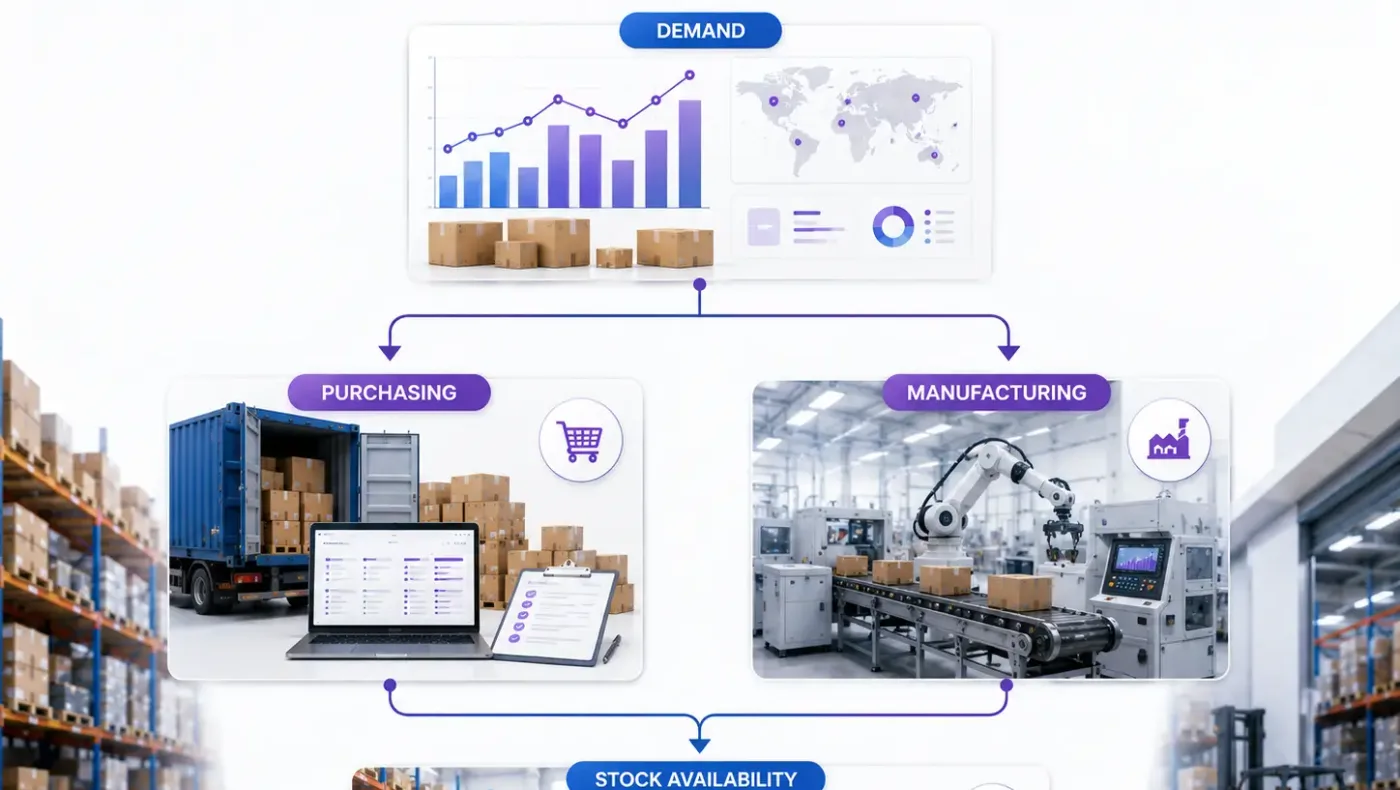
Odoo demand planning turns expected demand into planned replenishment across products and warehouses. Forecast views show where stock is heading given current orders and incoming supply; reordering rules with lead times generate replenishment before stock runs out rather than after; the master production schedule plans demand and supply by period for manufactured items; and purchasing and manufacturing both draw from the same planned demand instead of each guessing separately.
Planning is only as good as the lead times and the stock figures underneath it. A plan built on a lead time nobody has reviewed in two years is a confident schedule that will not survive contact with a supplier.
Six parts make up demand planning in Odoo, and every one of them reads data the rest of the system maintains.
Where stock is heading per product and warehouse given confirmed orders, reservations and incoming supply, so a shortage is visible before it becomes one.
Reordering rules with minimum and maximum levels and vendor lead times, generating replenishment suggestions that a buyer reviews rather than invents.
Planned demand and supply by period for manufactured items, so production is scheduled against expected demand rather than against the last order that arrived.
Purchase suggestions drawn from the same planned demand as production, so buying and making are not two separate guesses about the same month.
Planning across products and warehouses with resupply routes between them, so a shortage in one location considers stock sitting in another.
Planning horizons, periods, safety stock and which products are planned at all, configured around how your operation actually buys and makes.
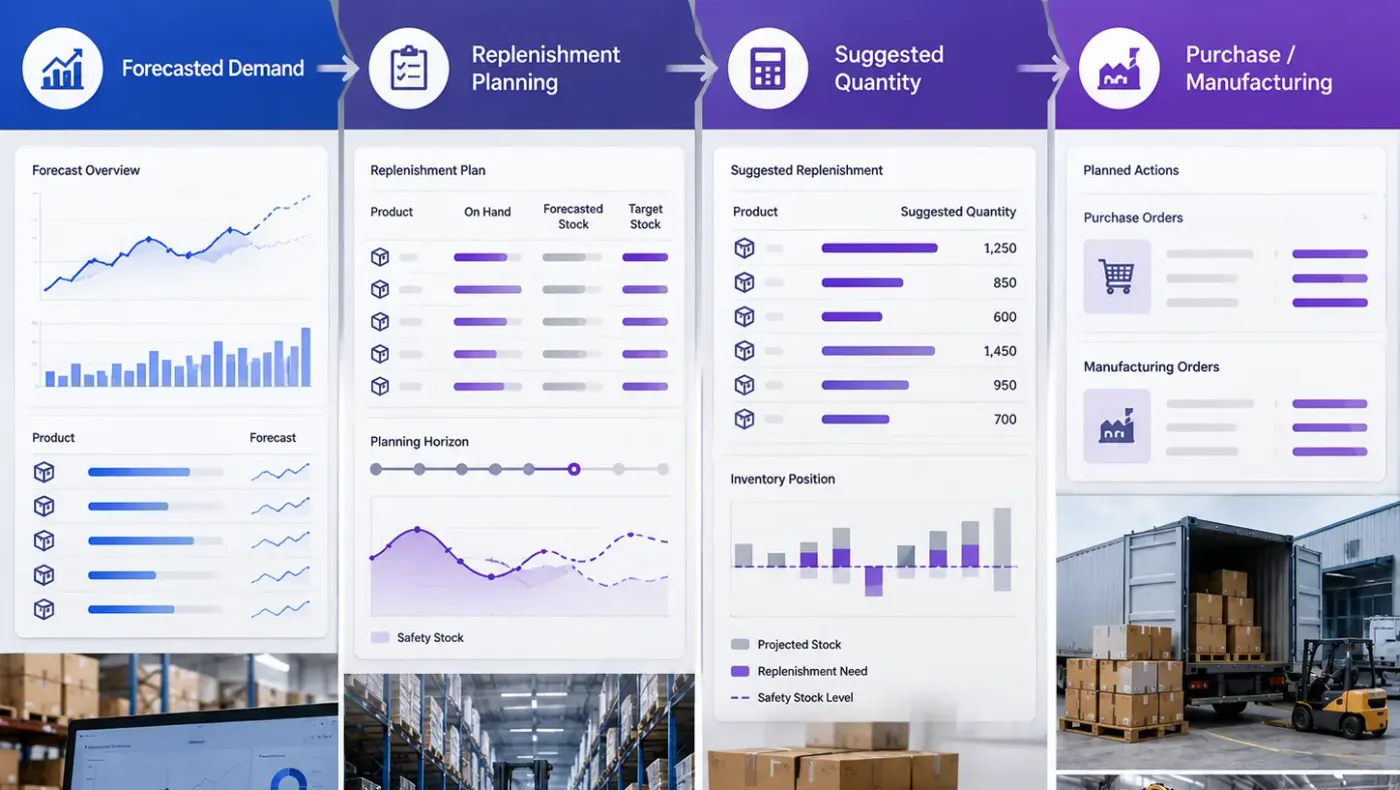
Confirmed sales orders and forecast demand produce a planned requirement. Reordering rules and lead times turn that into purchase suggestions; the master production schedule turns it into planned manufacturing. Both draw on the same stock position, so a buyer and a planner are working from one number rather than two.
That is also why planning is the last thing to switch on: it depends on stock accuracy, real lead times and clean product data, and it produces confident nonsense without them.
These are the configuration decisions that are cheap to make now and structural to change once transactions exist. We walk through each one before a single record is migrated.
Accurate stock, real lead times and clean product data. Without all three, planning produces confident numbers with nothing behind them, and that is worse than no plan.
Planning everything is effort without return. The products that matter are the ones where a stockout costs a sale or a lead time is long.
Vendor lead times reviewed rather than inherited. This single field decides whether a replenishment suggestion arrives in time.
How much buffer, on which products, and who decides. A deliberate cost held against variability rather than an accident of over-ordering.
Weekly or monthly periods and how far ahead to plan, matched to your actual buying and production cycles.
A named person who looks at replenishment proposals rather than approving them unread. Automation without review is just faster error.
Confirmed orders, historical consumption, or a sales forecast entered by the team. Each behaves differently and the choice should be explicit.
Odoo moves features between Community and Enterprise from one version to the next, so the list below is what holds today and is confirmed against your own version during the diagnosis rather than taken as permanent.
The planning capability here sits largely in Community: reordering rules, lead times, forecast views and the master production schedule for manufactured items.
What Enterprise adds around it is the operational layer rather than the planning itself.
We would rather say this before you buy licences than after. These are the areas where we scope real development, recommend a bolt-on, or tell you another tool is the better answer.
Odoo does not model seasonality, trend and promotion lift. Forecasting from thin or irregular history produces confident numbers with no basis, and we will say so.
Planning against finite capacity across a complex shop with changeovers is specialist scheduling software rather than an ERP function.
Demand uplift from marketing activity has to be entered as a forecast; Odoo does not infer it.
Planning assumes your vendor can supply within lead time. Vendor constraint modelling needs custom work.
Optimising inventory across a network of sites and tiers is a specialist discipline beyond standard replenishment.
The honest limit. Planning amplifies whatever your stock accuracy and lead times already are.
Implementing Odoo demand planning needs more than installing the application. It should reflect how your business already works, and change only what is worth changing.
Understand which products justify planning, how accurate your stock figures are, whether lead times are current, and how buying decisions are made today.
Settle the planned product scope, lead times, safety stock policy, planning horizon and who reviews suggestions before anything is configured.
Set Odoo demand planning up around how you work rather than installing it at its defaults, and build only what configuration genuinely cannot reach. See Odoo customization.
Masters, open items and opening balances prepared and loaded. Data cleaning is scoped explicitly, because it is usually the largest single task. See Odoo migration.
Your team runs real transactions in a test database before go-live, including the awkward cases that never appear in a demonstration.
Role-based training for the people who key transactions daily, then cutover, hypercare and ongoing support and AMC.
We do not publish one price, because the same application costs very differently depending on the factors below. We do publish what moves the number, and the price is fixed in writing before work starts.
We usually tell clients to delay planning. It is the last thing to switch on because it magnifies whatever your stock accuracy and lead times already are, and a plan built on bad data loses trust permanently the first time it is wrong.
Product capabilities stated on this page are documented by Odoo. The configuration advice, edition notes and limitations come from our own implementations.
Tell us when stock was last counted properly and whether your vendor lead times have been reviewed this year. Those two answers decide whether planning is worth switching on yet, and the diagnosis call is free.