
Server errors from custom methods
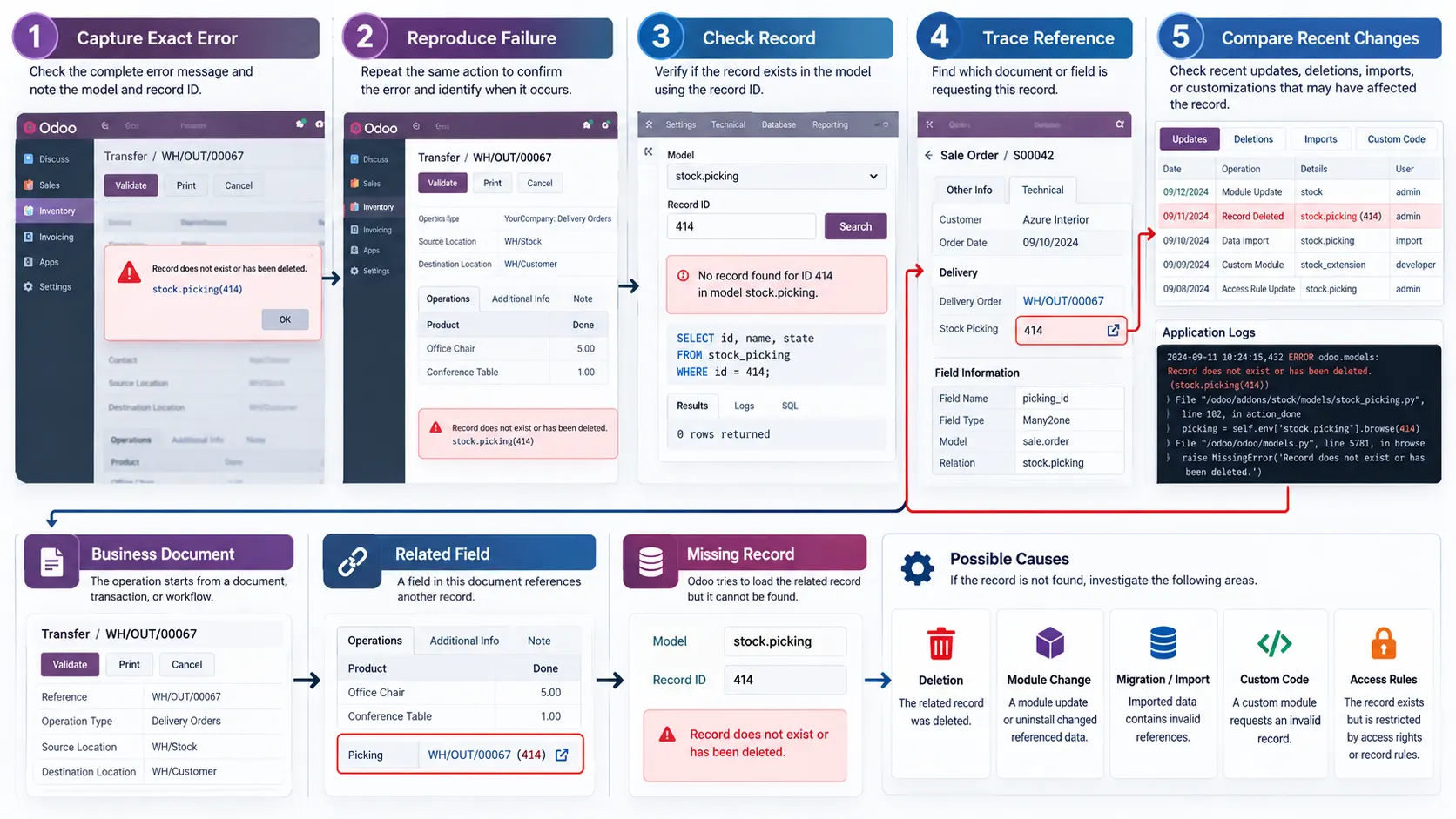
Python exceptions interrupting operations because of custom methods or incorrect recordset operations.
Unresolved Odoo errors can interrupt business workflows, break custom functionality and affect connected applications. Fixing the visible error without identifying its underlying cause can introduce further issues.
Investigation of Python exceptions, custom module failures, ORM issues, access-control errors and integration problems in your existing Odoo environment — at the source, not at the symptom.
Businesses with errors in a running Odoo system







Hire one when the error originates in code rather than configuration — a custom Python method, a module that will not install, an ORM operation returning the wrong records, an API integration failing on authentication or payload. Configuration mistakes, missing permissions and incorrect application settings can often be resolved without changing any code.
Not every Odoo issue requires custom development. A technical assessment establishes whether you need a configuration change, a code correction, or broader development work — and saying so honestly is cheaper for you than a development quote.

Odoo errors can originate from custom Python methods, incorrect model relationships, inherited views, access permissions, module dependencies or external integrations. Identifying the actual source requires understanding how these components interact.
Python exceptions interrupting operations because of custom methods or incorrect recordset operations.
Custom modules breaking during installation, update or execution.
Record rules and access rights preventing authorized business operations.
Computed fields and automated actions producing unexpected results.
Authentication, payload or response-handling issues breaking an integration.
XML view inheritance and XPath conflicts affecting forms, lists and other interfaces.
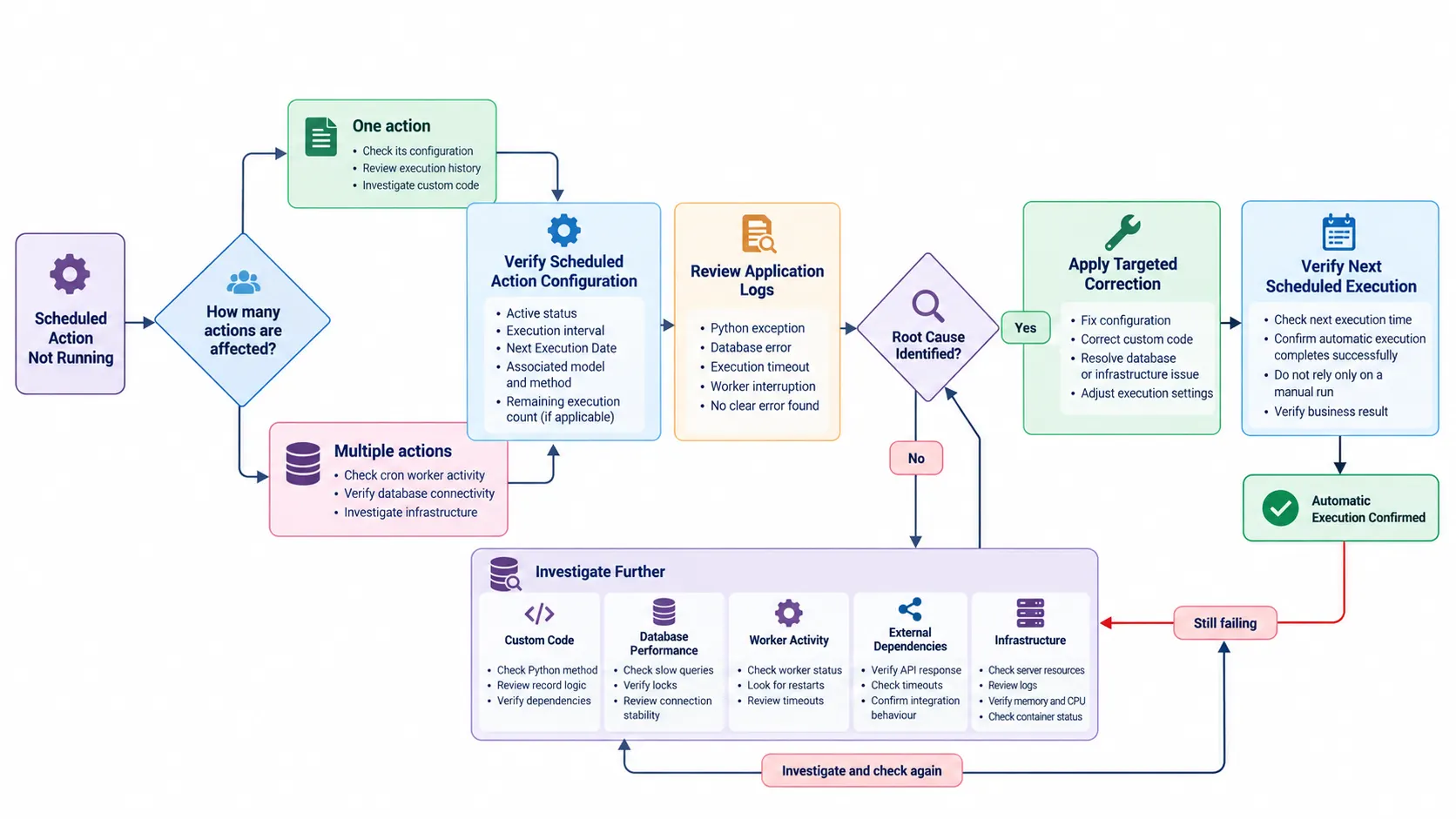
Crons failing to execute, or processing the wrong records when they do.
Database transactions failing because of constraints or inconsistent operations.
Previous corrections have repeatedly caused related functionality to fail.
Python exceptions interrupt Odoo operations when custom methods, dependencies, field definitions or recordset operations behave unexpectedly. The work is reviewing server tracebacks, reproducing the failure, examining affected methods and correcting the underlying code.
Custom modules introduce errors through incorrect inheritance, missing dependencies, incompatible methods or unexpected interactions with standard Odoo applications. Corrections stay inside the custom module rather than modifying Odoo core — a core edit is a problem you inherit at every future upgrade.
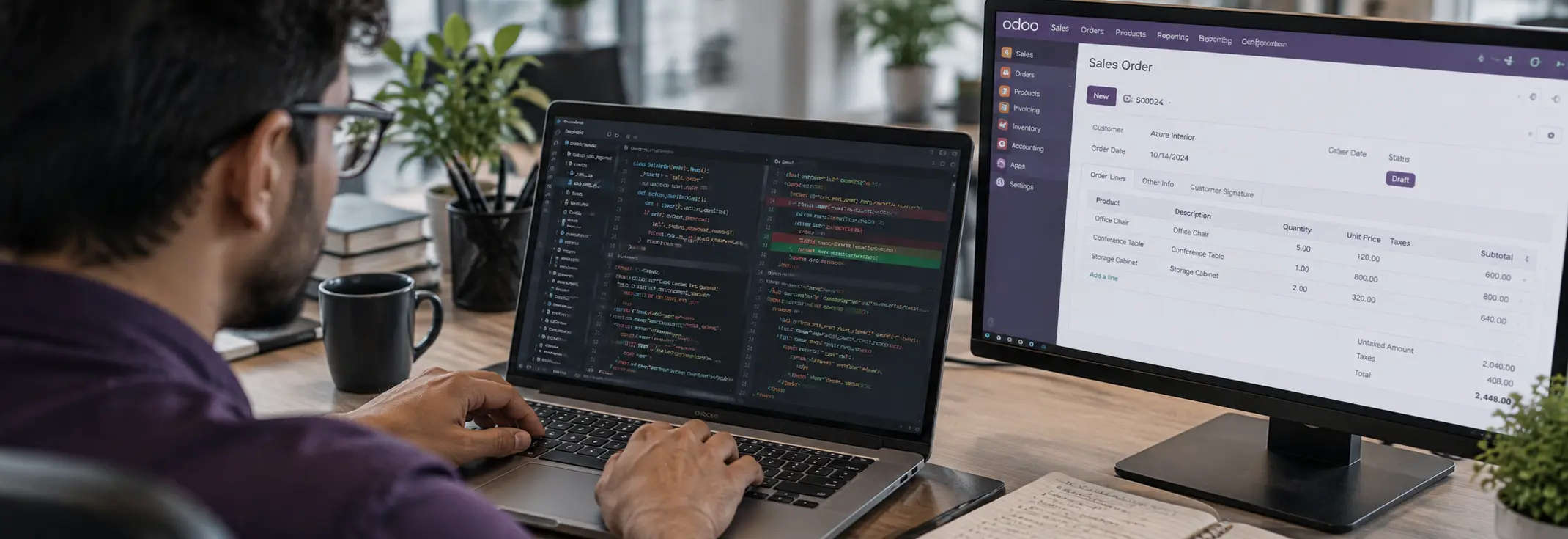
Incorrect ORM operations cause record inconsistencies, transaction failures, inefficient queries and unexpected application behaviour. Recordsets, search domains, relational fields, transaction handling, SQL constraints and database interactions are reviewed, and the correction has to preserve data integrity and existing business rules.
Incorrect security configuration prevents users from accessing records or performing permitted operations. Model access rights, record rules, user groups and security configurations are examined to find the permission conflict — without unnecessarily exposing restricted records to fix it.
External integrations fail because of authentication problems, incorrect request payloads, API changes, timeout handling or synchronization errors. API requests and responses are reviewed, data mappings corrected, exceptions handled and synchronization behaviour validated.
Problems with inherited views, XPath expressions, JavaScript components or OWL frontend behaviour affect how users interact with Odoo. The affected view architecture, component logic, event handling and frontend error logs are inspected before any correction is implemented.

Six stages. The correction is the fourth, not the first.
Collect the affected workflow, error messages, server logs and the conditions required to reproduce the issue.
Inspect the relevant Python methods, custom modules, ORM operations, access rules, database interactions or integration components.
Identify the underlying defect and determine whether it originates from custom code, configuration, dependencies, data or an external application.
Implement the required changes within the appropriate module or component, considering existing dependencies and business logic.
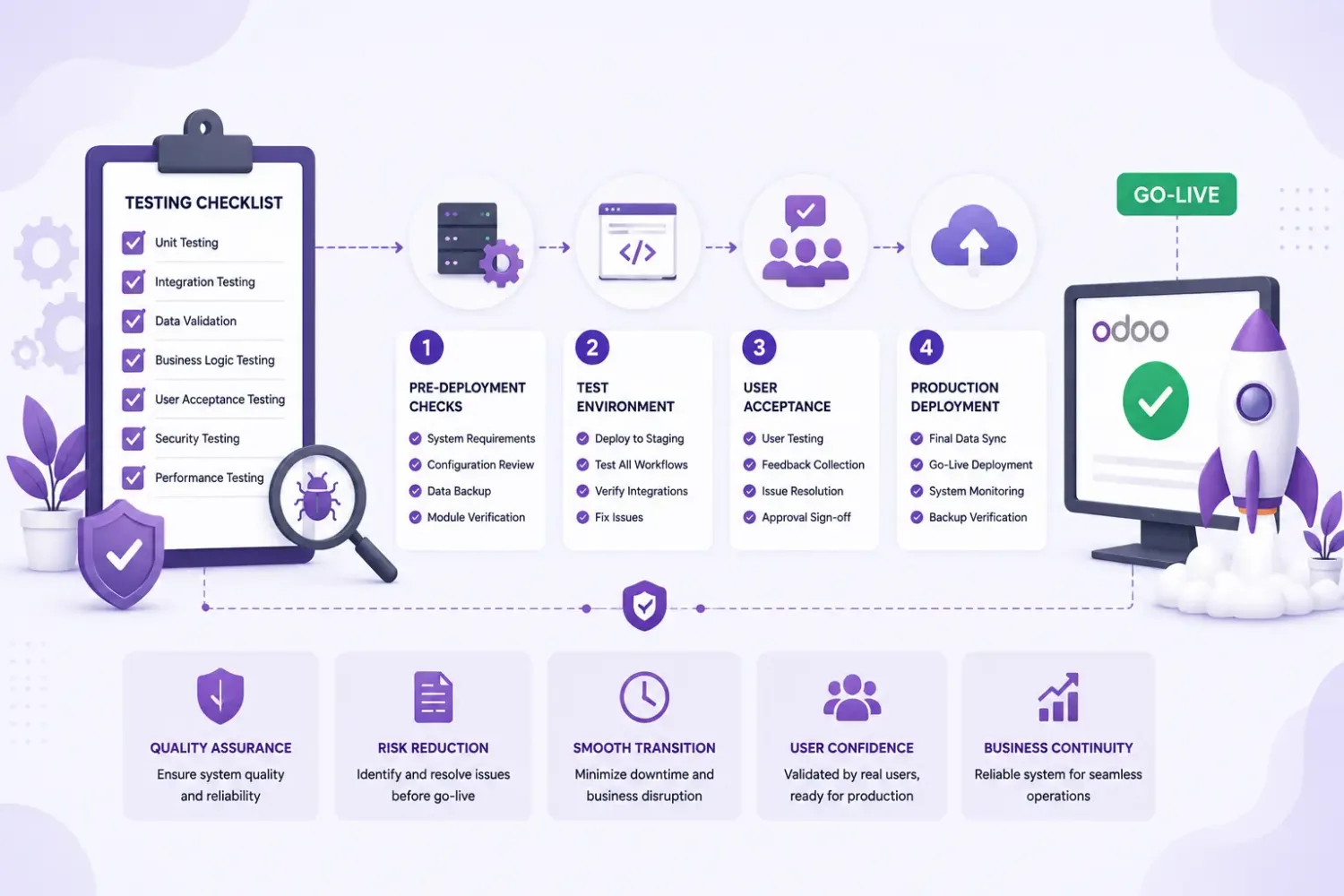
Reproduce the original issue in a controlled environment, verify the correction, and test related workflows for unintended effects.
Deploy approved changes through the agreed release process and provide the technical details of what was changed and why.
Not every Odoo issue requires custom development. A fair assessment tells you which side you are on before anyone writes a line of code, and the two sides have very different costs.
Configuration-related issues should be assessed separately before development begins. If your problem turns out to be a setting, that is what we will tell you.
A one-off defect and a standing support arrangement are different purchases. This page is the first; the support page is the second.
The ongoing arrangement: response times, scope and a named contact.
When the problem is missing functionality rather than a defect.
When the failure is in an integration rather than in Odoo itself.
Two modules that each work alone and fail together.
When operations hang rather than error.
All capabilities, and how engagement works.
The Odoo behaviour this page describes, in Odoo’s own documentation.
Every capability
Each Odoo capability has its own page: what the work involves, when configuration would have been enough, and what to settle before hiring for it.
Journal rules, reconciliation, tax workflows and financial reports.
Custom endpoints, controllers, authentication and payloads.
Automated actions, scheduled processes and cross-app rules.
Lead routing, pipeline stages, activity automation and sales reporting.
Storefront behaviour, checkout logic and payment providers.
Direction, field mapping, duplicate prevention and retries.
Equipment, preventive schedules and repair workflows.
BoMs, work orders, routing, scrap and shop-floor data capture.
Version upgrades where custom modules and history must survive.
QWeb templates, PDF layouts, XLSX output and calculations.
A maintainable module with its own models and security rules.
Customer and vendor portals, and the access rules behind them.
Or start at hire an Odoo developer for hiring models, code ownership and how engagement works.
Unresolved application errors should be investigated at their technical source rather than repeatedly corrected through temporary changes. Share your Odoo version, the affected functionality and the error details — the diagnosis call is free, and if it turns out to be configuration we will tell you that.