
Receiving
One, two or three-step receipts with an inspection or staging gate, scanned against the purchase order so shortfalls and wrong items surface at the gate.
1/2/3-stepAgainst POShortfalls
Odoo is asked to be a warehouse management system more often than almost anything else, and the honest answer has two halves. For most distribution and manufacturing warehouses it is more than enough. For a high-volume fulfilment operation it is not, and the gap is specific enough to name.
This page covers both halves. For the stock engine underneath — costing, valuation, traceability — see Odoo Inventory.
Businesses running Odoo with OdooBots







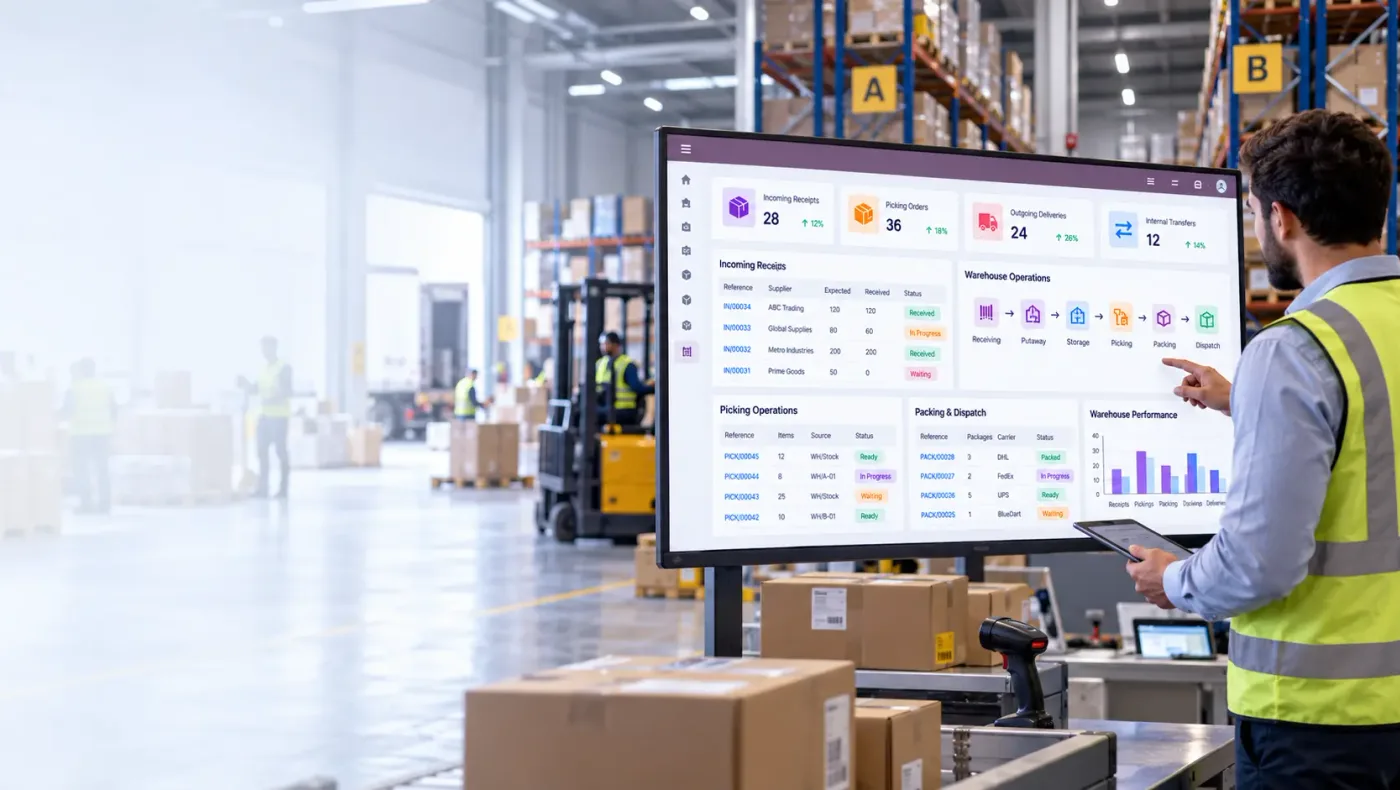
Odoo covers the warehouse operations most businesses actually run: receiving, putaway, internal transfers, picking, packing and despatch, scanned at each step across multiple warehouses. Locations go as deep as zone, rack and bin; putaway rules decide where goods land; picking strategies choose which stock goes out; barcode scanning removes the keying that makes stock wrong; and every movement is visible against the order that caused it.
What Odoo is not is a tier-one WMS. Wave and batch optimisation, slotting analysis, labour management and automated equipment control are a different class of product. If your warehouse is judged on picks per hour, that distinction matters; if it is judged on accuracy, it usually does not.
Six operations make up a warehouse in Odoo, and each one is tied to the order that caused it.
One, two or three-step receipts with an inspection or staging gate, scanned against the purchase order so shortfalls and wrong items surface at the gate.
Locations down to zone, rack and bin with putaway rules deciding where goods land, so storage is a rule rather than whichever shelf was closest.
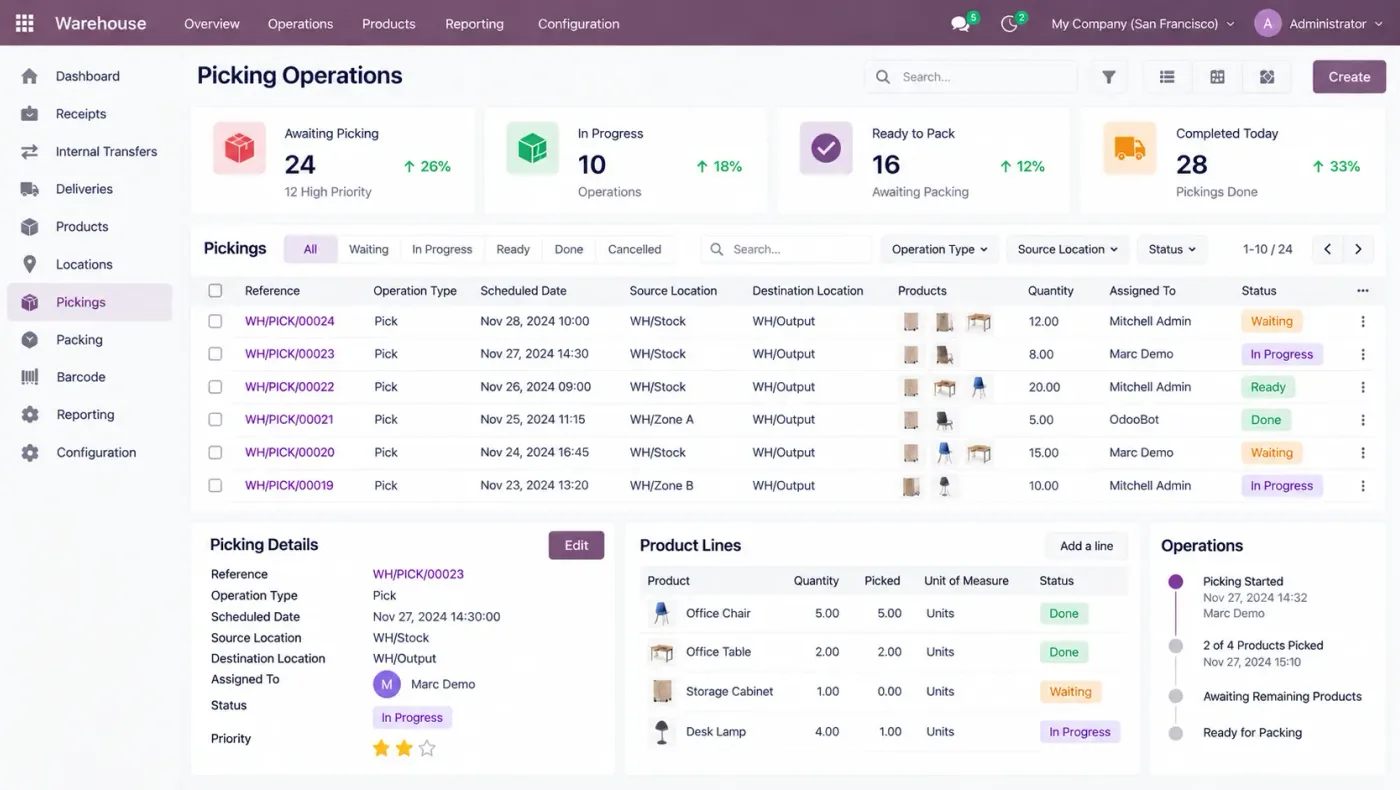
Pick lists by order, batch or delivery round, with removal strategies choosing FIFO, FEFO or nearest location so the right stock leaves first.
A packing step with package records and weights, delivery notes, carrier selection and tracking, so what left and when is a record rather than a recollection.
Movements between warehouses and locations, resupply rules between sites, and the in-transit position visible instead of stock disappearing between two places.
Scanning for receipt, putaway, transfer, picking and cycle counts, which is the single change that makes warehouse figures trustworthy.
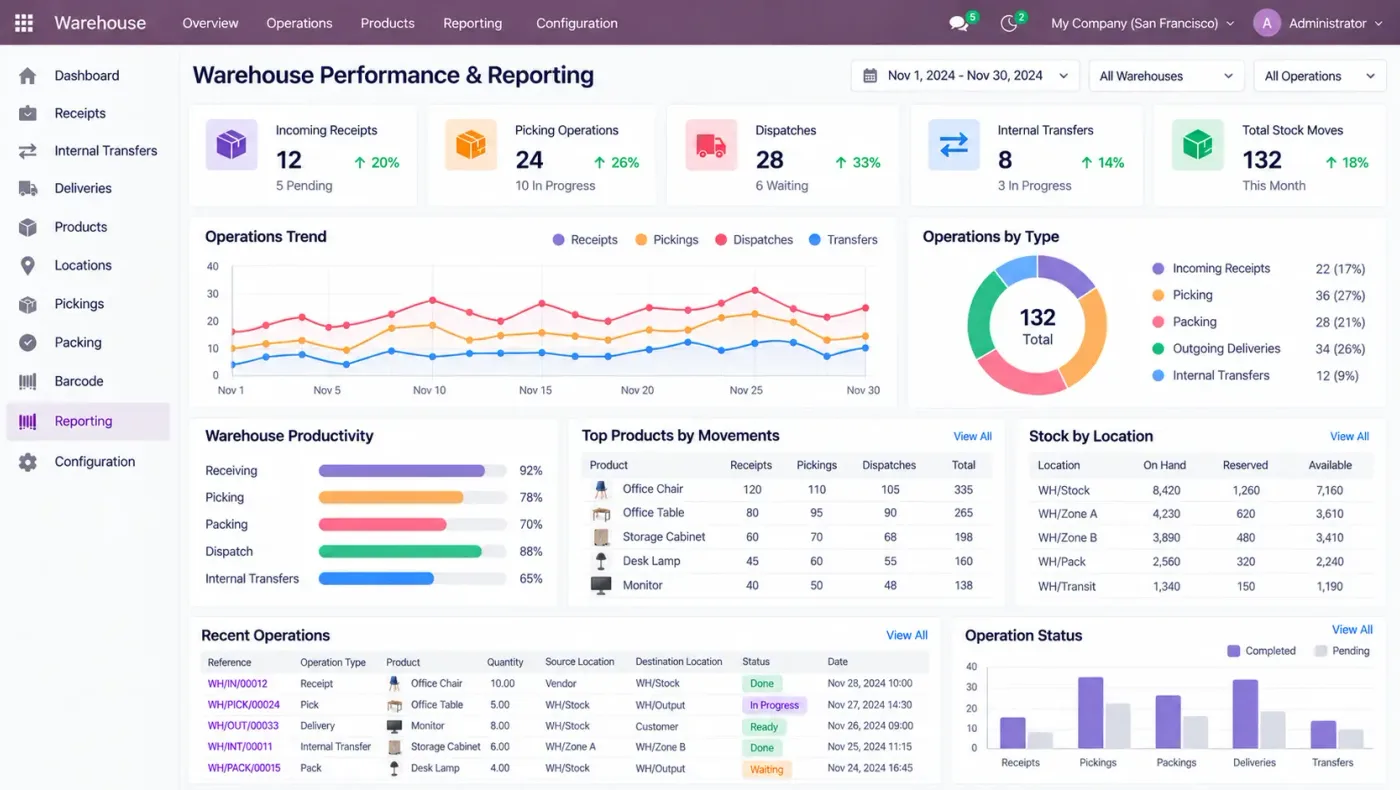
A purchase order creates an expected receipt, which is scanned in against it. Putaway rules place it. A sales order reserves stock and generates a pick, the removal strategy chooses which lot leaves, packing records what went in the box, and despatch confirms with a tracking number. Every one of those movements updates the valuation and the availability the rest of the business reads.
That integration is the real argument: a separate WMS has to be told what the orders are, and keeping the two in step is the work that never ends.
These are the configuration decisions that are cheap to make now and structural to change once transactions exist. We walk through each one before a single record is migrated.
Warehouse, zone, rack, bin. Deeper is more accurate and only works if people actually scan at that level. Choosing depth you will not maintain makes things worse.
One, two or three-step receiving and despatch. Each added step is a gate and a handling cost, and it is painful to change once stock is live.
Whether storage is directed or chosen by the storekeeper. Directed is better and requires the location data to be right first.
FIFO, FEFO or closest location, per product category. FEFO is not optional where shelf life exists.
Which operations are scanned, on what hardware, and whether labels exist. This is the decision that most affects accuracy.
Annual stock-take or rolling cycle counts. Cycle counting keeps accuracy high; an annual count mostly measures how wrong things got.
A full physical count reconciled before cutover. Everything above is pointless without it.
Odoo moves features between Community and Enterprise from one version to the next, so the list below is what holds today and is confirmed against your own version during the diagnosis rather than taken as permanent.
The warehouse engine — locations, routes, putaway, removal strategies, multi-warehouse, in-transit — is all in Community, which surprises people who expect warehouse features to be the paid part.
The scanning application is the Enterprise piece, and for a warehouse it is usually the one that pays for itself fastest.
We would rather say this before you buy licences than after. These are the areas where we scope real development, recommend a bolt-on, or tell you another tool is the better answer.
Grouping hundreds of orders into optimised passes with travel sequencing is where a dedicated WMS pulls clearly ahead.
Analysing movement to decide where each product should live is not an Odoo function and usually sits in a separate tool.
Measuring and planning picker productivity against engineered standards is a WMS discipline Odoo does not cover.
Conveyors, sorters, carousels and automated storage need middleware and an integration project.
Hands-free voice-directed picking requires a specialist layer on top.
Dock scheduling, trailer tracking and yard moves are outside the standard application.
Implementing An Odoo warehouse management system needs more than installing the application. It should reflect how your business already works, and change only what is worth changing.
Understand your order volume, the number of picks a day, how deep your locations are today, and whether barcodes exist on products and shelves.
Settle location depth, warehouse steps, putaway and removal strategies and the barcode scope before anything is configured.
Set An Odoo warehouse management system up around how you work rather than installing it at its defaults, and build only what configuration genuinely cannot reach. See Odoo customization.
Masters, open items and opening balances prepared and loaded. Data cleaning is scoped explicitly, because it is usually the largest single task. See Odoo migration.
Your team runs real transactions in a test database before go-live, including the awkward cases that never appear in a demonstration.
Role-based training for the people who key transactions daily, then cutover, hypercare and ongoing support and AMC.
We do not publish one price, because the same application costs very differently depending on the factors below. We do publish what moves the number, and the price is fixed in writing before work starts.
We will tell you when you need a real WMS instead of us. If your warehouse is measured in picks per hour and you are running waves across hundreds of orders, Odoo is the wrong tool and we would rather say that than sell you eighteen months of customisation.
Product capabilities stated on this page are documented by Odoo. The configuration advice, edition notes and limitations come from our own implementations.
Tell us roughly how many picks a day you do and whether products and shelves are already barcoded. Those two answers decide whether Odoo is the right tool, and the diagnosis call is free.