

Moving from Zoho to Odoo can leave customer records disconnected, custom workflows broken, and integrations sending data to the wrong system. A successful import does not guarantee that your business processes will work correctly after migration.
If your business uses Zoho CRM, Zoho Books, Zoho Inventory, or connected applications, you need to identify which data must move, which workflows require rebuilding, and how to validate records and integrations before switching to Odoo.
Identify What Must Move Before Planning the Migration
A Zoho-to-Odoo migration involves more than transferring records. Each application may contain custom fields, record relationships, automation rules, and reporting requirements that need separate assessment.
Start with a migration inventory to identify what must move and what needs to be rebuilt.
| Source system | Information to assess | Migration decision |
| Zoho CRM | Leads, contacts, accounts, deals, activities, and custom fields | Identify required records and relationships |
| Zoho Books | Customers, vendors, accounts, invoices, bills, payments, and balances | Define accounting data and reconciliation requirements |
| Zoho Inventory | Products, units of measure, locations, and stock quantities | Establish the stock cut-off and validation process |
| Zoho Creator | Custom applications, business rules, and approval processes | Determine what needs redesign or redevelopment |
| External integrations | Connected applications, APIs, and synchronisation rules | Identify connections that need replacement or reconfiguration |
| Reports and dashboards | KPIs, filters, calculations, and reporting requirements | Identify reports that must be rebuilt and validated |
Assign an owner to each dataset and document its source, intended destination in Odoo, and validation requirements.
Not all historical data needs to be imported into the live Odoo database. Determine which records are required for ongoing operations and which must remain accessible in an archive. Base this decision on reporting, audit, retention, and business requirements.
Prevent Missing Records and Broken Data Relationships
A successful import does not guarantee that records are correctly linked in Odoo. Customer records may exist while their associated opportunities, invoices, or activities are missing. Incorrect field mappings can also affect product categories, units of measure, and other required values.
Map fields before importing data
Create a field-mapping document for every dataset included in the migration.
| Source information | Mapping decision | Validation requirement |
| Customer or vendor identifiers | Define how source identifiers will be preserved | Verify that related records reference the correct contact |
| Custom CRM fields | Map to existing Odoo fields or create suitable custom fields | Confirm that imported values are correct |
| Sales pipeline stages | Map source stages to the approved Odoo pipeline | Verify that open opportunities appear in the correct stages |
| Product units of measure | Match source units to compatible Odoo units | Validate quantities and conversion rules |
| Invoice and bill references | Map records to the correct contacts and accounting records | Reconcile outstanding items and relevant balances |
Do not map fields by name alone. Confirm that each destination field supports the intended business meaning and behaviour, particularly when the data affects automation, permissions, or integrations.
Preserve record identity
Where the migration method supports it, use external identifiers to identify source records and maintain references between imported datasets. Odoo’s import tools support external identifiers and relational field mapping, but the correct approach depends on the data structure and migration method.
Validate the imported data
After importing each dataset, check:
- Source and destination record counts.
- Duplicate contacts and products.
- Missing required fields.
- Relationships between customers, orders, and invoices.
- Custom field values.
- Records rejected during import.
Maintain an exception log recording each affected record, the error, its cause, the person responsible, and the retest result.
Decide Which Zoho Workflows Must Be Rebuilt
Transferring data from Zoho does not transfer the automation logic behind it. Zoho workflows, approval processes, custom functions, and Creator applications may require Odoo configuration, automated actions, custom modules, or new integrations.
Assess each workflow before deciding how to replace it.
| Workflow category | Recommended assessment |
| Standard business processes | Check whether standard Odoo functionality meets the requirement |
| Automated field updates | Assess whether Odoo automated actions are suitable |
| Approval workflows | Map approval conditions, authorised users, and escalation rules |
| Complex custom logic | Determine whether custom development or an integration is required |
| Obsolete automation | Confirm with the process owner whether it can be retired |
| External application automation | Identify the required replacement or integration |
Document each critical workflow’s trigger, conditions, actions, dependencies, and failure handling. Confirm its business purpose with the process owner before rebuilding or retiring it.
Test critical workflows before go-live
Verify expected record updates, notifications, permissions, and downstream effects. Test successful execution and relevant failure conditions.
Obtain approval from the responsible business owner for workflows affecting accounting, order fulfilment, customer commitments, or regulatory processes.
Identify Integration Failures Before Switching Systems
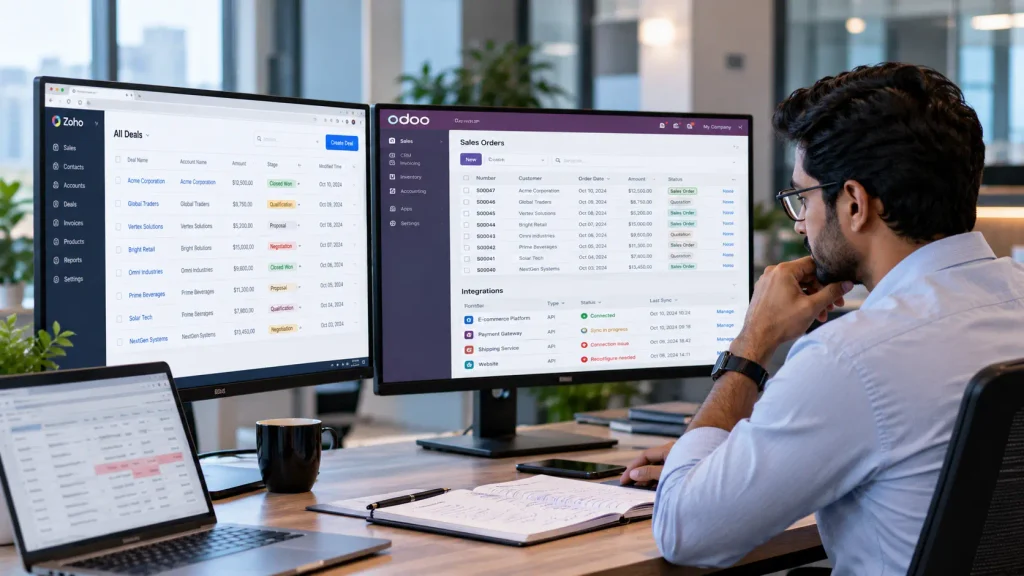
Moving data into Odoo does not automatically update integrations connected to Zoho. E-commerce platforms, payment providers, shipping applications, websites, and custom applications may require new connections or configuration changes.
Before migration, document each integration’s data flow, authentication method, record-matching rules, error handling, and maintenance owner. Identify which connections must be replaced and which will remain active during the transition.
Prevent duplicate processing
If the old Zoho integration and the new Odoo integration operate simultaneously, the same records may be processed twice or sent to the wrong system.
Define which system is authoritative for each record type and control when each integration is activated or deactivated.
Before go-live, verify that:
- Records reach the correct destination with the required field values.
- Repeated requests do not create unintended duplicates.
- Authentication failures and rejected requests can be identified and resolved.
- Failed requests can be retried without corrupting data.
- Critical integrations work after the final cutover.
For custom integrations, document the API requirements, authentication, field mappings, error handling, and monitoring arrangements. Test representative scenarios, including failures, before approving the integration for production.
Protect Accounting Accuracy and Indian Tax Requirements
Incorrect account mapping or incomplete opening balances can distort financial reporting after a Zoho Books migration. Before migration, agree on the accounting scope and cut-off date with the finance team.
Define the accounting migration scope
Identify the information required in Odoo:
- Chart of accounts and account mappings.
- Customer and vendor records.
- Outstanding invoices, bills, payments, and balances.
- Opening balances and the trial balance.
- Historical transactions required for reporting, audit, or operational continuity.
Not every historical transaction must necessarily be recreated as a posted transaction in Odoo. Define how retained historical information will remain accessible if it is not migrated.
Verify Indian accounting configuration
Before importing accounting data, review the Odoo company’s chart of accounts, India localisation, applicable GST configuration, tax registrations, fiscal positions, and relevant invoice sequences.
Confirm the appropriate CGST, SGST, and IGST treatment for the business’s transactions. Configuration requirements depend on the company’s circumstances and Odoo version, so the finance team or a qualified professional should validate the accounting treatment.
Reconcile before go-live
At the agreed cut-off date, compare the source reports with Odoo’s results. Verify opening debit and credit balances, outstanding receivables and payables, customer and vendor balances, relevant bank balances, and tax treatment.
Investigate discrepancies before approving production use. Do not adjust opening balances simply to force a match without identifying the underlying cause.
The finance team should approve the reconciled accounting position before Odoo becomes the live system for financial reporting.
Rehearse the Migration Before Production Cutover
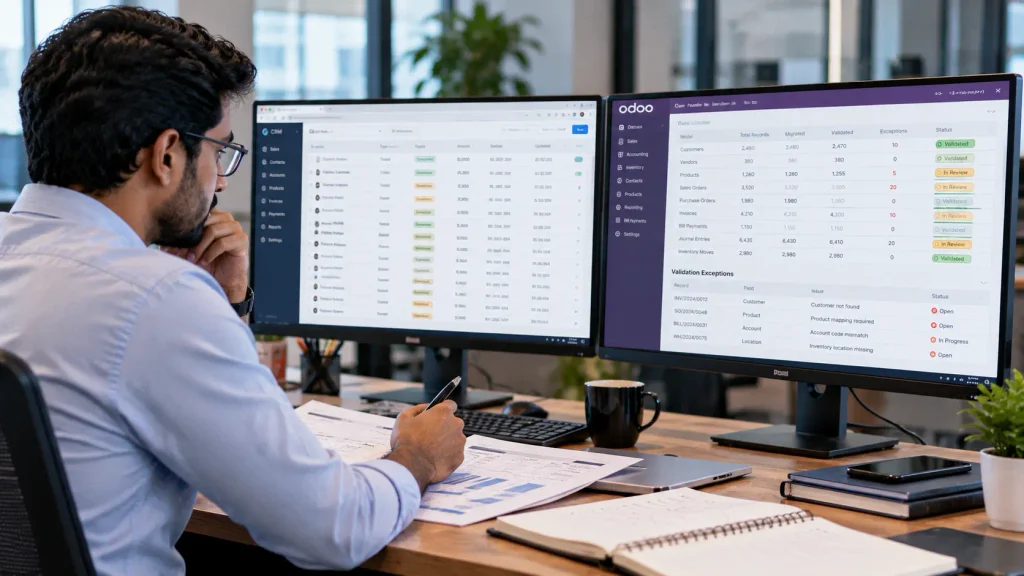
Test the migration in a controlled, non-production environment before importing data into the live Odoo database. This allows the team to identify mapping errors, missing relationships, duplicate records, and configuration problems before they affect business operations.
Test the migration process
- Audit the source: Identify the Zoho applications, datasets, custom fields, workflows, integrations, and reports in scope.
- Prepare Odoo: Configure the required applications, permissions, master data structures, and accounting settings.
- Clean and map data: Correct invalid values, identify duplicates, and define field mappings and record relationships.
- Run a test migration: Import representative datasets and document errors and exceptions.
- Validate operations: Test critical workflows, integrations, accounting results, and user permissions.
- Plan cutover: Define the final extraction, transaction freeze, import sequence, reconciliation checks, and recovery procedure.
Define go-live acceptance criteria
Before approving production migration, verify that:
- In-scope records are accounted for, with exclusions documented.
- Critical record relationships and workflows pass validation.
- Essential integrations operate correctly.
- Accounting balances meet the agreed reconciliation criteria.
- No unresolved critical issue prevents business operations.
Document the test results and obtain approval from the responsible business owners before proceeding.
Plan the Cutover Without Losing Operational Control
A successful test migration does not guarantee a smooth production switch. Define when Zoho stops accepting live transactions, when Odoo becomes the operational system, and how transactions created after the final data extraction will be handled.
Prevent uncontrolled changes to the source data after extraction. If transactions continue in Zoho, establish a documented process to account for them in Odoo.
Retain access to historical data
Do not decommission Zoho immediately after go-live. Historical records may still be required for reporting, customer queries, audits, or reference purposes.
Define the required retention period, authorised access, and archival approach before retiring the old system.
If both systems operate temporarily, specify which system owns each transaction and how duplicate processing will be prevented. End the transition only when the required records are accessible and the responsible business owners approve the change.
When Should You Get Professional Odoo Migration Support?
Professional migration support becomes particularly important when a Zoho-to-Odoo transition involves complex data relationships, custom Zoho Creator applications, API integrations, accounting reconciliation, multi-company operations, or business-critical workflows.
Before selecting a migration partner, confirm that the proposed scope covers:
- Data mapping and migration validation.
- Workflow replacement and custom development.
- Integration changes and testing.
- Accounting reconciliation, where applicable.
- Production cutover and post-go-live support.
The proposal should define deliverables, responsibilities, dependencies, and acceptance criteria. Evaluate the provider on its ability to preserve required business operations, not simply on how many records it can import.
Planning a Zoho-to-Odoo Migration?
Odoobots helps businesses assess their Odoo implementation requirements and identify the migration, integration, and custom development work needed for their operations.
Discuss your requirements with the Odoobots team to determine the appropriate implementation approach.
For broader implementation requirements, explore our Odoo ERP implementation services.
Frequently Asked Questions
Odoo supports importing compatible CSV and XLSX files. However, data may require cleaning, field mapping, and preparation of related records. Complex migrations involving multiple applications or custom data structures may require APIs, scripts, or custom development.
No. Zoho automation rules, approval processes, and custom functions do not automatically become equivalent Odoo workflows. Each process must be assessed to determine whether standard Odoo functionality, configuration, automated actions, or custom development is required.
Compare source and destination record counts, verify relationships and required fields, test critical workflows and integrations, and reconcile relevant accounting balances. Define acceptance criteria before migration and resolve critical discrepancies before approving production use.
Conclusion
A successful Zoho-to-Odoo migration means more than transferring records. Your data relationships, essential workflows, integrations, and accounting information must remain reliable after the transition.
Before switching systems, identify what must be preserved, test critical business processes, and resolve migration issues before go-live.
If your migration involves complex workflows, custom development, or multiple integrations, assess the implementation requirements before committing to the transition.

