Why Is My Odoo Payment Not Matching the Invoice?
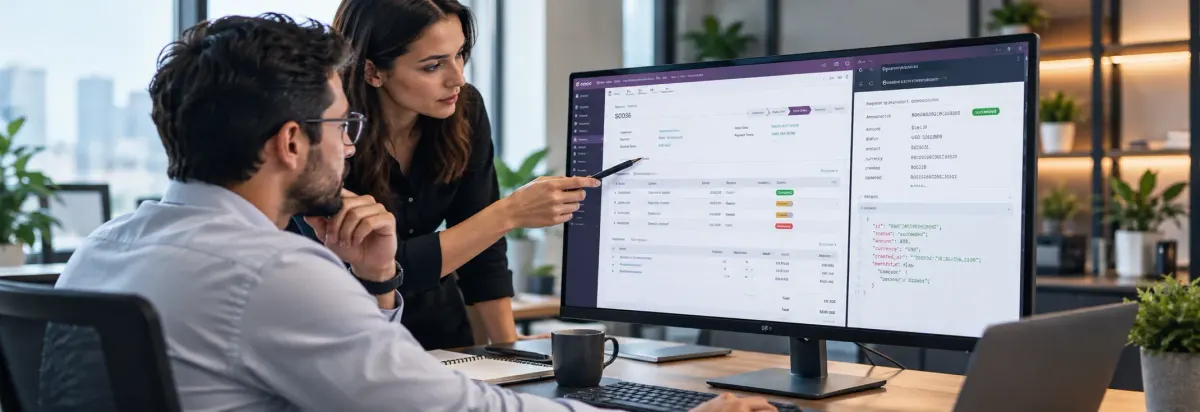
Your Odoo payment has been recorded, but the related invoice is still showing as unpaid, unreconciled, or with an incorrect outstanding amount.
The mismatch may not originate from the payment itself. It can result from the invoice status, customer or vendor, payment amount, currency, outstanding account, bank transaction, or reconciliation process.
Instead of manually changing accounting balances, identify where the payment-to-invoice matching process breaks and correct the underlying transaction or configuration.
What Causes an Odoo Payment Not to Match an Invoice?
Odoo can connect payments with customer invoices or vendor bills, but the matching process depends on how the payment was created and how the related accounting transactions are configured.
- The payment was created separately instead of from the invoice
- The payment amount does not equal the invoice amount
- The wrong customer or vendor is selected
- The invoice is not posted
- The payment remains unreconciled
- The payment is already matched with another transaction
- Different currencies are involved
- Outstanding receipt or payment accounts are configured incorrectly
- Bank transactions have not been reconciled
- Reconciliation rules do not identify the correct transaction
- Manual accounting entries have affected the receivable or payable balance
The important question is not simply “Why is Odoo not matching the payment?”
Common Odoo Payment Matching Problems
Payment Is Not Matching the Invoice
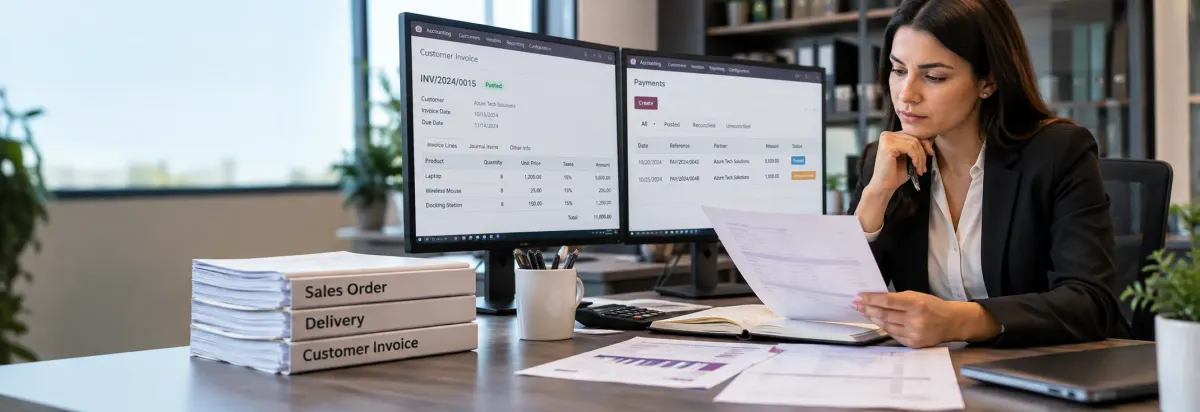
A payment may exist for a customer or vendor but remain separate from the invoice. This can happen when the payment was created independently rather than from the invoice or when the related receivable or payable entries have not been reconciled.
Check the payment, partner, invoice status, amount, and related journal items before attempting a manual adjustment.
Invoice Still Shows an Amount Due After Payment
If the payment has been received but the invoice still shows an outstanding amount, compare the payment amount with the invoice’s remaining balance.
A partial payment may legitimately leave an amount due. If the full amount was received but the invoice remains open, investigate whether the payment is unreconciled or whether the relevant bank transaction still needs reconciliation.
Payment Remains Unreconciled
An unreconciled payment can remain in the accounting records without being linked to the expected invoice.
Review the payment’s journal entry and receivable or payable account, then check whether the corresponding invoice is available for reconciliation. If the payment was previously reconciled and later unreconciled, determine why the original matching was removed.
Payment Is Not Available for Matching
When an expected payment does not appear as an available matching item, check the customer or vendor, payment journal, payment status, amount, currency, and receivable/payable account.
A payment recorded against the wrong partner or accounting account may exist in Odoo but not appear as the expected match.
Payment Amount Does Not Match the Invoice
The payment and invoice may differ because of a partial payment, bank charges, deductions, exchange-rate differences, credit notes, or another legitimate difference.
Do not automatically write off the difference. Determine why the amounts differ first and decide whether the remaining balance should stay open, be reconciled against another transaction, or be handled through an appropriate accounting adjustment.
Payment Matches the Wrong Invoice
When a customer has several open invoices, a payment may be allocated to the wrong invoice.
Compare the payment reference, customer, amount, invoice date, outstanding balance, and transaction details before reconciling it. Correct allocation is important for maintaining accurate customer receivable records.
How to Check Why an Odoo Payment Is Not Matching the Invoice
A structured investigation helps identify the source of the problem before changing accounting records.
Step 1: Check the Invoice Status
Start with the invoice itself.
Confirm that the invoice belongs to the correct customer or vendor, is posted, and has an outstanding amount that should be settled. If the invoice is already paid or fully reconciled, determine whether the payment has been matched against another transaction.
Step 2: Check the Payment
Open the payment and verify the customer or vendor, payment amount, date, currency, payment journal, payment method, payment status, and related journal entry.
The objective is to confirm that the payment contains the information required to match it with the intended invoice.
Step 3: Compare the Receivable or Payable Entries
If the payment exists but does not appear against the invoice, review the underlying journal items.
The invoice and payment need to affect the appropriate receivable or payable account for reconciliation to occur. If they are posted to different accounts, the expected matching relationship may not be available.
Step 4: Check Outstanding Transactions
A payment created separately from an invoice may initially exist as an outstanding credit or debit rather than being directly linked to the invoice.
Review the outstanding items for the relevant customer or vendor and determine whether the payment can be matched with the invoice.
Step 5: Check Bank Reconciliation
If the payment was registered but the invoice remains In Payment, check whether the related bank transaction has been reconciled.
Payment-to-invoice matching and payment-to-bank reconciliation are related but separate stages of the accounting workflow. A problem at either stage can leave the invoice appearing unsettled.
Step 6: Investigate the Difference
If the payment amount does not match the invoice, determine whether the difference is caused by a partial payment, bank charges, currency conversion, credit note, payment difference, duplicate transaction, or incorrect payment allocation.
Correct the source transaction where appropriate instead of forcing the final balance to match.
Odoo Payment and Reconciliation Configuration to Review
If the same payment matching problem occurs repeatedly, the issue may be configuration-related rather than limited to a single transaction.
Review the relevant:
Payment Journal → Payment Method → Outstanding Account → Receivable/Payable Account → Reconciliation Rules
Also check whether reconciliation models or automated matching rules are identifying the intended invoices and payments.
The exact configuration should be reviewed according to the Odoo version, accounting localization, payment workflow, and business process.
How to Prevent Odoo Payment Matching Problems
Recurring payment matching problems are easier to avoid when invoices, payments, bank transactions, and accounting accounts follow a consistent reconciliation workflow.
Use a clear process for recording customer and vendor payments, and regularly review unreconciled payments and outstanding receivable or payable items before they accumulate.
If matching differences occur repeatedly, review the payment journals, outstanding accounts, reconciliation rules, currencies, and payment workflows to determine whether the issue is configuration-related.
Before making a manual accounting adjustment, identify whether the difference originated from the payment, invoice, bank transaction, or reconciliation configuration.
Frequently Asked Questions
The payment may have been created separately, assigned to the wrong customer, posted to an incorrect account, left unreconciled, or recorded for an amount that differs from the invoice. Check the payment, invoice, journal items, and reconciliation status to identify the source.
The payment may be partial, unreconciled, or still waiting for the related bank transaction to be reconciled. Compare the invoice balance with the payment amount and review the payment’s reconciliation status.
A payment can remain unreconciled when it has not been matched with the corresponding invoice or accounting transaction. Review the payment’s receivable or payable entry and the available outstanding items for the related customer or vendor.
Check the invoice status, payment details, customer or vendor, amount, currency, journal, receivable or payable account, and reconciliation status. Then trace the payment and invoice journal items to determine where the matching process failed.
Conclusion
An Odoo payment that does not match an invoice is usually a reconciliation or transaction-flow issue that needs to be traced to its source. Checking the invoice, payment, accounting entries, and reconciliation process helps identify where the mismatch occurred before making any manual adjustment.Talk to our Odoo experts to investigate and resolve your payment matching problems.