Why Is My Odoo Quality Check Not Appearing on a Manufacturing Order?
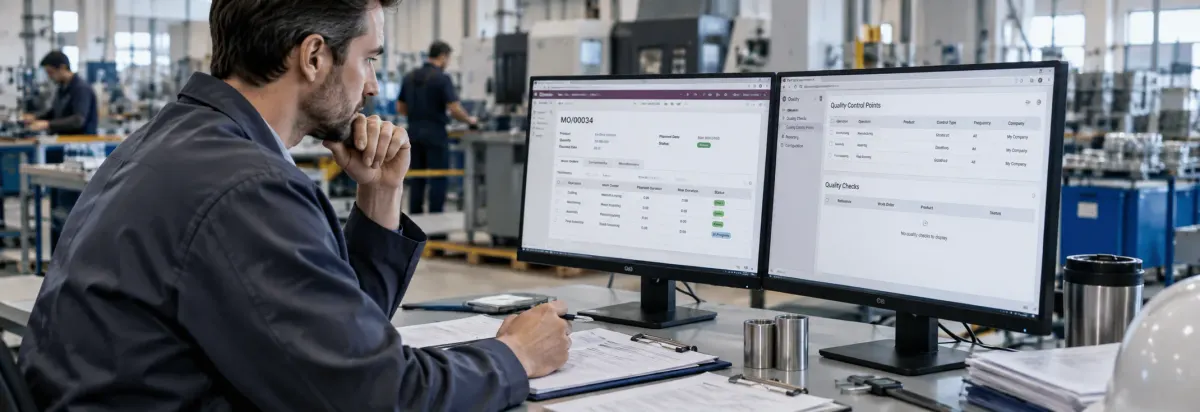
You configured a quality check in Odoo, but it is not appearing on the Manufacturing Order when production starts—or on the Work Order where the inspection is expected.
The Quality Control Point (QCP) may already be configured, yet the check can still be missing because its operation, product, work order operation, control frequency, company, or trigger conditions do not match the manufacturing workflow.
Before creating another quality check or manually adding an inspection, trace the configuration from the Quality Control Point → Manufacturing Order → Work Order → Quality Check. This helps determine whether the check was never triggered, was created for a different manufacturing operation, or is available through another part of the Odoo manufacturing workflow.
What Causes an Odoo Manufacturing Quality Check Not to Appear?
A Quality Control Point (QCP) does not automatically mean that a quality check will appear on every Manufacturing Order. Odoo creates the check when the QCP’s configured conditions match the manufacturing workflow.
For manufacturing, the QCP can be triggered by a Manufacturing operation and can optionally be restricted to a specific Work Order operation. If those conditions do not match the Manufacturing Order, the expected quality check may not be created.
Manufacturing is not selected as the triggering operation. Check the QCP’s Operation field. The QCP must be associated with the appropriate manufacturing operation for the quality check to trigger as expected
- The QCP is restricted to another product or product category. Compare the QCP’s Product or Product Category with the product being manufactured. A mismatch can prevent the QCP from applying to the Manufacturing Order.
- The wrong Work Order Operation is selected. If the QCP targets a specific Work Order operation, verify that the same operation exists in the Manufacturing Order’s workflow.
- Control Frequency does not require a check for the current order. Review whether the QCP is configured for All, Randomly, Periodically, or On-Demand checks before treating an apparently missing check as a configuration failure.
- The check is being processed somewhere else. A quality check associated with the Manufacturing Order is handled from the MO, while a check tied to a specific Work Order operation is processed through the Shop Floor workflow.
- The QCP is configured for another company. In a multi-company database, verify that the QCP’s company matches the Manufacturing Order’s company context.
The key is not simply to confirm that a QCP exists. Compare its configured conditions with the actual product, manufacturing operation, Work Order, and processing workflow used by the affected Manufacturing Order. This identifies why the quality check was not triggered or where it is expected to appear.
Common Odoo Manufacturing Quality Check Problems
A missing quality check can appear differently depending on where the manufacturing workflow breaks. Identifying the exact symptom helps narrow the investigation before changing the Quality Control Point.
Quality Check Is Not Appearing on the Manufacturing Order
If the expected check is missing from the Manufacturing Order, first determine whether the QCP actually applies to that MO.
Check the affected Manufacturing Order against the QCP’s configured operation, product or product category, company, and control frequency. Odoo creates quality checks when the QCP’s configured conditions are met.
Quality Check Is Not Appearing on the Work Order
A QCP can be configured for a specific Work Order Operation. In that case, the quality check is associated with that operation rather than the Manufacturing Order as a whole.
Compare:
QCP Work Order Operation → BoM Operation → Manufacturing Order Work Order
If the configured operation does not match the work order generated for the Manufacturing Order, the check may not appear at the expected manufacturing step.
Quality Check Exists but Is Not Visible Where You Expect
A quality check can be processed from different parts of the manufacturing workflow.
For a quality check created for the Manufacturing Order, Odoo displays a Quality Checks button on the MO when a check is required. A check assigned to a specific work order operation is processed through Shop Floor.
Therefore, confirm whether the expected workflow is:
Manufacturing Order → Quality Checks
or:
Work Order → Shop Floor → Quality Check Step
This distinction can prevent unnecessary changes to a correctly configured QCP.
Quality Check Appears for One Product but Not Another
When the same quality process works for one product but not another, the problem may be specific to how the QCP applies to those products.
Compare the working and failing Manufacturing Orders and determine whether the QCP is intended to apply to a specific product, product category, or all products within the selected manufacturing operation.
This helps distinguish a product-specific configuration issue from a broader Manufacturing or Quality configuration problem.
Quality Check Appears Inconsistently Between Manufacturing Orders
If a quality check appears on some Manufacturing Orders but not others, do not immediately assume that the QCP is broken.
Review its Control Frequency. Odoo supports All, Randomly, Periodically, and On-Demand frequencies, which determine how often a new quality check is created when the QCP conditions are met.
If the frequency intentionally limits when checks are generated, the difference between Manufacturing Orders may be expected behavior rather than a configuration failure.
How to Check Why an Odoo Quality Check Is Not Appearing
Do not change several Quality settings at the same time. Start with the affected Manufacturing Order and trace the QCP conditions against the actual manufacturing workflow.
Step 1: Check the Manufacturing Order
Open the affected Manufacturing Order and confirm:
- Manufactured product
- Quantity
- Manufacturing operation
- Work Orders
- Current processing stage
Then check whether a Quality Checks button is available.
If the quality check is expected on a specific Work Order, open the Work Orders tab and identify the operation where the inspection should occur.
This establishes whether the problem is with the Manufacturing Order itself or with a specific work-order step.
Step 2: Check the Quality Control Point
Open:
Quality → Quality Control → Control Points
Find the QCP responsible for the expected inspection and review:
- Operation
- Product
- Product Category
- Work Order Operation
- Company
- Control Per
- Control Frequency
At least one operation must be specified on a QCP. Product and Product Category can be left blank when the QCP is intended to apply broadly to the selected operation.
Compare these settings with the affected Manufacturing Order before making any changes.
Step 3: Compare the Product and Product Category
If the QCP is restricted to a specific product, confirm that it matches the product being manufactured.
If it is restricted to a product category, verify that the Manufacturing Order’s product belongs to that category.
If the same manufacturing process is used for multiple products, compare a Manufacturing Order where the quality check appears with one where it does not. This can reveal whether the issue is product-specific rather than a general Quality configuration problem.
Step 4: Check the Manufacturing Operation and Work Order
If the QCP is configured for Manufacturing without a specific Work Order Operation, determine whether the quality check is expected at the Manufacturing Order level.
If a Work Order Operation is selected, verify that the same operation exists in the Manufacturing Order’s actual workflow.
For example:
QCP → Assembly
but the Manufacturing Order contains:
Cutting → Welding → Painting
The QCP configured for Assembly does not match the available work-order operations. The problem is therefore not necessarily the quality check itself; the configured trigger does not match the manufacturing workflow.
Step 5: Check Control Frequency
Review the QCP’s Control Frequency:
All → Randomly → Periodically → On-Demand
Do not assume that a QCP must generate a quality check for every Manufacturing Order. A frequency other than All can intentionally limit when checks are created. If the check appears on some orders but not others, compare the QCP’s frequency settings before changing the manufacturing configuration.
Step 6: Check Where the Quality Check Should Appear
Confirm whether the QCP is intended to create a Manufacturing Order-level check or a Work Order-level check.
For an MO-level check, look for the Quality Checks button on the Manufacturing Order.
For a check associated with a specific Work Order Operation, open the relevant work order through Shop Floor and check whether the quality step appears there.
This distinction is important because a check that is correctly configured for a work order may not appear where an operator expects to find an MO-level quality check.
Step 7: Check the Company
If the database uses multiple companies, verify that the QCP is assigned to the company applicable to the Manufacturing Order.
Compare the company on the QCP with the company context of the affected Manufacturing Order. A configuration that works for one company should not automatically be assumed to apply to another.
After completing these checks, you should be able to identify whether the missing quality check is caused by a QCP condition, product or operation mismatch, control frequency, workflow location, or company configuration.
Odoo Manufacturing Quality Configuration to Review
Review the QCP as part of the complete manufacturing workflow:
Product → BoM → Manufacturing Operation → Work Order → Quality Control Point → Quality Check
| Configuration | What to verify |
| Operation | Manufacturing is selected when the check should trigger from the MO. |
| Product | The manufactured product matches the QCP. |
| Product Category | The product belongs to the configured category. |
| Work Order Operation | The selected operation exists in the manufacturing workflow. |
| Company | The QCP applies to the correct company. |
| Control Per | Operation, Product, or Quantity matches the intended inspection. |
| Control Frequency | The frequency matches when the check should be generated. |
Use this checklist after tracing the affected Manufacturing Order and QCP to confirm that the configuration matches the actual manufacturing workflow.
How to Prevent Missing Quality Checks in Odoo Manufacturing
Prevent missing quality checks by keeping Quality Control Points aligned with the actual manufacturing workflow.
When a new BoM, manufacturing operation, or Work Order is introduced, review the related QCPs to make sure they still match the production process.
Also confirm where operators are expected to complete each check. MO-level and Work Order-level quality checks follow different processing paths in Odoo.
If a quality check repeatedly appears at the wrong stage or does not appear as expected, review the QCP and manufacturing workflow instead of manually creating checks for individual Manufacturing Orders.
Frequently Asked Questions
Check the Quality Control Point’s operation, product or product category, company, control frequency, and other trigger conditions. If the QCP targets a specific Work Order, the check may be intended to appear in Shop Floor rather than directly on the Manufacturing Order.
Check whether the QCP has a Work Order Operation configured and whether that operation exists on the Manufacturing Order. Work-order quality checks are created through QCPs and processed through Shop Floor.
The QCP may be restricted to a specific product or product category. Compare the QCP’s product conditions with the product being manufactured.
Not necessarily. The QCP’s Control Frequency can be configured as All, Randomly, Periodically, or On-Demand, so the expected behavior depends on the configuration.
Conclusion
When an Odoo quality check does not appear during manufacturing, the issue is usually found by tracing the Quality Control Point against the actual Manufacturing Order and Work Order.
The key is to identify whether the QCP failed to trigger or whether the quality check is being processed at a different stage of the manufacturing workflow.