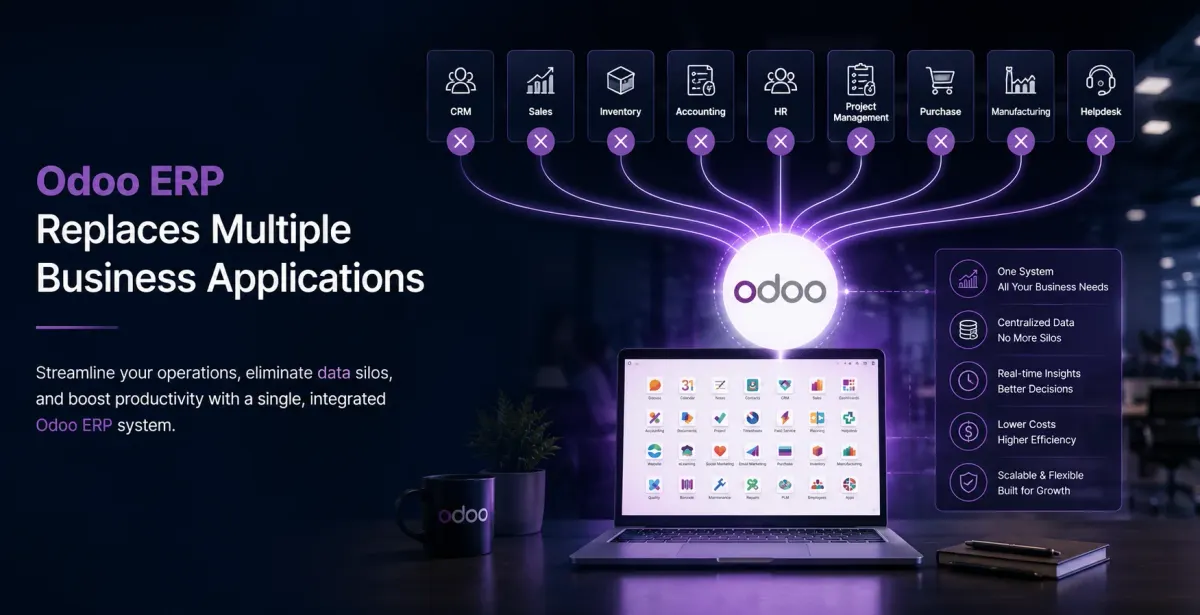
Complete Business Automation with Odoo ERP

Business automation is sold as a single decision and bought as a single purchase, but it is neither. Some of your work can be automated this quarter, some can be automated after your data is fixed, and some should never be automated because a person's judgement is the point.
This article sorts the work into those three groups, using Odoo as the example, and says plainly which group each common request falls into.
Group one: automate now
These are steps where the rule is unambiguous, the data already exists, and nobody needs to think. They are also where most of the time goes.
Document chains. Quotation to sales order, order to delivery, delivery to invoice. The information is already in the system, so each document should build itself from the one before it rather than being retyped. Removing this one chain is usually the largest single saving in a business.
Reordering. Minimum and maximum levels per product per location, and a purchase suggestion raised when stock crosses the line. The buyer still approves it; what disappears is the weekly spreadsheet that decides what to approve.
Payment follow-up. Reminders at agreed intervals, with the receivables ageing behind them. Most businesses chase the customers they remember and forget the rest, and the forgotten ones are where the cash is.
Recurring invoices. Subscriptions, retainers, AMC and rent. A schedule, raised automatically, with the accounting entries behind it.
Routine assignment. Leads to the right salesperson, tickets to the right queue, by rule rather than by whoever picked up the phone. The rule can be imperfect; it is still better than the memory of a busy person.
Standard notifications. Dispatch confirmation to the customer, a nudge when an approval has been sitting too long, an alert when a payment fails.
Group two: automate after you fix something first
These fail if attempted straight away, and the failure is usually blamed on the software rather than on the data underneath it.
Anything built on stock figures. Automatic reordering, availability shown on a website, production triggered by demand. If physical stock and system stock disagree, the automation confidently makes wrong decisions at speed. A proper physical count comes first. It is unglamorous and it is the single most skipped step in ERP projects.
Automatic pricing and discounts. Pricelists, customer-specific rates and volume breaks work well, but only once somebody has written down what the rules actually are. Most businesses discover that three people have been applying three different conventions.
Production planning. Scheduling against work centre capacity needs accurate routings, realistic cycle times and real component lead times. With invented numbers it produces a plan nobody follows. See Odoo for manufacturing for how this is sequenced.
Cross-system flows. Website orders into the ERP, bank statements into accounting, a courier's tracking back into delivery records. All standard, all dependent on someone owning the error queue — because integrations fail quietly, and unwatched failures mean two systems drift apart until an audit finds it. This is the part of Odoo integration that gets underestimated.
Group three: leave it to a person
Automating these looks efficient and costs money.
Exception handling. The customer who pays in two currencies, the return without an original invoice, the part that ships in a unit nobody configured. You can automate the eight hundred normal cases and route the rest to a human. Trying to encode every exception is how a six-week project becomes a six-month one.
Judgement with money attached. Credit limits, writing off a debt, approving an unusual discount. The system should present the information and record the decision. It should not make it.
Negotiation and relationships. A quotation can be generated. The conversation that wins the order cannot.
Anything you are automating to avoid a conversation. If two departments disagree about how an order should be handled, a workflow does not resolve the disagreement — it hides it until month end.
A sequence that works
Businesses that get this right tend to follow roughly the same order, and the reason is confidence rather than technology: each phase has to produce something visible before the next one is funded.
- The document chain. Quote to invoice, plus the stock behind it. Largest saving, least dependent on clean history.
- Purchasing and accounting. Closes the loop, makes reports trustworthy, and surfaces whatever data problems remain.
- The data clean-up those reports expose. Stock count, duplicate customers, product master. Dull, and everything after it depends on it.
- Rule-based automation. Reordering, pricelists, follow-up, assignment — now that the figures they read are true.
- Integrations. Website, bank, courier, with a named owner for failures.
- Planning and analytics. Capacity scheduling and forecasting, which need a few months of accurate history to be worth anything.
Attempting step six before step three is the most common way an automation project disappoints. The software works; the numbers it works on are wrong.
What to expect in the first weeks
Automation does not feel faster immediately. A system enforces steps that people used to carry in their heads, so week one is slower and everyone notices. The recovery takes a few weeks, and the real gain shows up at the first month end, when there is nothing to reconcile.
Judging automation at day three is the surest way to abandon something that was about to work.
Frequently asked questions
Document chains from quotation to invoice, reordering against minimum and maximum stock levels, payment follow-up, recurring invoices, lead and ticket assignment by rule, and standard customer notifications. These need no clean-up first because the rules are unambiguous and the data already exists in the system.
Stock accuracy, above everything else. Automatic reordering, website availability and demand-driven production all read stock figures, and if those figures are wrong the automation makes wrong decisions quickly. Pricing conventions and product master data are next, because most businesses find several people have been applying different rules.
Exception handling, decisions with money attached such as credit limits and write-offs, and anything being automated to avoid a disagreement between departments. Automate the normal cases and route the rest to a person; encoding every exception is what turns a short project into a long one.
Document chain first, then purchasing and accounting, then the data clean-up those reports expose, then rule-based automation, then integrations, and planning or forecasting last. Planning needs a few months of accurate history, so attempting it before the data is clean is the most common reason an automation project disappoints.
Not in the first week, which is slower than the old way because the system enforces steps people previously held in their heads. Productivity usually recovers within a few weeks, and the first clear gain is the first month end, when there is nothing left to reconcile between two versions of the same figure.