

Choosing how to customize Odoo affects more than implementation effort. It influences how business rules are implemented, how changes are tested, and how the system can be maintained as requirements evolve.
Odoo Studio provides a visual approach to supported configuration changes, while custom development allows developers to extend existing applications with specialized logic and functionality.
The right choice depends on what your business needs Odoo to do, whether the available tools can deliver that behaviour, and how the solution will be maintained.
What Can You Do with Odoo Studio?
Odoo Studio lets users customize supported parts of Odoo through a visual interface, including fields, views, automation rules, reports, and approval rules. Available capabilities depend on the Odoo version and environment.
Add fields and modify views
Studio can add fields to existing records and modify supported form, list, and kanban views.
For example, a sales team can add a field to record a customer’s preferred delivery window. If the requirement is simply to capture and display that information, Studio may be sufficient.
However, if the field must trigger complex calculations, enforce specialized validation, or affect several related models, assess whether custom development is necessary.
Configure automation
Studio supports automation rules for suitable business events and actions, such as updating a field or scheduling an activity when specified conditions are met.
Before implementing a rule, verify its trigger, conditions, and interaction with existing automations. Test cases involving repeated triggers and multiple record updates to identify unintended behaviour.
Customize reports and approvals
Studio can modify supported reports and configure suitable approval rules. These features may be sufficient for straightforward presentation changes and approval requirements.
More complex calculations, approval logic, or interactions across multiple applications may require custom development.
The deciding factor is whether Studio can meet the complete requirement—not just its most visible part.
What Is Custom Odoo Development?
Custom Odoo development extends or modifies Odoo through code, usually organized into custom modules.
Depending on the requirement, developers may use Python, the Odoo ORM, XML views, JavaScript, OWL components, and APIs to implement functionality beyond what existing configuration tools can adequately support.
Custom development is appropriate when the required functionality needs greater technical control than Studio can provide.
Implement specialized business logic
Some requirements involve complex conditions, calculations, or dependencies across related records.
For example, an order-validation process may need to check several records, apply different rules, and prevent confirmation when required data is missing.
A developer can implement these rules while accounting for access permissions, invalid data, and interactions with existing workflows.
Implement specialized business logic
Some requirements involve complex conditions, calculations, or dependencies across related records.
For example, an order-validation process may need to check several records, apply different rules, and prevent confirmation when required data is missing.
A developer can implement these rules while accounting for access permissions, invalid data, and interactions with existing workflows.
Extend existing Odoo applications
Custom modules can extend existing models and business processes without replacing an entire application. Depending on the requirement, they can:

- Extend model methods and add business logic.
- Implement validation constraints and workflow rules.
- Create specialized views or interface components.
- Define access controls and record rules.
- Add automated tests for critical requirements.
The implementation should follow appropriate Odoo extension mechanisms and remain compatible with the installed version.
Integrate external systems
Integrations with payment providers, eCommerce platforms, logistics services, and other applications may require authentication, API requests, field mapping, synchronization, and error handling.
For example, an order integration must account for duplicate requests, missing fields, connection failures, and orders that already exist—not just transfer data into Odoo.
Custom development can implement these behaviours according to the integration requirements.
Support long-term maintenance
Custom modules can be managed through source control, code review, automated testing, and controlled deployment.
However, maintainability depends on implementation quality. Poorly designed code can create technical debt, while a well-managed Studio customization may remain suitable for its intended purpose.
The key distinction is whether the requirement needs functionality or technical control beyond what Studio can adequately provide.
Odoo Studio vs Custom Development: Key Differences
The right approach depends on the complexity of the requirement, the technical control needed, and long-term maintenance.
| Decision factor | Odoo Studio | Custom development |
| Primary purpose | Supported visual customization and configuration | Specialized functionality and technical extensions |
| Technical skills | Suitable for trained functional users for many tasks | Requires appropriate development expertise |
| Business logic | Suitable for requirements within its supported capabilities | Greater control over specialized logic |
| Integrations | Supports certain integration-related features, including webhooks | Suitable for complex API integrations and synchronization |
| Testing | Requires functional testing | Can include functional, code-level, and automated testing |
| Maintenance | Often simpler for supported customizations | Requires maintenance of code and dependencies |
| Upgrades | Customizations need validation | Custom modules require compatibility assessment and testing |
Neither approach eliminates maintenance. The difference lies in the complexity of the solution and how it must be tested, maintained, and upgraded.
When Is Odoo Studio the Right Choice?
Odoo Studio is suitable when a requirement fits its supported capabilities and does not need a deeper technical extension.
Simple fields and layout changes
Studio can add fields and adjust supported views when users need to capture information or reorganize existing screens.
Before making changes, confirm that the information is not already available elsewhere and that the field belongs on the appropriate model. If the requirement involves complex calculations or specialized business rules, assess whether custom development is necessary.
Straightforward automation
Studio can configure automations when the required triggers, conditions, and actions fit its available capabilities.
Test relevant scenarios, including repeated triggers and records that do not meet the conditions. More complex workflows involving extensive cross-model operations or specialized error handling may require custom development.
Routine changes managed by business users
Studio can help trained users make supported adjustments without requiring a developer for every minor change.
However, important changes still need documentation, approval, and testing in an appropriate environment before production use.
Choose Studio when it meets the complete requirement reliably—not simply because it appears faster to configure.
When Should You Choose Custom Odoo Development?
Custom development is appropriate when a requirement exceeds the capabilities of available configuration tools or needs greater technical control.
Complex business logic and specialized functionality
A workflow may involve multiple conditions, related records, calculations, or validation rules that are difficult to maintain through separate automation rules.
A custom module can implement this logic more systematically. Before development begins, define the expected behaviour, validation rules, permissions, and acceptance criteria.
Not every automation needs custom code. The decision depends on which approach can meet the complete requirement reliably.
Complex integrations
Custom development may be necessary when an integration requires detailed control over authentication, API requests, data transformation, synchronization, and error recovery.
The technical design should establish:
- Which system owns each data field.
- How records are matched between systems.
- How duplicate requests are handled.
- What happens when a system becomes unavailable.
- How failed operations are logged and retried.
These decisions help prevent duplicate records, inconsistent data, and failed transactions.
Specialized interface requirements
Studio supports certain view customizations, but some requirements need specialized frontend development.
Examples include interactive components or interface behaviour that the available customization tools cannot adequately provide. The appropriate technologies and extension points depend on the Odoo version and the required functionality.
Business-critical changes and controlled development
Customizations affecting financial calculations, order validation, or access permissions may require source control, code review, automated testing, and controlled deployment.
A custom module can support these practices when implemented and maintained properly. An experienced Odoo developer can assess the requirement and recommend an appropriate technical approach.
How to Decide: A Practical Technical Assessment
Before choosing Studio or custom development, assess five factors:
1. Existing Odoo functionality
Can standard Odoo meet the requirement through its existing features and configuration? Confirm the actual functional gap before introducing a customization.
2. Studio capabilities
Can Studio implement the complete requirement, including its validation rules, permissions, calculations, and related workflows?
3. Future requirements
Consider whether expected changes could make the customization harder to maintain. Avoid unnecessary complexity without assuming that every future change requires redevelopment.
4. Testing and maintenance
Determine how the customization will be tested, documented, and maintained. Business-critical changes may require automated tests, code review, and controlled deployment.
5. Total cost of ownership
Compare the initial implementation effort with the ongoing cost of testing, maintenance, and upgrades. Studio may suit straightforward changes, while custom development may be more maintainable for complex requirements.
The final decision should meet the complete business requirement without introducing unnecessary technical complexity.
Can You Use Odoo Studio and Custom Development Together?
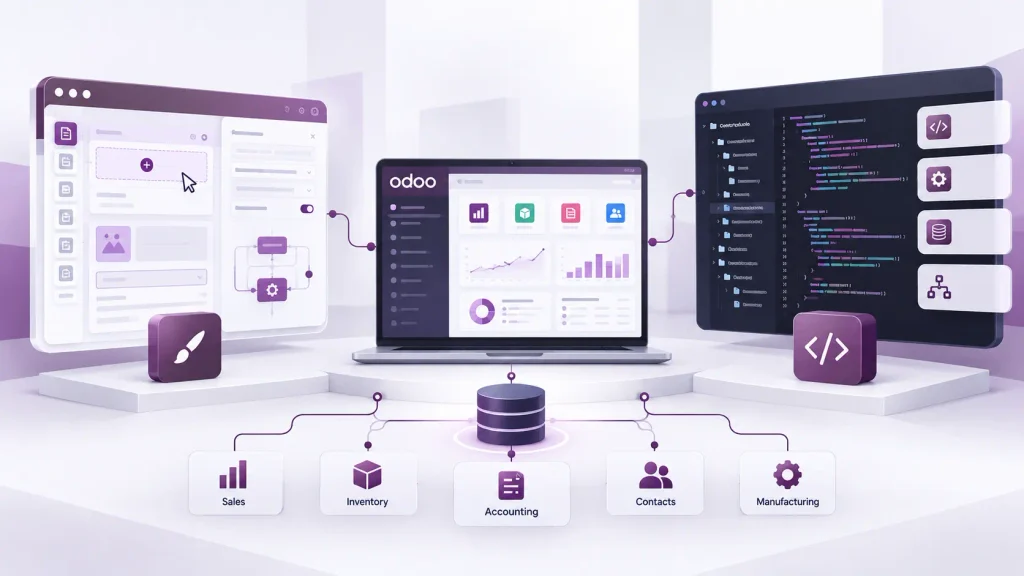
Yes. Odoo Studio and custom development can complement each other within the same Odoo system.
Studio can handle supported visual customizations and routine configuration, while custom modules implement specialized business logic and technical extensions.
Define the role of each approach
Use Studio for suitable field, view, and automation changes. Use custom modules when requirements need more complex logic, specialized integrations, or technical capabilities beyond Studio.
Avoid overlapping mechanisms that perform the same operation without a clear reason.
Document dependencies
Studio customizations, automated actions, and custom modules can interact with the same business processes. Document their purpose, dependencies, and testing requirements so future administrators and developers can understand how they work together.
Test the complete workflow
A change to one field or automation may affect other operations. Test the complete business process, including existing functionality, rather than checking only whether the new feature works independently.
Use appropriate testing and change-management procedures before deploying changes to production.
The goal is to combine both approaches where appropriate without creating conflicting logic or unnecessary maintenance.
When Should You Involve an Odoo Developer?
You may not need a developer for every customization. However, professional development support becomes valuable when configuration options cannot meet the requirement or the technical risks need further assessment.
Consider involving a developer when:
- Studio cannot implement the required behaviour.
- Automations have become difficult to maintain.
- Customizations affect multiple models or workflows.
- An integration requires specialized logic.
- A custom interface component is needed.
- An existing customization produces incorrect results.
- Custom modules require technical maintenance or upgrade planning.
Before contacting a developer, document the business problem, current behaviour, expected outcome, and any errors or constraints. This helps determine whether configuration, Studio, or custom development is the most appropriate solution.
If your business needs specialized customization, integrations, or ongoing development support, explore Odoobots’ Odoo developer hiring
Frequently Asked Questions
Neither is universally better. Odoo Studio suits supported visual customizations and configuration, while custom development is appropriate for specialized business logic, complex integrations, and functionality beyond Studio’s capabilities.
Custom development is appropriate when standard Odoo functionality and Studio cannot adequately meet your requirements. Common cases include complex business workflows, specialized integrations, custom interface components, and technical extensions to existing applications.
Yes. Studio can handle supported visual customizations and routine configuration, while custom modules implement more complex functionality. Document dependencies and test the combined behaviour to avoid conflicting changes.
Conclusion
Choose Odoo Studio for straightforward customizations. Choose custom development when your business needs deeper technical control.
The right approach should meet your requirements without introducing unnecessary complexity or maintenance.
Need custom Odoo functionality, integrations, or technical expertise? Hire an Odoo Developer at Odoobots.

